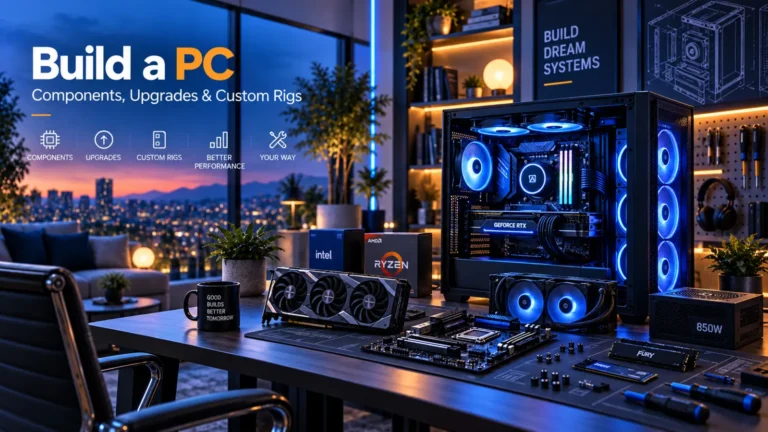
Complete PC build guides for office work, business, gaming, digital art, video, CAD, local AI, music, small-form-factor and home-server workloads.
Quick buying guide
A practical starting point for complete pc builds
Typical UK price range: About £600 for a basic office tower to £7,000+ for an enthusiast local-AI or specialist workstation buildIndicative market guide reviewed August 2026. International pricing, tax, availability and subscriptions vary by region.
Choose the workload before the parts. Office and word-processing PCs often do not need a discrete graphics card; gaming, 3D, video and local-AI workloads can justify far more GPU budget. Plan CPU platform, graphics, memory, storage, power, cooling and case as one compatible system, then leave budget for the monitor and input devices you actually use.
Common search themes:best PC build UKgaming PC buildoffice PC buildbusiness PC buildcreator PC builddigital art PC
Products worth comparing
Shortlist at a glance
These are research-led starting points chosen to represent useful budgets and use cases. A product appearing here is not a claim that we have personally tested it; hands-on experience is labelled separately in detailed reviews.
Complete PC Builds shortlist comparison
Product / service
Our shortlist role
Indicative price
Best for
Office & Word Processing PC Blueprint
Best simple productivity blueprint
~£600–£900
Word, Excel, browsing, video calls and everyday admin
Business & Multitasking PC Blueprint
Best business multitasking blueprint
~£800–£1,200
Heavy browser use, Office suites, accounting, CRM and multi-monitor work
1080p Gaming PC Blueprint
Best value gaming blueprint
~£900–£1,300
High-refresh 1080p gaming
1440p Gaming PC Blueprint
Best mainstream gaming blueprint
~£1,400–£2,000
High-quality 1440p gaming and mixed streaming
4K Gaming PC Blueprint
Best premium gaming blueprint
~£2,100–£3,500+
4K gaming, high refresh and demanding visual settings
Digital Art & Illustration PC Blueprint
Best art-focused blueprint
~£1,000–£2,000 plus display
Photoshop, Clip Studio Paint, illustration and pen-display workflows
Video Editing & Creator PC Blueprint
Best creator blueprint
~£1,500–£3,500+
Premiere Pro, DaVinci Resolve, streaming and content creation
CAD & 3D Workstation PC Blueprint
Best 3D blueprint
~£2,000–£4,500+
Blender, 3D modelling, rendering and CAD
Local AI & LLM Workstation Blueprint
Best local-AI blueprint
~£2,500–£7,000+
Local language models, image generation and GPU-compute experiments
Music Production & Quiet PC Blueprint
Best audio blueprint
~£1,000–£2,000
DAWs, virtual instruments, recording and low-noise studios
Small Form Factor PC Blueprint
Best compact blueprint
~£1,000–£2,500+
High-performance PCs where desk space matters
Home Server & NAS PC Blueprint
Best storage blueprint
~£700–£2,000+ plus drives
Backups, media, shared storage and home-lab services
Coding & Software Development PC Blueprint
Best coding blueprint
~£900–£1,800
Software development, containers, IDEs, local databases and multi-monitor coding
Photography & Photo Editing PC Blueprint
Best photo-editing blueprint
~£1,100–£2,200 plus display
Photoshop, Lightroom Classic, RAW workflows and large photo libraries
Touchscreen & Interactive PC Blueprint
Best interactive blueprint
~£800–£1,600 plus touch display
Presentations, teaching, kiosks, point-of-sale and direct-touch Windows workflows
Virtualisation & Home Lab PC Blueprint
Best virtualisation blueprint
~£1,200–£3,000+
Virtual machines, containers, test labs, Proxmox and self-hosted services
Data Analysis & Engineering PC Blueprint
Best analytics blueprint
~£1,200–£3,500+
Python, R, large spreadsheets, BI, data engineering and mixed CPU/GPU analysis
Budget Gaming PC Blueprint
Best entry gaming blueprint
~£650–£950
1080p gaming on a constrained budget
Esports & High-FPS Gaming PC Blueprint
Best competitive blueprint
~£1,100–£1,800
Competitive shooters and high-refresh 1080p/1440p play
VR Gaming PC Blueprint
Best headset-led blueprint
~£1,400–£2,500
PC VR headsets and demanding immersive games
Sim Racing PC Blueprint
Best racing blueprint
~£1,500–£3,000+
Ultrawide/triple-screen sim racing with many peripherals
Gaming + Streaming PC Blueprint
Best one-PC creator-gaming blueprint
~£1,600–£3,000
Playing, streaming and recording on one desktop
Small Business PC Blueprint
Best small-company desktop blueprint
~£700–£1,200
Office suites, accounting, CRM, browser-heavy work and several-year service life
Multi-Monitor Productivity PC Blueprint
Best multi-screen blueprint
~£800–£1,500 plus displays
Two to four business/productivity monitors
Remote & Hybrid Work PC Blueprint
Best hybrid-work blueprint
~£750–£1,400
Video meetings, Office, browser apps, remote desktop and home/office switching
Business Workstation Blueprint
Best professional office blueprint
~£1,500–£4,000+
Heavier professional software, large datasets and multi-monitor work
DaVinci Resolve PC Blueprint
Best Resolve blueprint
~£1,800–£4,000+
DaVinci Resolve editing, colour and effects
Premiere Pro PC Blueprint
Best Adobe editing blueprint
~£1,600–£3,500+
Adobe Premiere Pro editing and mixed Creative Cloud work
Podcast & Streaming Production PC Blueprint
Best production-audio blueprint
~£1,000–£2,200
Podcast editing, live streaming, audio interfaces and creator multitasking
Architecture & Rendering Workstation Blueprint
Best visualisation blueprint
~£2,000–£5,000+
Architecture, BIM, modelling and GPU/CPU rendering
AI Image Generation PC Blueprint
Best diffusion blueprint
~£2,000–£5,500+
Local Stable-Diffusion-class image generation and creative AI workflows
Machine Learning & CUDA Workstation Blueprint
Best compute blueprint
~£2,500–£7,000+
Local CUDA development, training experiments and GPU compute
Docker, Proxmox & Self-Hosting PC Blueprint
Best self-hosting blueprint
~£900–£2,500+
Containers, VMs, services, test labs and self-hosting
Energy-Efficient PC Blueprint
Best low-power blueprint
~£650–£1,200
Always-on or frequently used office/home PCs where power draw matters
Long-Life & Upgradeable PC Blueprint
Best longevity blueprint
~£1,000–£2,000
Buyers who want a serviceable platform with clear future upgrade paths
Accessible & Ergonomic Desktop Blueprint
Best accessibility-led blueprint
~£800–£1,800 plus specialist peripherals
Users who benefit from adapted input, display positioning or simplified access
Student & Family Shared PC Blueprint
Best shared-home blueprint
~£650–£1,100
Homework, browsing, video calls, light creation and shared household use
Home Theatre PC Blueprint
Best living-room blueprint
~£550–£1,200
Local media, streaming, light emulation and living-room PC use
Best simple productivity blueprint
Office & Word Processing PC Blueprint
Indicative price: ~£600–£900
Editorial blueprint · sources checked 26 August 2026
A quiet, efficient desktop built around a modern CPU with integrated graphics, 16–32GB RAM and a 1TB SSD. Spend on reliability, display quality and peripherals before adding a graphics card.
Best for: Word, Excel, browsing, video calls and everyday admin
Potential drawback: Not intended for demanding 3D, local AI or high-end gaming
Research assessment
A quiet, efficient desktop built around a modern CPU with integrated graphics, 16–32GB RAM and a 1TB SSD. Spend on reliability, display quality and peripherals before adding a graphics card. The listed price is an editorial build range rather than a product price.
Reasons to consider
Word, Excel, browsing, video calls and everyday admin
Budget is allocated by workload rather than cosmetic specification chasing
Limitations and checks
Not intended for demanding 3D, local AI or high-end gaming
Component prices and compatibility change, so the exact parts list must be rechecked before purchase
Sources and evidence notes (1)
This editorial synthesis does not represent a hands-on test by The Tools and Tech. Source links are references, not affiliate links. Research depth: Independent build/workload guidance; exact parts must be revalidated.
Editorial blueprint · sources checked 26 August 2026
A dependable multi-monitor business system with 32GB memory, fast NVMe storage, wired networking and room for future storage or expansion.
Best for: Heavy browser use, Office suites, accounting, CRM and multi-monitor work
Potential drawback: Specialist creative workloads may need more RAM or a discrete GPU
Research assessment
A dependable multi-monitor business system with 32GB memory, fast NVMe storage, wired networking and room for future storage or expansion. The listed price is an editorial build range rather than a product price.
Reasons to consider
Heavy browser use, Office suites, accounting, CRM and multi-monitor work
Budget is allocated by workload rather than cosmetic specification chasing
Limitations and checks
Specialist creative workloads may need more RAM or a discrete GPU
Component prices and compatibility change, so the exact parts list must be rechecked before purchase
Sources and evidence notes (1)
This editorial synthesis does not represent a hands-on test by The Tools and Tech. Source links are references, not affiliate links. Research depth: Independent build/workload guidance; exact parts must be revalidated.
Editorial blueprint · sources checked 26 August 2026
A balanced gaming build that puts meaningful budget into the graphics card while avoiding unnecessary premium motherboard, case and storage spending.
Best for: High-refresh 1080p gaming
Potential drawback: Less headroom for demanding 1440p/4K ray tracing
Research assessment
A balanced gaming build that puts meaningful budget into the graphics card while avoiding unnecessary premium motherboard, case and storage spending. The listed price is an editorial build range rather than a product price.
Reasons to consider
High-refresh 1080p gaming
Budget is allocated by workload rather than cosmetic specification chasing
Limitations and checks
Less headroom for demanding 1440p/4K ray tracing
Component prices and compatibility change, so the exact parts list must be rechecked before purchase
Sources and evidence notes (1)
This editorial synthesis does not represent a hands-on test by The Tools and Tech. Source links are references, not affiliate links. Research depth: Independent build/workload guidance; exact parts must be revalidated.
Editorial blueprint · sources checked 26 August 2026
A strong modern gaming tier where the GPU becomes the largest spend, backed by 32GB memory, 1–2TB NVMe storage and a quality PSU.
Best for: High-quality 1440p gaming and mixed streaming
Potential drawback: Monitor and GPU choice can push total cost quickly
Research assessment
A strong modern gaming tier where the GPU becomes the largest spend, backed by 32GB memory, 1–2TB NVMe storage and a quality PSU. The listed price is an editorial build range rather than a product price.
Reasons to consider
High-quality 1440p gaming and mixed streaming
Budget is allocated by workload rather than cosmetic specification chasing
Limitations and checks
Monitor and GPU choice can push total cost quickly
Component prices and compatibility change, so the exact parts list must be rechecked before purchase
Sources and evidence notes (1)
This editorial synthesis does not represent a hands-on test by The Tools and Tech. Source links are references, not affiliate links. Research depth: Independent build/workload guidance; exact parts must be revalidated.
Editorial blueprint · sources checked 26 August 2026
A premium build that prioritises a high-end GPU, strong CPU, quality cooling and power delivery while resisting decorative overspend.
Best for: 4K gaming, high refresh and demanding visual settings
Potential drawback: Diminishing returns rise sharply at the top end
Research assessment
A premium build that prioritises a high-end GPU, strong CPU, quality cooling and power delivery while resisting decorative overspend. The listed price is an editorial build range rather than a product price.
Reasons to consider
4K gaming, high refresh and demanding visual settings
Budget is allocated by workload rather than cosmetic specification chasing
Limitations and checks
Diminishing returns rise sharply at the top end
Component prices and compatibility change, so the exact parts list must be rechecked before purchase
Sources and evidence notes (1)
This editorial synthesis does not represent a hands-on test by The Tools and Tech. Source links are references, not affiliate links. Research depth: Independent build/workload guidance; exact parts must be revalidated.
Editorial blueprint · sources checked 26 August 2026
A colour-conscious creative PC with 32–64GB RAM, fast SSD storage and enough GPU capability for accelerated filters, paired with a calibrated monitor or pen display.
Best for: Photoshop, Clip Studio Paint, illustration and pen-display workflows
Potential drawback: A generic touchscreen is not a substitute for a pressure-sensitive pen display
Research assessment
A colour-conscious creative PC with 32–64GB RAM, fast SSD storage and enough GPU capability for accelerated filters, paired with a calibrated monitor or pen display. The listed price is an editorial build range rather than a product price.
Reasons to consider
Photoshop, Clip Studio Paint, illustration and pen-display workflows
Budget is allocated by workload rather than cosmetic specification chasing
Limitations and checks
A generic touchscreen is not a substitute for a pressure-sensitive pen display
Component prices and compatibility change, so the exact parts list must be rechecked before purchase
Sources and evidence notes (1)
This editorial synthesis does not represent a hands-on test by The Tools and Tech. Source links are references, not affiliate links. Research depth: Independent build/workload guidance; exact parts must be revalidated.
Editorial blueprint · sources checked 26 August 2026
A creator system with 64GB or more RAM for demanding timelines, strong GPU acceleration, fast project/cache storage and enough backup capacity for media.
Best for: Premiere Pro, DaVinci Resolve, streaming and content creation
Potential drawback: Codec, resolution and effects determine the ideal CPU/GPU balance
Research assessment
A creator system with 64GB or more RAM for demanding timelines, strong GPU acceleration, fast project/cache storage and enough backup capacity for media. The listed price is an editorial build range rather than a product price.
Reasons to consider
Premiere Pro, DaVinci Resolve, streaming and content creation
Budget is allocated by workload rather than cosmetic specification chasing
Limitations and checks
Codec, resolution and effects determine the ideal CPU/GPU balance
Component prices and compatibility change, so the exact parts list must be rechecked before purchase
Sources and evidence notes (1)
This editorial synthesis does not represent a hands-on test by The Tools and Tech. Source links are references, not affiliate links. Research depth: Independent build/workload guidance; exact parts must be revalidated.
Editorial blueprint · sources checked 26 August 2026
A workstation-oriented build that scales CPU, NVIDIA GPU/VRAM and memory to the exact modelling, rendering and simulation workload rather than assuming gaming benchmarks transfer directly.
Best for: Blender, 3D modelling, rendering and CAD
Potential drawback: Professional applications may have certification or VRAM requirements that consumer builds do not cover
Research assessment
A workstation-oriented build that scales CPU, NVIDIA GPU/VRAM and memory to the exact modelling, rendering and simulation workload rather than assuming gaming benchmarks transfer directly. The listed price is an editorial build range rather than a product price.
Reasons to consider
Blender, 3D modelling, rendering and CAD
Budget is allocated by workload rather than cosmetic specification chasing
Limitations and checks
Professional applications may have certification or VRAM requirements that consumer builds do not cover
Component prices and compatibility change, so the exact parts list must be rechecked before purchase
Sources and evidence notes (1)
This editorial synthesis does not represent a hands-on test by The Tools and Tech. Source links are references, not affiliate links. Research depth: Independent build/workload guidance; exact parts must be revalidated.
Editorial blueprint · sources checked 26 August 2026
A GPU-first workstation where usable VRAM, framework support, power and cooling are treated as first-order requirements. 32GB-class GPUs can unlock workloads that do not fit on mainstream cards.
Best for: Local language models, image generation and GPU-compute experiments
Potential drawback: Software support and VRAM requirements can make a very expensive GPU unsuitable for a specific model
Research assessment
A GPU-first workstation where usable VRAM, framework support, power and cooling are treated as first-order requirements. 32GB-class GPUs can unlock workloads that do not fit on mainstream cards. The listed price is an editorial build range rather than a product price.
Reasons to consider
Local language models, image generation and GPU-compute experiments
Budget is allocated by workload rather than cosmetic specification chasing
Limitations and checks
Software support and VRAM requirements can make a very expensive GPU unsuitable for a specific model
Component prices and compatibility change, so the exact parts list must be rechecked before purchase
Sources and evidence notes (1)
This editorial synthesis does not represent a hands-on test by The Tools and Tech. Source links are references, not affiliate links. Research depth: Independent build/workload guidance; exact parts must be revalidated.
Editorial blueprint · sources checked 26 August 2026
A low-noise build that prioritises CPU responsiveness, 32–64GB RAM, quiet cooling, fast SSDs and stable USB connectivity while avoiding an unnecessary hot graphics card.
Best for: DAWs, virtual instruments, recording and low-noise studios
Potential drawback: Audio-interface drivers and acoustic noise matter more than gaming GPU performance
Research assessment
A low-noise build that prioritises CPU responsiveness, 32–64GB RAM, quiet cooling, fast SSDs and stable USB connectivity while avoiding an unnecessary hot graphics card. The listed price is an editorial build range rather than a product price.
Reasons to consider
DAWs, virtual instruments, recording and low-noise studios
Budget is allocated by workload rather than cosmetic specification chasing
Limitations and checks
Audio-interface drivers and acoustic noise matter more than gaming GPU performance
Component prices and compatibility change, so the exact parts list must be rechecked before purchase
Sources and evidence notes (1)
This editorial synthesis does not represent a hands-on test by The Tools and Tech. Source links are references, not affiliate links. Research depth: Independent build/workload guidance; exact parts must be revalidated.
Editorial blueprint · sources checked 26 August 2026
A compact build planned around case volume, cooler height, GPU length/thickness and cable clearance before buying components.
Best for: High-performance PCs where desk space matters
Potential drawback: Thermals, GPU dimensions and SFX power supplies reduce compatibility margin
Research assessment
A compact build planned around case volume, cooler height, GPU length/thickness and cable clearance before buying components. The listed price is an editorial build range rather than a product price.
Reasons to consider
High-performance PCs where desk space matters
Budget is allocated by workload rather than cosmetic specification chasing
Limitations and checks
Thermals, GPU dimensions and SFX power supplies reduce compatibility margin
Component prices and compatibility change, so the exact parts list must be rechecked before purchase
Sources and evidence notes (1)
This editorial synthesis does not represent a hands-on test by The Tools and Tech. Source links are references, not affiliate links. Research depth: Independent build/workload guidance; exact parts must be revalidated.
Editorial blueprint · sources checked 26 August 2026
A storage-first system with adequate SATA/M.2 connectivity, network bandwidth, drive cooling and a backup plan. RAID or parity is not a substitute for a separate backup.
Best for: Backups, media, shared storage and home-lab services
Potential drawback: Drive count, filesystem, redundancy and backup strategy must be planned together
Research assessment
A storage-first system with adequate SATA/M.2 connectivity, network bandwidth, drive cooling and a backup plan. RAID or parity is not a substitute for a separate backup. The listed price is an editorial build range rather than a product price.
Reasons to consider
Backups, media, shared storage and home-lab services
Budget is allocated by workload rather than cosmetic specification chasing
Limitations and checks
Drive count, filesystem, redundancy and backup strategy must be planned together
Component prices and compatibility change, so the exact parts list must be rechecked before purchase
Sources and evidence notes (1)
This editorial synthesis does not represent a hands-on test by The Tools and Tech. Source links are references, not affiliate links. Research depth: Independent build/workload guidance; exact parts must be revalidated.
Editorial blueprint · sources checked 26 August 2026
A developer-first system with a responsive modern CPU, 32–64GB RAM, fast NVMe storage, strong networking and enough display outputs for a multi-monitor workflow. Add discrete graphics only when the development stack, game engine or compute workload benefits from it.
Best for: Software development, containers, IDEs, local databases and multi-monitor coding
Potential drawback: GPU-heavy development, game development and local AI can need a very different graphics/VRAM budget
Research assessment
A developer-first system with a responsive modern CPU, 32–64GB RAM, fast NVMe storage, strong networking and enough display outputs for a multi-monitor workflow. Add discrete graphics only when the development stack, game engine or compute workload benefits from it. The listed price is an editorial build range rather than a product price.
Reasons to consider
Software development, containers, IDEs, local databases and multi-monitor coding
Budget is allocated by workload rather than cosmetic specification chasing
Limitations and checks
GPU-heavy development, game development and local AI can need a very different graphics/VRAM budget
Component prices and compatibility change, so the exact parts list must be rechecked before purchase
Sources and evidence notes (1)
This editorial synthesis does not represent a hands-on test by The Tools and Tech. Source links are references, not affiliate links. Research depth: Independent or official workload guidance; exact parts must be revalidated.
Editorial blueprint · sources checked 26 August 2026
A photo-focused desktop that prioritises fast CPU responsiveness, 32–64GB RAM, NVMe storage for catalogues and active projects, sensible GPU acceleration and a calibrated colour-accurate monitor rather than overspending on gaming graphics.
Best for: Photoshop, Lightroom Classic, RAW workflows and large photo libraries
Potential drawback: A flagship gaming GPU usually adds little value compared with CPU, memory, storage and a colour-accurate display
Research assessment
A photo-focused desktop that prioritises fast CPU responsiveness, 32–64GB RAM, NVMe storage for catalogues and active projects, sensible GPU acceleration and a calibrated colour-accurate monitor rather than overspending on gaming graphics. The listed price is an editorial build range rather than a product price.
Reasons to consider
Photoshop, Lightroom Classic, RAW workflows and large photo libraries
Budget is allocated by workload rather than cosmetic specification chasing
Limitations and checks
A flagship gaming GPU usually adds little value compared with CPU, memory, storage and a colour-accurate display
Component prices and compatibility change, so the exact parts list must be rechecked before purchase
Sources and evidence notes (1)
This editorial synthesis does not represent a hands-on test by The Tools and Tech. Source links are references, not affiliate links. Research depth: Independent or official workload guidance; exact parts must be revalidated.
Editorial blueprint · sources checked 26 August 2026
A practical interactive desktop built around reliable USB/USB-C connectivity, integrated or modest graphics, 16–32GB RAM and a compatible articulating touchscreen display. For drawing or retouching, pair the PC with a true pen display instead.
Best for: Presentations, teaching, kiosks, point-of-sale and direct-touch Windows workflows
Potential drawback: Touchscreen support is application- and display-dependent, and finger touch is not a substitute for a pressure-sensitive pen display
Research assessment
A practical interactive desktop built around reliable USB/USB-C connectivity, integrated or modest graphics, 16–32GB RAM and a compatible articulating touchscreen display. For drawing or retouching, pair the PC with a true pen display instead. The listed price is an editorial build range rather than a product price.
Reasons to consider
Presentations, teaching, kiosks, point-of-sale and direct-touch Windows workflows
Budget is allocated by workload rather than cosmetic specification chasing
Limitations and checks
Touchscreen support is application- and display-dependent, and finger touch is not a substitute for a pressure-sensitive pen display
Component prices and compatibility change, so the exact parts list must be rechecked before purchase
Sources and evidence notes (1)
This editorial synthesis does not represent a hands-on test by The Tools and Tech. Source links are references, not affiliate links. Research depth: Independent or official workload guidance; exact parts must be revalidated.
Editorial blueprint · sources checked 26 August 2026
A memory- and expansion-focused build with hardware virtualisation support, 64–128GB+ RAM where justified, fast SSD storage, reliable networking and enough CPU cores for the intended VM/container workload. Production services need a separate backup and resilience plan.
Best for: Virtual machines, containers, test labs, Proxmox and self-hosted services
Potential drawback: Memory, NIC, storage and virtualisation requirements vary sharply with the number and type of guests
Research assessment
A memory- and expansion-focused build with hardware virtualisation support, 64–128GB+ RAM where justified, fast SSD storage, reliable networking and enough CPU cores for the intended VM/container workload. Production services need a separate backup and resilience plan. The listed price is an editorial build range rather than a product price.
Reasons to consider
Virtual machines, containers, test labs, Proxmox and self-hosted services
Budget is allocated by workload rather than cosmetic specification chasing
Limitations and checks
Memory, NIC, storage and virtualisation requirements vary sharply with the number and type of guests
Component prices and compatibility change, so the exact parts list must be rechecked before purchase
Sources and evidence notes (1)
This editorial synthesis does not represent a hands-on test by The Tools and Tech. Source links are references, not affiliate links. Research depth: Independent or official workload guidance; exact parts must be revalidated.
Editorial blueprint · sources checked 26 August 2026
A balanced analytical workstation that scales CPU cores, 64GB-class memory, fast scratch/project SSDs and GPU capability to the actual datasets and libraries used. Local GPU compute should be sized by framework support and VRAM rather than gaming performance alone.
Best for: Python, R, large spreadsheets, BI, data engineering and mixed CPU/GPU analysis
Potential drawback: Some workloads are limited by RAM or storage while others need CUDA/VRAM, so there is no universal high-end configuration
Research assessment
A balanced analytical workstation that scales CPU cores, 64GB-class memory, fast scratch/project SSDs and GPU capability to the actual datasets and libraries used. Local GPU compute should be sized by framework support and VRAM rather than gaming performance alone. The listed price is an editorial build range rather than a product price.
Reasons to consider
Python, R, large spreadsheets, BI, data engineering and mixed CPU/GPU analysis
Budget is allocated by workload rather than cosmetic specification chasing
Limitations and checks
Some workloads are limited by RAM or storage while others need CUDA/VRAM, so there is no universal high-end configuration
Component prices and compatibility change, so the exact parts list must be rechecked before purchase
Sources and evidence notes (1)
This editorial synthesis does not represent a hands-on test by The Tools and Tech. Source links are references, not affiliate links. Research depth: Independent or official workload guidance; exact parts must be revalidated.
Editorial blueprint · sources checked 27 August 2026
A value-first gaming system that protects the GPU budget, uses a sensible modern platform and avoids paying for decorative or enthusiast features before frame-rate needs are covered.
Best for: 1080p gaming on a constrained budget
Potential drawback: Upgrade headroom is narrower than a mainstream build
Research assessment
A value-first gaming system that protects the GPU budget, uses a sensible modern platform and avoids paying for decorative or enthusiast features before frame-rate needs are covered. The listed budget is an editorial build range, not a live component quote or guaranteed configuration.
Reasons to consider
1080p gaming on a constrained budget
Workload-led blueprint with explicit spend/save/upgrade guidance rather than a fixed evergreen parts list
Limitations and checks
Upgrade headroom is narrower than a mainstream build
Exact component availability, software requirements, compatibility and current UK prices must be rechecked before publication
Sources and evidence notes (1)
This editorial synthesis does not represent a hands-on test by The Tools and Tech. Source links are references, not affiliate links. Research depth: Workload/platform context; exact parts and current pricing require publication-time verification.
Editorial blueprint · sources checked 27 August 2026
A latency- and frame-consistency-focused build that gives the CPU more weight than a typical 4K system while still matching the GPU to the target resolution and refresh rate.
Best for: Competitive shooters and high-refresh 1080p/1440p play
Potential drawback: The CPU-heavy balance is unnecessary for slower cinematic games
Research assessment
A latency- and frame-consistency-focused build that gives the CPU more weight than a typical 4K system while still matching the GPU to the target resolution and refresh rate. The listed budget is an editorial build range, not a live component quote or guaranteed configuration.
Reasons to consider
Competitive shooters and high-refresh 1080p/1440p play
Workload-led blueprint with explicit spend/save/upgrade guidance rather than a fixed evergreen parts list
Limitations and checks
The CPU-heavy balance is unnecessary for slower cinematic games
Exact component availability, software requirements, compatibility and current UK prices must be rechecked before publication
Sources and evidence notes (1)
This editorial synthesis does not represent a hands-on test by The Tools and Tech. Source links are references, not affiliate links. Research depth: Workload/platform context; exact parts and current pricing require publication-time verification.
Editorial blueprint · sources checked 27 August 2026
A VR build planned around stable frame delivery, the exact headset connection path and enough GPU headroom for the headset’s render target rather than desktop-monitor benchmarks alone.
Best for: PC VR headsets and demanding immersive games
Potential drawback: Headset software, ports and render resolution vary widely
Research assessment
A VR build planned around stable frame delivery, the exact headset connection path and enough GPU headroom for the headset’s render target rather than desktop-monitor benchmarks alone. The listed budget is an editorial build range, not a live component quote or guaranteed configuration.
Reasons to consider
PC VR headsets and demanding immersive games
Workload-led blueprint with explicit spend/save/upgrade guidance rather than a fixed evergreen parts list
Limitations and checks
Headset software, ports and render resolution vary widely
Exact component availability, software requirements, compatibility and current UK prices must be rechecked before publication
Sources and evidence notes (1)
This editorial synthesis does not represent a hands-on test by The Tools and Tech. Source links are references, not affiliate links. Research depth: Workload/platform context; exact parts and current pricing require publication-time verification.
Editorial blueprint · sources checked 27 August 2026
A racing-focused build that links CPU/GPU performance with ultrawide or triple displays, many USB devices and room for network/audio expansion.
Best for: Ultrawide/triple-screen sim racing with many peripherals
Potential drawback: Display and USB requirements can raise cost beyond the tower
Research assessment
A racing-focused build that links CPU/GPU performance with ultrawide or triple displays, many USB devices and room for network/audio expansion. The listed budget is an editorial build range, not a live component quote or guaranteed configuration.
Reasons to consider
Ultrawide/triple-screen sim racing with many peripherals
Workload-led blueprint with explicit spend/save/upgrade guidance rather than a fixed evergreen parts list
Limitations and checks
Display and USB requirements can raise cost beyond the tower
Exact component availability, software requirements, compatibility and current UK prices must be rechecked before publication
Sources and evidence notes (1)
This editorial synthesis does not represent a hands-on test by The Tools and Tech. Source links are references, not affiliate links. Research depth: Workload/platform context; exact parts and current pricing require publication-time verification.
Editorial blueprint · sources checked 27 August 2026
A balanced one-machine production build with a strong GPU encoder path, enough CPU/RAM for live production and storage planned for recordings and edits.
Best for: Playing, streaming and recording on one desktop
Potential drawback: A dual-PC workflow can change capture and encoding priorities
Research assessment
A balanced one-machine production build with a strong GPU encoder path, enough CPU/RAM for live production and storage planned for recordings and edits. The listed budget is an editorial build range, not a live component quote or guaranteed configuration.
Reasons to consider
Playing, streaming and recording on one desktop
Workload-led blueprint with explicit spend/save/upgrade guidance rather than a fixed evergreen parts list
Limitations and checks
A dual-PC workflow can change capture and encoding priorities
Exact component availability, software requirements, compatibility and current UK prices must be rechecked before publication
Sources and evidence notes (1)
This editorial synthesis does not represent a hands-on test by The Tools and Tech. Source links are references, not affiliate links. Research depth: Workload/platform context; exact parts and current pricing require publication-time verification.
Editorial blueprint · sources checked 27 August 2026
A supportable business desktop that prioritises memory, SSD capacity, wired networking, security/recovery setup and standard components over gaming-class graphics.
Best for: Office suites, accounting, CRM, browser-heavy work and several-year service life
Potential drawback: Specialist creative or AI workloads may need a different platform
Research assessment
A supportable business desktop that prioritises memory, SSD capacity, wired networking, security/recovery setup and standard components over gaming-class graphics. The listed budget is an editorial build range, not a live component quote or guaranteed configuration.
Reasons to consider
Office suites, accounting, CRM, browser-heavy work and several-year service life
Workload-led blueprint with explicit spend/save/upgrade guidance rather than a fixed evergreen parts list
Limitations and checks
Specialist creative or AI workloads may need a different platform
Exact component availability, software requirements, compatibility and current UK prices must be rechecked before publication
Sources and evidence notes (1)
This editorial synthesis does not represent a hands-on test by The Tools and Tech. Source links are references, not affiliate links. Research depth: Workload/platform context; exact parts and current pricing require publication-time verification.
Editorial blueprint · sources checked 27 August 2026
A productivity system built around the exact number and resolution of displays, with enough RAM for heavy multitasking and graphics chosen for reliable outputs rather than gaming performance.
Best for: Two to four business/productivity monitors
Potential drawback: Display-output limits can matter more than raw GPU speed
Research assessment
A productivity system built around the exact number and resolution of displays, with enough RAM for heavy multitasking and graphics chosen for reliable outputs rather than gaming performance. The listed budget is an editorial build range, not a live component quote or guaranteed configuration.
Reasons to consider
Two to four business/productivity monitors
Workload-led blueprint with explicit spend/save/upgrade guidance rather than a fixed evergreen parts list
Limitations and checks
Display-output limits can matter more than raw GPU speed
Exact component availability, software requirements, compatibility and current UK prices must be rechecked before publication
Sources and evidence notes (1)
This editorial synthesis does not represent a hands-on test by The Tools and Tech. Source links are references, not affiliate links. Research depth: Workload/platform context; exact parts and current pricing require publication-time verification.
Editorial blueprint · sources checked 27 August 2026
A quiet dependable desktop with strong networking, webcam/audio connectivity, secure setup and simple recovery, designed to pair well with business displays and peripherals.
Best for: Video meetings, Office, browser apps, remote desktop and home/office switching
Potential drawback: A desktop is less portable than a laptop-first workflow
Research assessment
A quiet dependable desktop with strong networking, webcam/audio connectivity, secure setup and simple recovery, designed to pair well with business displays and peripherals. The listed budget is an editorial build range, not a live component quote or guaranteed configuration.
Reasons to consider
Video meetings, Office, browser apps, remote desktop and home/office switching
Workload-led blueprint with explicit spend/save/upgrade guidance rather than a fixed evergreen parts list
Limitations and checks
A desktop is less portable than a laptop-first workflow
Exact component availability, software requirements, compatibility and current UK prices must be rechecked before publication
Sources and evidence notes (1)
This editorial synthesis does not represent a hands-on test by The Tools and Tech. Source links are references, not affiliate links. Research depth: Workload/platform context; exact parts and current pricing require publication-time verification.
Editorial blueprint · sources checked 27 August 2026
A scalable professional desktop that starts with software requirements, memory capacity, storage reliability and expansion before deciding whether a high-end CPU or GPU is justified.
Best for: Heavier professional software, large datasets and multi-monitor work
Potential drawback: Workstation-class needs vary too much for one universal parts list
Research assessment
A scalable professional desktop that starts with software requirements, memory capacity, storage reliability and expansion before deciding whether a high-end CPU or GPU is justified. The listed budget is an editorial build range, not a live component quote or guaranteed configuration.
Reasons to consider
Heavier professional software, large datasets and multi-monitor work
Workload-led blueprint with explicit spend/save/upgrade guidance rather than a fixed evergreen parts list
Limitations and checks
Workstation-class needs vary too much for one universal parts list
Exact component availability, software requirements, compatibility and current UK prices must be rechecked before publication
Sources and evidence notes (1)
This editorial synthesis does not represent a hands-on test by The Tools and Tech. Source links are references, not affiliate links. Research depth: Workload/platform context; exact parts and current pricing require publication-time verification.
Editorial blueprint · sources checked 27 August 2026
A creator build that reserves substantial budget for GPU acceleration, VRAM, RAM and fast project/cache storage while keeping media backup outside the workstation.
Best for: DaVinci Resolve editing, colour and effects
Potential drawback: Codec, resolution, Fusion and GPU effects change the ideal balance
Research assessment
A creator build that reserves substantial budget for GPU acceleration, VRAM, RAM and fast project/cache storage while keeping media backup outside the workstation. The listed budget is an editorial build range, not a live component quote or guaranteed configuration.
Reasons to consider
DaVinci Resolve editing, colour and effects
Workload-led blueprint with explicit spend/save/upgrade guidance rather than a fixed evergreen parts list
Limitations and checks
Codec, resolution, Fusion and GPU effects change the ideal balance
Exact component availability, software requirements, compatibility and current UK prices must be rechecked before publication
Sources and evidence notes (1)
This editorial synthesis does not represent a hands-on test by The Tools and Tech. Source links are references, not affiliate links. Research depth: Workload/platform context; exact parts and current pricing require publication-time verification.
Editorial blueprint · sources checked 27 August 2026
An Adobe-focused editing system that balances CPU, GPU acceleration, 64GB-class memory where justified and fast active-project storage rather than selecting parts from gaming charts alone.
Best for: Adobe Premiere Pro editing and mixed Creative Cloud work
Potential drawback: Media engines, codecs and effects can favour different CPU/GPU choices
Research assessment
An Adobe-focused editing system that balances CPU, GPU acceleration, 64GB-class memory where justified and fast active-project storage rather than selecting parts from gaming charts alone. The listed budget is an editorial build range, not a live component quote or guaranteed configuration.
Reasons to consider
Adobe Premiere Pro editing and mixed Creative Cloud work
Workload-led blueprint with explicit spend/save/upgrade guidance rather than a fixed evergreen parts list
Limitations and checks
Media engines, codecs and effects can favour different CPU/GPU choices
Exact component availability, software requirements, compatibility and current UK prices must be rechecked before publication
Sources and evidence notes (1)
This editorial synthesis does not represent a hands-on test by The Tools and Tech. Source links are references, not affiliate links. Research depth: Workload/platform context; exact parts and current pricing require publication-time verification.
Editorial blueprint · sources checked 27 August 2026
A quiet production desktop with strong USB connectivity, responsive CPU performance, adequate RAM and fast storage for recording, editing and publishing workflows.
Best for: Podcast editing, live streaming, audio interfaces and creator multitasking
Potential drawback: Room acoustics and external production gear can matter more than tower upgrades
Research assessment
A quiet production desktop with strong USB connectivity, responsive CPU performance, adequate RAM and fast storage for recording, editing and publishing workflows. The listed budget is an editorial build range, not a live component quote or guaranteed configuration.
Reasons to consider
Podcast editing, live streaming, audio interfaces and creator multitasking
Workload-led blueprint with explicit spend/save/upgrade guidance rather than a fixed evergreen parts list
Limitations and checks
Room acoustics and external production gear can matter more than tower upgrades
Exact component availability, software requirements, compatibility and current UK prices must be rechecked before publication
Sources and evidence notes (1)
This editorial synthesis does not represent a hands-on test by The Tools and Tech. Source links are references, not affiliate links. Research depth: Workload/platform context; exact parts and current pricing require publication-time verification.
Editorial blueprint · sources checked 27 August 2026
A workstation blueprint that treats viewport performance, rendering engine, VRAM, RAM and project storage as software-specific requirements rather than assuming a gaming PC is automatically suitable.
Best for: Architecture, BIM, modelling and GPU/CPU rendering
Potential drawback: Professional software certification and renderer choice can change the recommendation
Research assessment
A workstation blueprint that treats viewport performance, rendering engine, VRAM, RAM and project storage as software-specific requirements rather than assuming a gaming PC is automatically suitable. The listed budget is an editorial build range, not a live component quote or guaranteed configuration.
Reasons to consider
Architecture, BIM, modelling and GPU/CPU rendering
Workload-led blueprint with explicit spend/save/upgrade guidance rather than a fixed evergreen parts list
Limitations and checks
Professional software certification and renderer choice can change the recommendation
Exact component availability, software requirements, compatibility and current UK prices must be rechecked before publication
Sources and evidence notes (1)
This editorial synthesis does not represent a hands-on test by The Tools and Tech. Source links are references, not affiliate links. Research depth: Workload/platform context; exact parts and current pricing require publication-time verification.
Editorial blueprint · sources checked 27 August 2026
A VRAM-first creative AI workstation where GPU memory and framework support take priority, backed by enough system RAM and fast storage for models, caches and output assets.
Best for: Local Stable-Diffusion-class image generation and creative AI workflows
Potential drawback: Models and frameworks change quickly and can make hardware assumptions stale
Research assessment
A VRAM-first creative AI workstation where GPU memory and framework support take priority, backed by enough system RAM and fast storage for models, caches and output assets. The listed budget is an editorial build range, not a live component quote or guaranteed configuration.
Reasons to consider
Local Stable-Diffusion-class image generation and creative AI workflows
Workload-led blueprint with explicit spend/save/upgrade guidance rather than a fixed evergreen parts list
Limitations and checks
Models and frameworks change quickly and can make hardware assumptions stale
Exact component availability, software requirements, compatibility and current UK prices must be rechecked before publication
Sources and evidence notes (1)
This editorial synthesis does not represent a hands-on test by The Tools and Tech. Source links are references, not affiliate links. Research depth: Workload/platform context; exact parts and current pricing require publication-time verification.
Editorial blueprint · sources checked 27 August 2026
A compute workstation sized from framework and VRAM requirements, with motherboard, PSU, cooling and chassis choices made with future accelerator expansion in mind.
Best for: Local CUDA development, training experiments and GPU compute
Potential drawback: Production ML can outgrow a single desktop rapidly
Research assessment
A compute workstation sized from framework and VRAM requirements, with motherboard, PSU, cooling and chassis choices made with future accelerator expansion in mind. The listed budget is an editorial build range, not a live component quote or guaranteed configuration.
Reasons to consider
Local CUDA development, training experiments and GPU compute
Workload-led blueprint with explicit spend/save/upgrade guidance rather than a fixed evergreen parts list
Limitations and checks
Production ML can outgrow a single desktop rapidly
Exact component availability, software requirements, compatibility and current UK prices must be rechecked before publication
Sources and evidence notes (1)
This editorial synthesis does not represent a hands-on test by The Tools and Tech. Source links are references, not affiliate links. Research depth: Workload/platform context; exact parts and current pricing require publication-time verification.
Editorial blueprint · sources checked 27 August 2026
A memory-, network- and storage-focused system for containers and virtual machines, with backup and recovery treated separately from redundancy inside the host.
Best for: Containers, VMs, services, test labs and self-hosting
Potential drawback: Production availability needs more than one powerful box
Research assessment
A memory-, network- and storage-focused system for containers and virtual machines, with backup and recovery treated separately from redundancy inside the host. The listed budget is an editorial build range, not a live component quote or guaranteed configuration.
Reasons to consider
Containers, VMs, services, test labs and self-hosting
Workload-led blueprint with explicit spend/save/upgrade guidance rather than a fixed evergreen parts list
Limitations and checks
Production availability needs more than one powerful box
Exact component availability, software requirements, compatibility and current UK prices must be rechecked before publication
Sources and evidence notes (1)
This editorial synthesis does not represent a hands-on test by The Tools and Tech. Source links are references, not affiliate links. Research depth: Workload/platform context; exact parts and current pricing require publication-time verification.
Editorial blueprint · sources checked 27 August 2026
A right-sized desktop that favours integrated graphics, efficient CPUs, sensible idle power, an appropriately sized PSU and only the expansion hardware the workload actually needs.
Best for: Always-on or frequently used office/home PCs where power draw matters
Potential drawback: Not suitable for high-end GPU workloads without sacrificing the efficiency goal
Research assessment
A right-sized desktop that favours integrated graphics, efficient CPUs, sensible idle power, an appropriately sized PSU and only the expansion hardware the workload actually needs. The listed budget is an editorial build range, not a live component quote or guaranteed configuration.
Reasons to consider
Always-on or frequently used office/home PCs where power draw matters
Workload-led blueprint with explicit spend/save/upgrade guidance rather than a fixed evergreen parts list
Limitations and checks
Not suitable for high-end GPU workloads without sacrificing the efficiency goal
Exact component availability, software requirements, compatibility and current UK prices must be rechecked before publication
Sources and evidence notes (1)
This editorial synthesis does not represent a hands-on test by The Tools and Tech. Source links are references, not affiliate links. Research depth: Workload/platform context; exact parts and current pricing require publication-time verification.
Editorial blueprint · sources checked 27 August 2026
A balanced platform that values case access, PSU headroom, motherboard expansion and mainstream standards while avoiding expensive features that do not improve the present workload.
Best for: Buyers who want a serviceable platform with clear future upgrade paths
Potential drawback: Spending for theoretical upgrades can waste money if the platform is never changed
Research assessment
A balanced platform that values case access, PSU headroom, motherboard expansion and mainstream standards while avoiding expensive features that do not improve the present workload. The listed budget is an editorial build range, not a live component quote or guaranteed configuration.
Reasons to consider
Buyers who want a serviceable platform with clear future upgrade paths
Workload-led blueprint with explicit spend/save/upgrade guidance rather than a fixed evergreen parts list
Limitations and checks
Spending for theoretical upgrades can waste money if the platform is never changed
Exact component availability, software requirements, compatibility and current UK prices must be rechecked before publication
Sources and evidence notes (1)
This editorial synthesis does not represent a hands-on test by The Tools and Tech. Source links are references, not affiliate links. Research depth: Workload/platform context; exact parts and current pricing require publication-time verification.
Indicative price: ~£800–£1,800 plus specialist peripherals
Editorial blueprint · sources checked 27 August 2026
A desktop planned around the user’s interaction needs first, with flexible display mounting, accessible ports, reliable peripherals and enough performance without forcing unnecessary complexity.
Best for: Users who benefit from adapted input, display positioning or simplified access
Potential drawback: Accessibility needs are individual and cannot be reduced to a generic parts list
Research assessment
A desktop planned around the user’s interaction needs first, with flexible display mounting, accessible ports, reliable peripherals and enough performance without forcing unnecessary complexity. The listed budget is an editorial build range, not a live component quote or guaranteed configuration.
Reasons to consider
Users who benefit from adapted input, display positioning or simplified access
Workload-led blueprint with explicit spend/save/upgrade guidance rather than a fixed evergreen parts list
Limitations and checks
Accessibility needs are individual and cannot be reduced to a generic parts list
Exact component availability, software requirements, compatibility and current UK prices must be rechecked before publication
Sources and evidence notes (1)
This editorial synthesis does not represent a hands-on test by The Tools and Tech. Source links are references, not affiliate links. Research depth: Workload/platform context; exact parts and current pricing require publication-time verification.
Editorial blueprint · sources checked 27 August 2026
A reliable shared computer with enough RAM and SSD space, separate user accounts, simple recovery and a platform that can accept a future GPU or storage upgrade if needs grow.
Best for: Homework, browsing, video calls, light creation and shared household use
Potential drawback: Heavy gaming or specialist coursework may need a stronger GPU or more memory
Research assessment
A reliable shared computer with enough RAM and SSD space, separate user accounts, simple recovery and a platform that can accept a future GPU or storage upgrade if needs grow. The listed budget is an editorial build range, not a live component quote or guaranteed configuration.
Reasons to consider
Homework, browsing, video calls, light creation and shared household use
Workload-led blueprint with explicit spend/save/upgrade guidance rather than a fixed evergreen parts list
Limitations and checks
Heavy gaming or specialist coursework may need a stronger GPU or more memory
Exact component availability, software requirements, compatibility and current UK prices must be rechecked before publication
Sources and evidence notes (1)
This editorial synthesis does not represent a hands-on test by The Tools and Tech. Source links are references, not affiliate links. Research depth: Workload/platform context; exact parts and current pricing require publication-time verification.
Editorial blueprint · sources checked 27 August 2026
A compact quiet media PC that prioritises codec/display support, low noise, storage and remote-control usability rather than gaming-class performance.
Best for: Local media, streaming, light emulation and living-room PC use
Potential drawback: Streaming boxes are cheaper and simpler if local-PC flexibility is not needed
Research assessment
A compact quiet media PC that prioritises codec/display support, low noise, storage and remote-control usability rather than gaming-class performance. The listed budget is an editorial build range, not a live component quote or guaranteed configuration.
Reasons to consider
Local media, streaming, light emulation and living-room PC use
Workload-led blueprint with explicit spend/save/upgrade guidance rather than a fixed evergreen parts list
Limitations and checks
Streaming boxes are cheaper and simpler if local-PC flexibility is not needed
Exact component availability, software requirements, compatibility and current UK prices must be rechecked before publication
Sources and evidence notes (1)
This editorial synthesis does not represent a hands-on test by The Tools and Tech. Source links are references, not affiliate links. Research depth: Workload/platform context; exact parts and current pricing require publication-time verification.
Use the retailer or official-site button to check the latest price, availability and specifications before buying. Where we later obtain approved affiliate relationships, qualifying links may earn a commission at no extra cost to the reader.
Buying advice
What matters when choosing complete pc builds
✓Workload and total budget
✓CPU/GPU balance
✓Memory and storage capacity
✓Compatibility, power, cooling and upgrade path
Our guides focus on the factors that affect real-world fit and value, not simply the longest specification list.
Common questions
Complete PC Builds FAQ
How much should I spend on complete pc builds?
A useful UK market guide is About £600 for a basic office tower to £7,000+ for an enthusiast local-AI or specialist workstation build. The right spend depends on the features you will genuinely use, so compare the middle of the range before paying for premium extras.
What should I look for when buying complete pc builds?
Prioritise Workload and total budget, CPU/GPU balance, Memory and storage capacity. Check compatibility and return/warranty terms before buying, particularly when a product is part of a wider hardware ecosystem.
Are the products on this page hands-on tested?
Not necessarily. This category page is a research-led shortlist. Detailed guides clearly label any hands-on testing and distinguish it from manufacturer specifications, independent evidence and market research.
What is a good complete pc builds option to start comparing?
Office & Word Processing PC Blueprint is one of the current research starting points on this page. Compare it with the alternatives above for budget, compatibility, features and drawbacks before deciding.
To provide the best experiences, we use technologies like cookies to store and/or access device information. Consenting to these technologies will allow us to process data such as browsing behaviour or unique IDs on this site. Not consenting or withdrawing consent, may adversely affect certain features and functions.
Functional
Always active
The technical storage or access is strictly necessary for the legitimate purpose of enabling the use of a specific service explicitly requested by the subscriber or user, or for the sole purpose of carrying out the transmission of a communication over an electronic communications network.
Preferences
The technical storage or access is necessary for the legitimate purpose of storing preferences that are not requested by the subscriber or user.
Statistics
The technical storage or access that is used exclusively for statistical purposes.The technical storage or access that is used exclusively for anonymous statistical purposes. Without a subpoena, voluntary compliance on the part of your Internet Service Provider, or additional records from a third party, information stored or retrieved for this purpose alone cannot usually be used to identify you.
Marketing
The technical storage or access is required to create user profiles to send advertising, or to track the user on a website or across several websites for similar marketing purposes.