
Gaming Setup Builds

Complete gaming setup guides that bring displays, controls, audio, furniture, lighting and connectivity together around a budget or use case.

Quick buying guide

A practical starting point for gaming setup builds

Typical UK price range: About £500–£3,000+ excluding the gaming PC/consoleIndicative market guide reviewed August 2026. International pricing, tax, availability and subscriptions vary by region.

Treat the setup as a system: display, controls, audio, desk ergonomics and lighting should match the games you play and the room you have. Spend first on the components you touch and look at every session, then add cosmetic extras.

Products worth comparing

Shortlist at a glance

These are research-led starting points chosen to represent useful budgets and use cases. A product appearing here is not a claim that we have personally tested it; hands-on experience is labelled separately in detailed reviews.

Gaming Setup Builds shortlist comparison
Product / serviceOur shortlist roleIndicative priceBest for
1080p Starter SetupStarter blueprintAbout £500–£750First complete gaming desk
1440p Balanced SetupSweet-spot blueprintAbout £900–£1,500Most PC gamers wanting a noticeable upgrade
OLED Creator/Gaming SetupPremium blueprintAbout £1,800–£3,000+High-end gaming, streaming and content creation

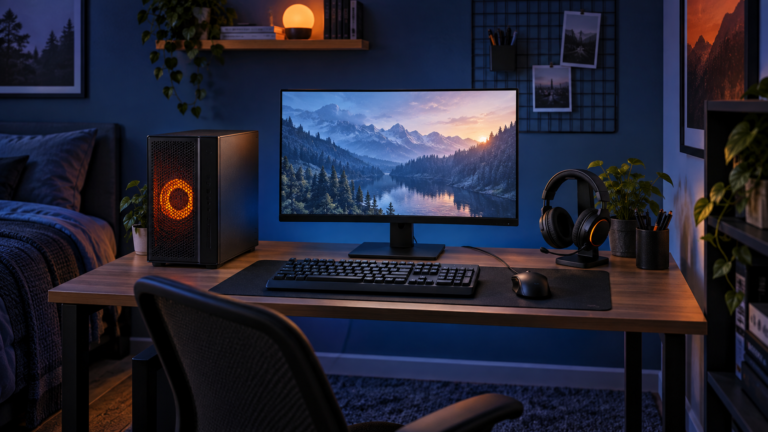
Starter blueprint

Editorial illustration of an affordable 1080p gaming setup with compact PC, monitor and basic peripherals
Editorial illustration — not a product photograph

1080p Starter Setup

Indicative price: About £500–£750

Editorial blueprint · sources checked 17 September 2026

A sensible first setup built around a high-refresh 1080p monitor, value keyboard and mouse, simple headset and stable desk.

Best for: First complete gaming desk

Potential drawback: Leaves less room for premium furniture and audio

Research assessment

A sensible first setup built around a high-refresh 1080p monitor, value keyboard and mouse, simple headset and stable desk. This is an editorial setup pattern rather than a tested, fixed bundle, so every component must be selected and checked separately. Key compromise: Leaves less room for premium furniture and audio.

Limitations and checks
  • Leaves less room for premium furniture and audio.
  • Treat this as a configurable blueprint: regional component pricing, availability, desk space and performance targets must be checked before purchase.
Sources and evidence notes (2)

This editorial synthesis does not represent a hands-on test by The Tools and Tech. Source links are references, not affiliate links. Research depth: Independent build guidance plus industry standards context.

  1. PCPartPicker build guides (opens in a new tab) (independent category context)
  2. VESA DisplayHDR performance criteria (opens in a new tab) (industry standards context)

Price and availability can change. Check the retailer for the latest information.
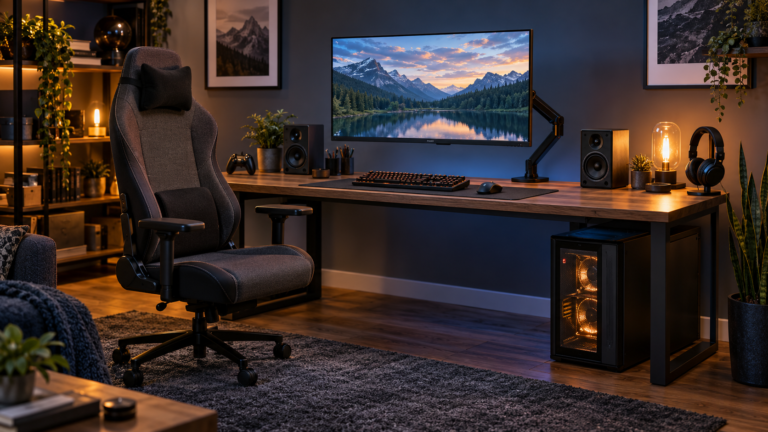
Sweet-spot blueprint

Editorial illustration of a balanced 1440p gaming setup with desktop PC, monitor arm, speakers and chair
Editorial illustration — not a product photograph

1440p Balanced Setup

Indicative price: About £900–£1,500

Editorial blueprint · sources checked 17 September 2026

A balanced build centred on a 27-inch 1440p high-refresh display, better controls and improved ergonomics.

Best for: Most PC gamers wanting a noticeable upgrade

Potential drawback: Costs rise quickly if OLED and premium seating are added

Research assessment

A balanced build centred on a 27-inch 1440p high-refresh display, better controls and improved ergonomics. This is an editorial setup pattern rather than a tested, fixed bundle, so every component must be selected and checked separately. Key compromise: Costs rise quickly if OLED and premium seating are added.

Limitations and checks
  • Costs rise quickly if OLED and premium seating are added.
  • Treat this as a configurable blueprint: regional component pricing, availability, desk space and performance targets must be checked before purchase.
Sources and evidence notes (2)

This editorial synthesis does not represent a hands-on test by The Tools and Tech. Source links are references, not affiliate links. Research depth: Independent build guidance plus industry standards context.

  1. PCPartPicker build guides (opens in a new tab) (independent category context)
  2. VESA DisplayHDR performance criteria (opens in a new tab) (industry standards context)

Price and availability can change. Check the retailer for the latest information.
Premium blueprint

OLED Creator and gaming setup editorial planning illustration
Editorial illustration — not a product photograph

OLED Creator/Gaming Setup

Indicative price: About £1,800–£3,000+

Editorial blueprint · sources checked 17 September 2026

A high-end setup combining OLED, quality audio, creator controls, sit-stand furniture and clean cable management.

Best for: High-end gaming, streaming and content creation

Potential drawback: Premium spending can produce diminishing returns

Research assessment

A high-end setup combining OLED, quality audio, creator controls, sit-stand furniture and clean cable management. This is an editorial setup pattern rather than a tested, fixed bundle, so every component must be selected and checked separately. Key compromise: Premium spending can produce diminishing returns.

Limitations and checks
  • Premium spending can produce diminishing returns.
  • Treat this as a configurable blueprint: regional component pricing, availability, desk space and performance targets must be checked before purchase.
Sources and evidence notes (2)

This editorial synthesis does not represent a hands-on test by The Tools and Tech. Source links are references, not affiliate links. Research depth: Independent build guidance plus industry standards context.

  1. PCPartPicker build guides (opens in a new tab) (independent category context)
  2. VESA DisplayHDR performance criteria (opens in a new tab) (industry standards context)

Price and availability can change. Check the retailer for the latest information.

Use the retailer or official-site button to check the latest price, availability and specifications before buying. Where we later obtain approved affiliate relationships, qualifying links may earn a commission at no extra cost to the reader.

Buying advice

What matters when choosing gaming setup builds

Total budget and upgrade priorities
Platform and game types
Desk space and ergonomics
Compatibility and upgrade path

Our guides focus on the factors that affect real-world fit and value, not simply the longest specification list.

Common questions

Gaming Setup Builds FAQ

How much should I spend on gaming setup builds?

A useful UK market guide is About £500–£3,000+ excluding the gaming PC/console. The right spend depends on the features you will genuinely use, so compare the middle of the range before paying for premium extras.

What should I look for when buying gaming setup builds?

Prioritise Total budget and upgrade priorities, Platform and game types, Desk space and ergonomics. Check compatibility and return/warranty terms before buying, particularly when a product is part of a wider hardware ecosystem.

Are the products on this page hands-on tested?

Not necessarily. This category page is a research-led shortlist. Detailed guides clearly label any hands-on testing and distinguish it from manufacturer specifications, independent evidence and market research.

What is a good gaming setup builds option to start comparing?

1080p Starter Setup is one of the current research starting points on this page. Compare it with the alternatives above for budget, compatibility, features and drawbacks before deciding.

Latest Gaming Setup Builds Guides

Research-ledEvidence and decision criteria come before affiliate links.
Clear testing labelsWe identify hands-on experience instead of implying it.
Editorial independenceCommercial relationships do not buy a recommendation.

Review methodology · How we make money · Work with us

Build your own: use the Gaming Setup Builder, compare consoles and handhelds, gaming monitors, controllers, headsets and gaming desks.

The Tools and Tech
Logo