
These are research-led starting points chosen to represent useful budgets and use cases. A product appearing here is not a claim that we have personally tested it; hands-on experience is labelled separately in detailed reviews.
Operating-system decision
Windows 11 Setup & Licensing Checklist
Indicative price: Licence cost varies by edition and legitimate seller
Editorial setup workflow · sources checked 27 August 2026
An editorial setup workflow covering legitimate installation media, edition choice, activation, updates, recovery options and the point at which business features such as BitLocker or domain management may justify a Pro edition.
Best for: Mainstream gaming, business and mixed-use PCs
Potential drawback: Edition choice, activation and hardware requirements must be checked for the exact build
Research assessment
An editorial setup workflow covering legitimate installation media, edition choice, activation, updates, recovery options and the point at which business features such as BitLocker or domain management may justify a Pro edition.
Reasons to consider- Mainstream gaming, business and mixed-use PCs
- Keeps the post-build software layer explicit instead of treating it as an afterthought
Limitations and checks- Edition choice, activation and hardware requirements must be checked for the exact build
- Exact steps vary by motherboard, operating system, device and software version
Sources and evidence notes (1)
This editorial synthesis does not represent a hands-on test by The Tools and Tech. Source links are references, not affiliate links. Research depth: Official platform/tool context; exact version-specific steps require revalidation.
- Microsoft Windows 11 specifications and requirements (opens in a new tab) (software vendor / official)
Open-source desktop path
Linux Desktop Setup Path
Indicative price: Most desktop distributions are free
Editorial setup workflow · sources checked 27 August 2026
A workflow for choosing a mainstream desktop distribution, creating installation media, checking hardware support, applying updates and validating the software stack before relying on the machine.
Best for: Development, learning, privacy-focused use and supported productivity workloads
Potential drawback: Games, peripherals and specialist commercial applications can have different support than Windows
Research assessment
A workflow for choosing a mainstream desktop distribution, creating installation media, checking hardware support, applying updates and validating the software stack before relying on the machine.
Reasons to consider- Development, learning, privacy-focused use and supported productivity workloads
- Keeps the post-build software layer explicit instead of treating it as an afterthought
Limitations and checks- Games, peripherals and specialist commercial applications can have different support than Windows
- Exact steps vary by motherboard, operating system, device and software version
Sources and evidence notes (1)
This editorial synthesis does not represent a hands-on test by The Tools and Tech. Source links are references, not affiliate links. Research depth: Official platform/tool context; exact version-specific steps require revalidation.
- Ubuntu Desktop official information (opens in a new tab) (software project / official)
Firmware and stability path
BIOS, Firmware & Driver Update Checklist
Indicative price: Free from the hardware manufacturer
Editorial setup workflow · sources checked 27 August 2026
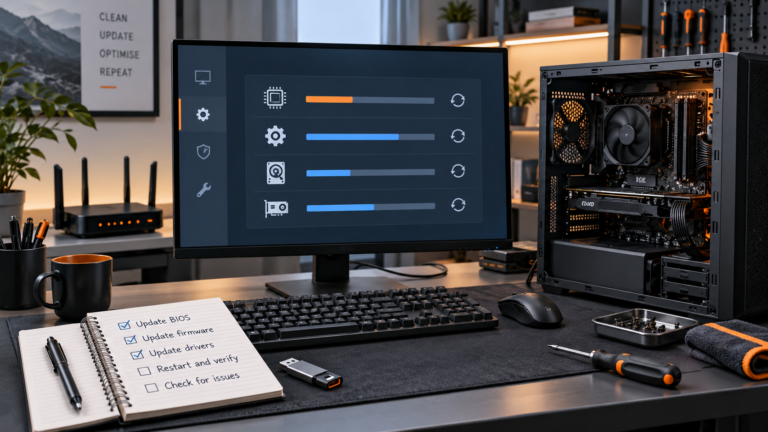
A conservative update path: establish the motherboard and device versions first, use official sources, read release notes and only update firmware when compatibility, security or stability gives a reason.
Best for: New builds, compatibility fixes and deliberate maintenance
Potential drawback: Unnecessary or interrupted firmware updates can create avoidable risk
Research assessment
A conservative update path: establish the motherboard and device versions first, use official sources, read release notes and only update firmware when compatibility, security or stability gives a reason.
Reasons to consider- New builds, compatibility fixes and deliberate maintenance
- Keeps the post-build software layer explicit instead of treating it as an afterthought
Limitations and checks- Unnecessary or interrupted firmware updates can create avoidable risk
- Exact steps vary by motherboard, operating system, device and software version
Sources and evidence notes (1)
This editorial synthesis does not represent a hands-on test by The Tools and Tech. Source links are references, not affiliate links. Research depth: Official platform/tool context; exact version-specific steps require revalidation.
- Microsoft Windows support (opens in a new tab) (software vendor / official)
Recovery-first setup
Backup & Cloning Workflow
Indicative price: Free and paid options exist
Editorial setup workflow · sources checked 27 August 2026
An editorial workflow for separating system recovery, file backup and off-device copies so a failed drive, bad update or accidental deletion does not become a full rebuild.
Best for: Protecting a working new installation before major changes or migration
Potential drawback: A clone or local copy is not a complete backup strategy if it lives with the same PC
Research assessment
An editorial workflow for separating system recovery, file backup and off-device copies so a failed drive, bad update or accidental deletion does not become a full rebuild.
Reasons to consider- Protecting a working new installation before major changes or migration
- Keeps the post-build software layer explicit instead of treating it as an afterthought
Limitations and checks- A clone or local copy is not a complete backup strategy if it lives with the same PC
- Exact steps vary by motherboard, operating system, device and software version
Sources and evidence notes (1)
This editorial synthesis does not represent a hands-on test by The Tools and Tech. Source links are references, not affiliate links. Research depth: Official platform/tool context; exact version-specific steps require revalidation.
- Microsoft Windows backup guidance (opens in a new tab) (software vendor / official)
Validation toolkit
Monitoring & Diagnostics Toolkit
Indicative price: Useful free tools exist; specialist licences vary
Editorial setup workflow · sources checked 27 August 2026
A restrained validation workflow for temperatures, storage health, memory and stability, with emphasis on manufacturer diagnostics and established monitoring tools rather than chasing synthetic scores.
Best for: Checking temperatures, clocks, storage health and stability after a build
Potential drawback: Sensor readings and stress tests can be misread without workload context
Research assessment
A restrained validation workflow for temperatures, storage health, memory and stability, with emphasis on manufacturer diagnostics and established monitoring tools rather than chasing synthetic scores.
Reasons to consider- Checking temperatures, clocks, storage health and stability after a build
- Keeps the post-build software layer explicit instead of treating it as an afterthought
Limitations and checks- Sensor readings and stress tests can be misread without workload context
- Exact steps vary by motherboard, operating system, device and software version
Sources and evidence notes (1)
This editorial synthesis does not represent a hands-on test by The Tools and Tech. Source links are references, not affiliate links. Research depth: Official platform/tool context; exact version-specific steps require revalidation.
- HWiNFO official monitoring tool information (opens in a new tab) (software vendor / official)
Use the retailer or official-site button to check the latest price, availability and specifications before buying. Where we later obtain approved affiliate relationships, qualifying links may earn a commission at no extra cost to the reader.