
Sim Racing Displays & Mounts

Monitors, ultrawides, triple-screen layouts and display mounts for immersive sim-racing rigs.

Quick buying guide

A practical starting point for sim racing displays & mounts

Typical UK price range: £120–£1,500+ plus mountingIndicative market guide reviewed August 2026. International pricing, tax, availability and subscriptions vary by region.

Field of view and mounting matter as much as raw panel quality. A 34-inch ultrawide is easier to run and mount, a 49-inch super-ultrawide adds immersion, and triples offer the widest view but require more GPU power, space and alignment work.

Common search themes:best monitor for sim racingultrawide sim racing monitortriple monitor sim racingOLED sim racing monitor
Products worth comparing

Shortlist at a glance

These are research-led starting points chosen to represent useful budgets and use cases. A product appearing here is not a claim that we have personally tested it; hands-on experience is labelled separately in detailed reviews.

Sim Racing Displays & Mounts shortlist comparison
Product / serviceOur shortlist roleIndicative priceBest for
AOC Q27G4XFBest budget single screen£120–£160Starter 1440p sim rigs
Gigabyte MO34WQC2Best ultrawide OLED£650–£750Immersive 21:9 racing with OLED
Samsung Odyssey G9 rangeBest super-ultrawide concept£900–£1,500+One-screen panoramic sim racing

Best budget single screen

AOC Q27G4XF

Indicative price: £120–£160

Product-specific evidence · sources checked 25 August 2026

A cost-effective 27-inch high-refresh panel for racers building the rest of the rig first.

Best for: Starter 1440p sim rigs

Potential drawback: Single 27-inch view is less immersive than ultrawide/triples

Research assessment

The Q27G4XF concentrates its budget on the combination most mainstream PC gamers want: 27-inch QHD, Fast IPS and up to 180Hz. Published testing and large-scale owner feedback point to sharp everyday image quality, smooth adaptive-sync gaming and a genuinely useful adjustable stand. It should still be bought as an SDR monitor. Contrast and dark-room blacks are ordinary IPS, HDR10 acceptance does not create convincing HDR, and the single-HDMI/basic-connectivity approach is less suitable for a desk full of devices.

Reasons to consider
  • Strong QHD/180Hz value with a height-adjustable ergonomic stand
  • Good general colour and viewing angles for mixed gaming and work
Limitations and checks
  • Limited IPS contrast and only superficial HDR impact
  • Basic port selection and controls compared with more expensive displays
Sources and evidence notes (3)

This editorial synthesis does not represent a hands-on test by The Tools and Tech. Source links are references, not affiliate links. Research depth: Official product information plus multiple product-specific independent sources.

  1. AOC Q27G4XF specifications (opens in a new tab) (manufacturer)
  2. Technopat Q27G4XF measured review (opens in a new tab) (independent review)
  3. PcComponentes Q27G4XF owner-review summary (opens in a new tab) (retailer owner feedback)

Price and availability can change. Check the retailer for the latest information.
Best ultrawide OLED

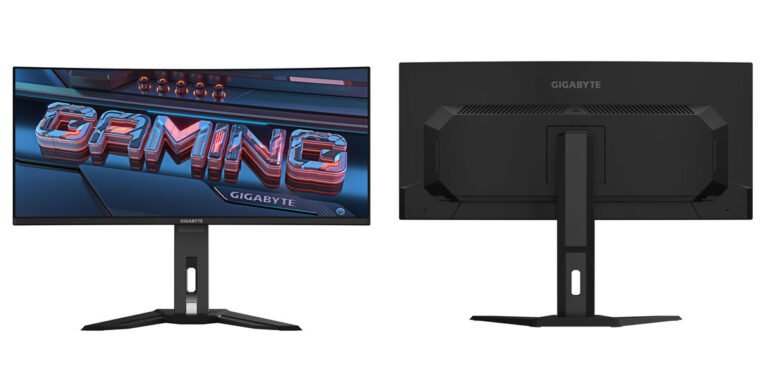
Gigabyte MO34WQC2

Indicative price: £650–£750

Product-specific evidence · sources checked 25 August 2026

A 34-inch OLED ultrawide that combines fast response, deep contrast and a wider cockpit view.

Best for: Immersive 21:9 racing with OLED

Potential drawback: OLED care and premium pricing

Research assessment

Gigabyte’s 34-inch QD-OLED combines the immersion of 3440×1440 ultrawide with the clarity and response of a 240Hz OLED panel. Independent measurements found exceptionally low lag, strong accuracy and a very wide colour gamut; the built-in KVM, USB-C input and full-height stand also make it more useful for a two-computer desk than many gaming-only rivals. It is expensive, needs substantial GPU performance and desk width, and its 18W USB-C power delivery is not enough to function as a one-cable laptop dock.

Reasons to consider
  • Outstanding motion, contrast and colour in an immersive 21:9 format
  • KVM, HDMI 2.1, USB-C video and a three-year burn-in warranty add practical value
Limitations and checks
  • High price, wide footprint and significant GPU demand
  • Low USB-C charging power and the usual need to manage static OLED content
Sources and evidence notes (3)

This editorial synthesis does not represent a hands-on test by The Tools and Tech. Source links are references, not affiliate links. Research depth: Official product information plus multiple product-specific independent sources.

  1. Gigabyte MO34WQC2 specifications (opens in a new tab) (manufacturer)
  2. Tom's Hardware MO34WQC2 measured review (opens in a new tab) (independent review)
  3. PC Watch MO34WQC2 technical overview (opens in a new tab) (independent reporting)

Price and availability can change. Check the retailer for the latest information.
Best super-ultrawide concept

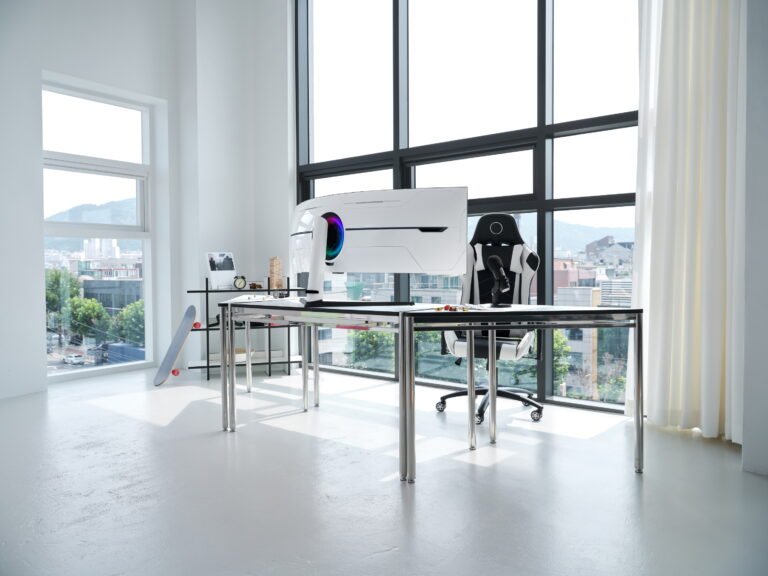
Samsung Odyssey G9 range

Indicative price: £900–£1,500+

Range-level evidence · sources checked 25 August 2026

A 49-inch-class super-ultrawide approach for racers who want a broad field of view without configuring three separate panels.

Best for: One-screen panoramic sim racing

Potential drawback: Large desk/stand footprint and heavy GPU demand

Research assessment

A 49-inch-class super-ultrawide approach for racers who want a broad field of view without configuring three separate panels. The cited official information and independent category context support using it as a research starting point for one-screen panoramic sim racing. The name covers a range or an imprecise listing, so the exact model and regional specification must be identified before publication. Key compromise: Large desk/stand footprint and heavy GPU demand.

Reasons to consider
  • Clear shortlist role: Best super-ultrawide concept.
  • Best aligned with one-screen panoramic sim racing.
Limitations and checks
  • Large desk/stand footprint and heavy GPU demand.
  • Match resolution, aspect ratio and refresh rate to the GPU, viewing distance and available cockpit mounting width.
Sources and evidence notes (2)

This editorial synthesis does not represent a hands-on test by The Tools and Tech. Source links are references, not affiliate links. Research depth: Official product information plus independent category context.

  1. Samsung official product catalogue (opens in a new tab) (manufacturer or official source)
  2. RTINGS gaming-monitor comparison (opens in a new tab) (independent category context)

Price and availability can change. Check the retailer for the latest information.

Use the retailer or official-site button to check the latest price, availability and specifications before buying. Where we later obtain approved affiliate relationships, qualifying links may earn a commission at no extra cost to the reader.

Buying advice

What matters when choosing sim racing displays & mounts

Field of view and screen format
Refresh rate and response
GPU performance requirements
Mount rigidity and adjustability

Our guides focus on the factors that affect real-world fit and value, not simply the longest specification list.

Common questions

Sim Racing Displays & Mounts FAQ

How much should I spend on sim racing displays & mounts?

A useful UK market guide is £120–£1,500+ plus mounting. The right spend depends on the features you will genuinely use, so compare the middle of the range before paying for premium extras.

What should I look for when buying sim racing displays & mounts?

Prioritise Field of view and screen format, Refresh rate and response, GPU performance requirements. Check compatibility and return/warranty terms before buying, particularly when a product is part of a wider hardware ecosystem.

Are the products on this page hands-on tested?

Not necessarily. This category page is a research-led shortlist. Detailed guides clearly label any hands-on testing and distinguish it from manufacturer specifications, independent evidence and market research.

What is a good sim racing displays & mounts option to start comparing?

AOC Q27G4XF is one of the current research starting points on this page. Compare it with the alternatives above for budget, compatibility, features and drawbacks before deciding.

Research-ledEvidence and decision criteria come before affiliate links.
Clear testing labelsWe identify hands-on experience instead of implying it.
Editorial independenceCommercial relationships do not buy a recommendation.

Review methodology · How we make money · Work with us

The Tools and Tech
Logo