Quick buying guide

A practical starting point for webcams

Typical UK price range: £70–£220+Indicative market guide reviewed August 2026. International pricing, tax, availability and subscriptions vary by region.

Good lighting often matters more than moving from 1080p to 4K. For meetings, autofocus and exposure reliability matter; for streaming, manual controls, frame rate and clean image processing become more important.

Products worth comparing

Shortlist at a glance

These are research-led starting points chosen to represent useful budgets and use cases. A product appearing here is not a claim that we have personally tested it; hands-on experience is labelled separately in detailed reviews.

Webcams shortlist comparison
Product / serviceOur shortlist roleIndicative priceBest for
Logitech Brio 500Best work value£70–£100Video calls and hybrid work
Elgato Facecam MK.2Best streaming value£120–£160Twitch/YouTube creators who want control
Insta360 Link 2Best intelligent framing£180–£220Presentations, creators and movement tracking
OBSBOT Tiny 2 LiteBest value 4K trackingAbout £150–£190Presenters and hybrid workers wanting motorised framing for less than flagship PTZ webcams
Logitech MX Brio 4K 960-001559Best premium fixed 4K webcamAbout £150–£200Premium video calls, demonstrations and fixed-camera streaming

Best work value

Logitech Brio 500 webcams in graphite, off-white and rose
Product image: Logitech Newsroom / Business Wire — Brio 500 launch press image · Image courtesy of Logitech

Logitech Brio 500

Indicative price: £70–£100

Product-specific evidence · sources checked 17 September 2026

A dependable meeting-focused webcam with useful framing and mainstream software support.

Best for: Video calls and hybrid work

Potential drawback: 1080p ceiling is less attractive for heavy creator use

Research assessment

A dependable meeting-focused webcam with useful framing and mainstream software support. Key compromise: 1080p ceiling is less attractive for heavy creator use.

Limitations and checks
  • 1080p ceiling is less attractive for heavy creator use.
  • Compare low-light quality, field of view, autofocus behaviour, privacy controls and supported resolution at the frame rate you need.
Sources and evidence notes (2)

This editorial synthesis does not represent a hands-on test by The Tools and Tech. Source links are references, not affiliate links. Research depth: Official product information plus product-specific independent coverage.

  1. Logitech official product catalogue (opens in a new tab) (manufacturer or official source)
  2. WIRED Logitech Brio 500 assessment (opens in a new tab) (independent review or reporting)

Price and availability can change. Check the retailer for the latest information.
Best streaming value

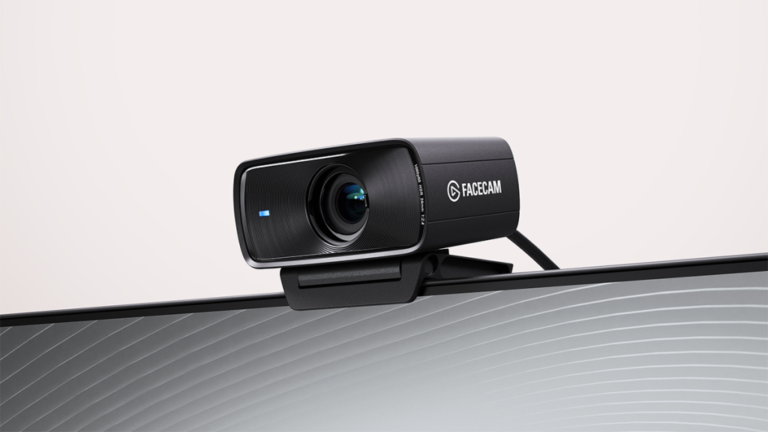
Elgato Facecam MK.2 webcam shown in an official product render
Product image: CORSAIR / Elgato Newsroom — Facecam MK.2 press release · Source: CORSAIR / Elgato Newsroom

Elgato Facecam MK.2

Indicative price: £120–£160

Product-specific evidence · sources checked 17 September 2026

A creator-oriented 1080p webcam with manual software controls and strong integration with streaming workflows.

Best for: Twitch/YouTube creators who want control

Potential drawback: No built-in microphone focus

Research assessment

A streaming-focused webcam with software control and a clean path into the Elgato creator ecosystem. Key compromise: Not a 4K-first camera.

Limitations and checks
  • Not a 4K-first camera.
  • Check operating-system support, ports, mounting and the workflow software you intend to use before buying into an ecosystem.
Sources and evidence notes (2)

This editorial synthesis does not represent a hands-on test by The Tools and Tech. Source links are references, not affiliate links. Research depth: Official product information plus product-specific independent coverage.

  1. Elgato official product catalogue (opens in a new tab) (manufacturer or official source)
  2. Tom's Hardware Elgato Facecam MK.2 review (opens in a new tab) (independent review or reporting)

Price and availability can change. Check the retailer for the latest information.
Best intelligent framing

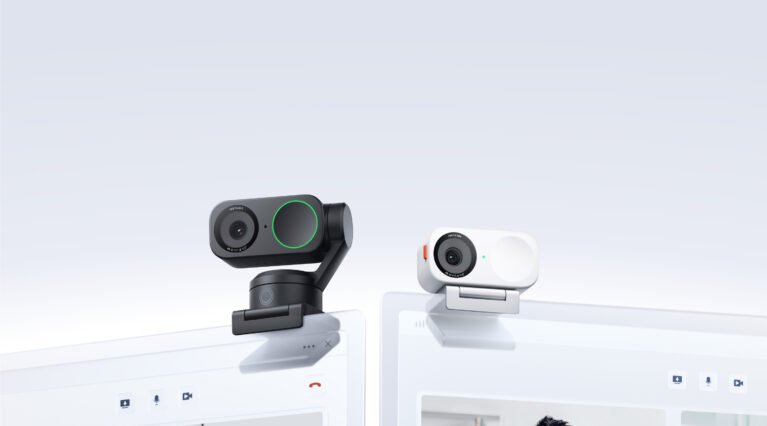
Insta360 Link 2 4K AI-tracking webcam on a computer monitor
Product image: Insta360 official Press Hub — Link 2 and Link 2C · Source: Insta360 Press Hub

Insta360 Link 2

Indicative price: £180–£220

Product-specific evidence · sources checked 17 September 2026

A premium webcam with tracking and framing features for users who move around or present away from the desk.

Best for: Presentations, creators and movement tracking

Potential drawback: Costs more than fixed webcams

Research assessment

A premium webcam with tracking and framing features for users who move around or present away from the desk. Key compromise: Costs more than fixed webcams.

Limitations and checks
  • Costs more than fixed webcams.
  • Compare low-light quality, field of view, autofocus behaviour, privacy controls and supported resolution at the frame rate you need.
Sources and evidence notes (2)

This editorial synthesis does not represent a hands-on test by The Tools and Tech. Source links are references, not affiliate links. Research depth: Official product information plus product-specific independent coverage.

  1. Insta360 official product catalogue (opens in a new tab) (manufacturer or official source)
  2. WIRED Insta360 Link 2 review (opens in a new tab) (independent review or reporting)

Price and availability can change. Check the retailer for the latest information.
Best value 4K tracking

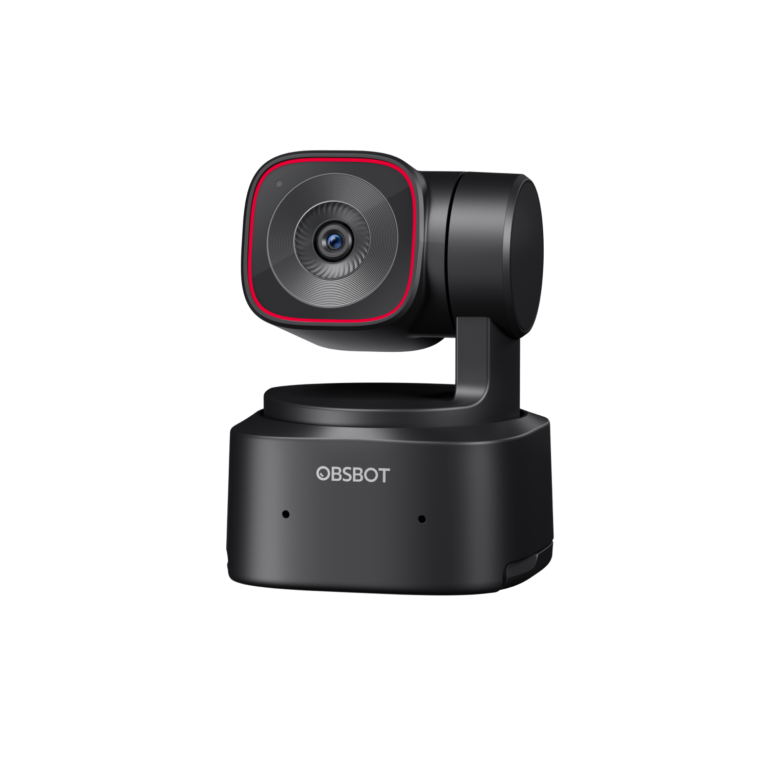
OBSBOT Tiny 2 Lite AI-tracking 4K webcam with its USB cable and adapter
Product image: OBSBOT official Media Kit — Tiny 2 Lite · Source: OBSBOT Media Kit

OBSBOT Tiny 2 Lite

Indicative price: About £150–£190

Product-specific evidence · sources checked 17 September 2026

A motorised 4K webcam with person tracking, gesture controls and 1080p high-frame-rate modes for meetings, teaching and streaming.

Best for: Presenters and hybrid workers wanting motorised framing for less than flagship PTZ webcams

Potential drawback: Its smaller sensor trails the full Tiny 2 in difficult lighting

Research assessment

Tiny 2 Lite is a useful middle ground for people who genuinely benefit from a motorised camera: teachers, presenters and creators who move around rather than sit centrally. It combines 4K capture with gesture controls and automatic person tracking, while 1080p modes allow higher frame rates. The Lite model's smaller sensor gives up some low-light and fine-detail performance to the full Tiny 2, and any auto-tracking camera should be tested for framing, software permissions and a reliable privacy routine before important meetings.

Reasons to consider
  • Motorised pan/tilt tracking and gesture controls at a lower price than flagship PTZ webcams
  • 4K capture plus higher-frame-rate 1080p modes for flexible work and creator use
Limitations and checks
  • Smaller sensor trails the full Tiny 2 in difficult light and fine detail
  • Motorised framing and companion software add cost and privacy considerations that fixed-camera users may not need
Sources and evidence notes (2)

This editorial synthesis does not represent a hands-on test by The Tools and Tech. Source links are references, not affiliate links. Research depth: Official product information plus product-specific independent comparison.

  1. OBSBOT Tiny 2 Lite official information (opens in a new tab) (manufacturer)
  2. StreamTechReviews Tiny 2 and Tiny 2 Lite comparison (opens in a new tab) (independent comparison)

Price and availability can change. Check the retailer for the latest information.

Best premium fixed 4K webcam

MX Brio 960-001559 webcam with cable and mount shown.
Product image: Back to the Office / Awin product feed · Product photo: Back to the Office via Awin. MX Brio 960-001559 webcam with cable and mount shown.

Logitech MX Brio 4K 960-001559

Indicative price: About £150–£200

Manufacturer specification evidence · sources checked 9 October 2026

A fixed 4K webcam with a large-sensor design, 1080p60 option, dual microphones, privacy shutter and Show Mode for presenting objects on the desk.

Best for: Premium video calls, demonstrations and fixed-camera streaming

Potential drawback: 4K is limited to 30fps and the best controls depend on Logitech software

Research assessment

MX Brio adds a premium fixed-camera choice between conventional meeting webcams and motorised tracking models. It offers 4K30 or 1080p60, manual image controls, dual microphones and a physical privacy shutter. Buyers should not assume 4K automatically improves a call: platform limits, lighting, USB bandwidth and compression still determine the transmitted picture.

Reasons to consider
  • 4K30 and 1080p60 capture options
  • Privacy shutter, detachable USB-C cable and desk-facing Show Mode
Limitations and checks
  • Part number 960-001559; avoid substituting an older Brio 4K or the MX Brio 705 business variant
  • 4K requires suitable software, bandwidth and computer resources
  • AI-assisted controls and fine adjustments depend on supported Logitech software
Sources and evidence notes (3)

This editorial synthesis does not represent a hands-on test by The Tools and Tech. Source links are references, not affiliate links. Research depth: Official UK product and shop information plus an exact-model merchant listing; no comparative image-quality test claimed..

  1. Official Logitech UK buying page (opens in a new tab) (manufacturer)
  2. Amazon UK exact-product buying page (opens in a new tab) (retailer)
  3. Currys Business UK product page (opens in a new tab) (retailer)

Price and availability can change. Check the retailer for the latest information.
Use the retailer or official-site button to check the latest price, availability and specifications before buying. Where we later obtain approved affiliate relationships, qualifying links may earn a commission at no extra cost to the reader.

Buying advice

What matters when choosing webcams

Resolution and frame rate
Low-light quality
Autofocus and framing
Microphone and software features

Our guides focus on the factors that affect real-world fit and value, not simply the longest specification list.

Common questions

Webcams FAQ

How much should I spend on webcams?

A useful UK market guide is £70–£220+. The right spend depends on the features you will genuinely use, so compare the middle of the range before paying for premium extras.

What should I look for when buying webcams?

Prioritise Resolution and frame rate, Low-light quality, Autofocus and framing. Check compatibility and return/warranty terms before buying, particularly when a product is part of a wider hardware ecosystem.

Are the products on this page hands-on tested?

Not necessarily. This category page is a research-led shortlist. Detailed guides clearly label any hands-on testing and distinguish it from manufacturer specifications, independent evidence and market research.

What is a good webcams option to start comparing?

Logitech Brio 500 is one of the current research starting points on this page. Compare it with the alternatives above for budget, compatibility, features and drawbacks before deciding.

Latest Webcams Guides

Research-ledEvidence and decision criteria come before affiliate links.
Clear testing labelsWe identify hands-on experience instead of implying it.
Editorial independenceCommercial relationships do not buy a recommendation.

Review methodology · How we make money · Work with us

Webcam accessories and compatible extras

Tripods, monitor clips, suitable USB extension cables and privacy accessories can improve webcam positioning. Check mounting threads, cable bandwidth, USB power requirements and whether a privacy cover could obstruct moving lenses.

Amazon UK: webcam mounts (search) · Wex Photo Video: browse supports · Currys: browse webcams

These are general shopping routes, not individually verified product listings or confirmed affiliate links.

The Tools and Tech
Logo