
Choosing between 32GB and 64GB of RAM is less about buying the larger number and more about avoiding two expensive mistakes: running out of memory during the work you actually do, or paying for capacity that sits unused while another PC component limits performance.
Quick answer
If you have already decided on capacity, see our Best DDR5 RAM guide for current kits, or use the Build a PC planner to keep memory, CPU, motherboard and storage choices together.
32GB vs 64GB at a glance
| Capacity | Best fit | Main advantage | Main trade-off |
|---|---|---|---|
| 32GB | Gaming, office work, coding, general creation and mainstream multitasking | Strong capacity without overspending on unused memory | Can become restrictive for unusually large projects or several memory-heavy tasks together |
| 64GB | Heavy simulation, larger media projects, virtual machines and memory-intensive multitasking | More headroom before Windows must rely on slower storage-backed paging | Costs more and does not automatically increase game frame rates or CPU/GPU performance |
Why 32GB is a strong starting point
Memory capacity only helps performance when the workload needs it. If a game, browser, voice chat, launchers and background tools fit comfortably inside 32GB, doubling capacity does not make the processor or graphics card intrinsically faster. For many buyers, that money is better kept for the GPU, CPU, SSD capacity, monitor or simply left in the budget.
At the same time, 32GB provides significantly more breathing room than older 16GB configurations when several modern applications are open. It also aligns with the recommended specification of a notably demanding current PC title: Microsoft Flight Simulator 2024 lists 32GB RAM as recommended.
When 64GB becomes worthwhile
64GB makes sense when you can identify a real reason for it. Microsoft Flight Simulator 2024 lists 64GB as its ideal RAM specification, illustrating how some simulation workloads can scale beyond a mainstream gaming target. Creative work can also increase memory demand: Adobe’s current Premiere requirements recommend 32GB or more for 4K and higher-resolution media on Windows.
The case for 64GB becomes stronger when several heavy jobs overlap. Examples include editing a large project while keeping graphics applications and many browser tabs open, running virtual machines, working with large datasets or using memory-hungry development tools. The important question is whether your normal workload approaches the limit of 32GB, not whether 64GB exists.
How to tell if you actually need more RAM
Check memory use while doing your real work rather than while the PC is idle. In Windows, Task Manager can show current memory utilisation. If the system repeatedly approaches available capacity during normal projects and becomes sluggish as applications compete for memory, additional capacity can be justified.
Do not treat a single high reading as proof that you must upgrade. Modern operating systems use spare memory for caching, and some applications deliberately consume available RAM to improve responsiveness. Look for repeated pressure during genuine workloads, especially when it coincides with slowdowns, heavy paging or applications failing to keep project data resident.
Gaming: will 64GB increase FPS?
Capacity is not a direct frame-rate upgrade when the game and background applications already fit within available memory. A system that has enough RAM is normally limited elsewhere: processor performance, graphics performance, game engine behaviour or display settings. Extra memory is most valuable when the smaller capacity would otherwise be exhausted.
That is why a 32GB gaming build can be well balanced while a particular simulator, heavily modded game, server workload or creator-plus-gaming setup may justify 64GB. Build for the software you actually use.
Content creation: capacity can matter before speed
High-resolution editing, large compositions and multiple creative applications can use substantial memory. Adobe currently recommends 32GB or more for Premiere when working with 4K and higher-resolution media on Windows. That recommendation does not mean every editor needs 64GB, but it does show why creators should plan capacity around project size rather than gaming-only advice.
If your current projects remain comfortably inside 32GB, a 64GB kit may provide little immediate benefit. If you regularly exceed it, extra capacity can be far more useful than paying a premium for a slightly higher DDR5 speed bin.
Two DIMMs or four?
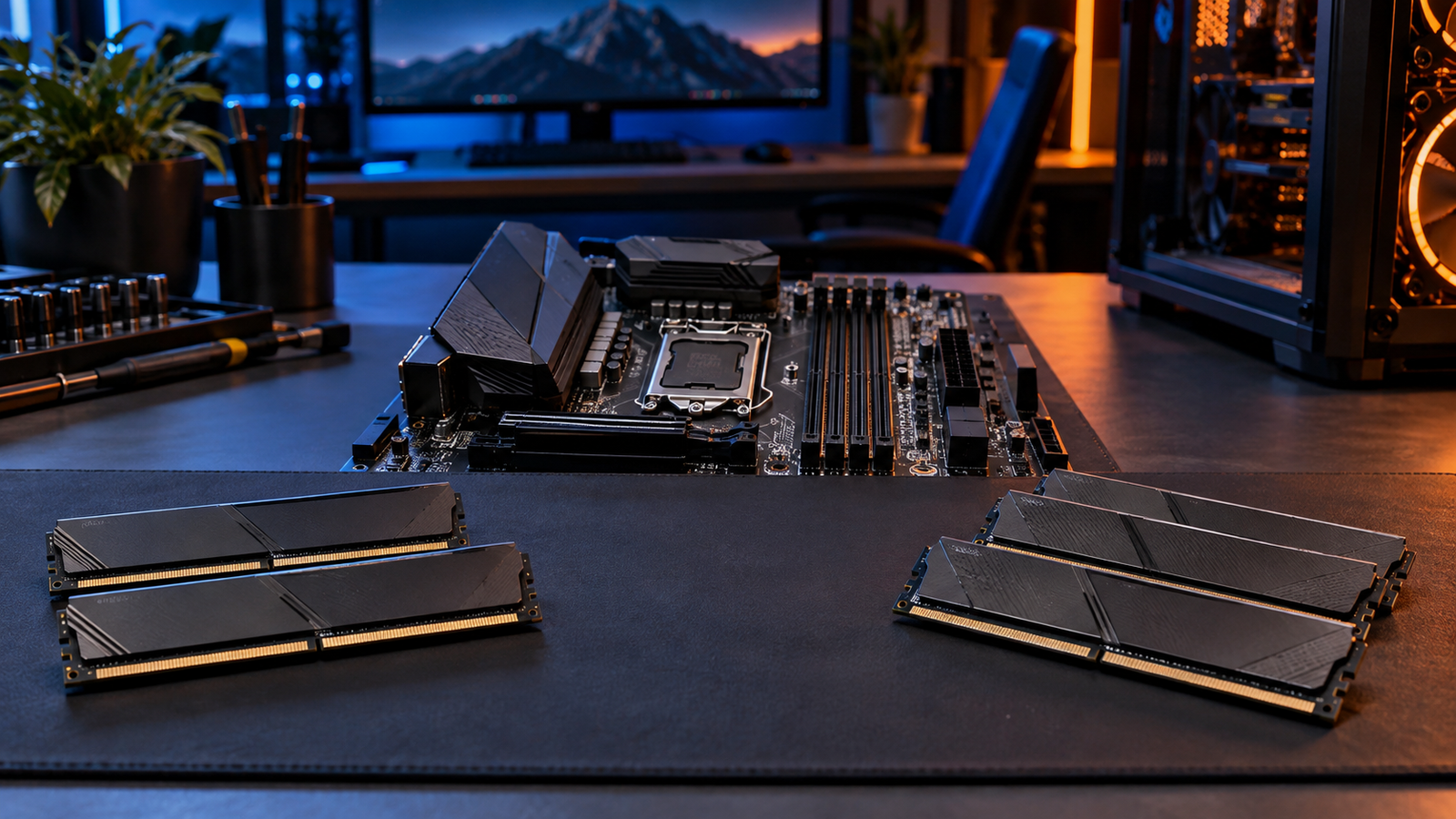
For a new 32GB build, a matched 2×16GB kit is usually the cleanest route. For 64GB, 2×32GB preserves two motherboard slots and reduces the complexity of driving four DIMMs at high DDR5 speeds. Memory-controller capability varies by CPU and motherboard, so check the board’s memory support list and the exact kit specification before assuming an advertised overclocked speed will be stable.
Avoid buying unrelated single DIMMs at different times when a matched kit is available. Modules that share a brand and headline speed can still use different memory chips, timings or revisions.
Does RAM speed change the capacity decision?
Capacity comes first. Running out of usable memory can create a much larger problem than choosing a slightly slower but stable DDR5 kit. Once you have enough capacity, then compare speed, timings, XMP or EXPO support, voltage, motherboard compatibility and current price.
This is especially important while DDR5 pricing is volatile. A balanced 32GB or 64GB kit that your motherboard can run reliably is more useful than a headline frequency that forces compromises elsewhere in the system.
Who should buy 32GB?
- Most gaming-PC builders who do not have a known memory-heavy title or workflow.
- General productivity users, developers and students whose current workload fits comfortably inside 32GB.
- Creators working on moderate projects where application monitoring shows adequate headroom.
- Budget-conscious builders who would benefit more from spending on GPU, CPU or SSD capacity.
Who should buy 64GB?
- Users of demanding simulation software where official guidance or personal measurements justify it.
- Creators working with large high-resolution projects and several production applications together.
- Developers or professionals running virtual machines and other memory-heavy tools.
- People whose real 32GB system repeatedly approaches its memory limit during normal work.
Frequently asked questions
Is 32GB enough for gaming in 2026?
For many gaming systems, yes. Some demanding simulations, heavily modified games or gaming-plus-creator workloads can justify more. Microsoft Flight Simulator 2024, for example, lists 32GB as recommended and 64GB as ideal.
Is 64GB overkill?
It is unnecessary when your workloads comfortably fit inside 32GB, but it is not overkill when a measured workload or official application guidance can use the additional capacity.
Should I buy 32GB now and add 32GB later?
You can, but a matched kit is the safer route when possible. Adding separate DIMMs later can make high DDR5 speeds and stable memory profiles harder to achieve.
Is 64GB better than faster 32GB RAM?
Only when you need the capacity. If 32GB is enough, a well-matched faster kit may be more appropriate. If your workload exceeds 32GB, capacity takes priority over a modest speed advantage.
Primary sources
Final verdict
Start with 32GB unless you can explain why you need 64GB. Move to 64GB when a particular game, simulation, creative project, virtual-machine setup or measured workload genuinely uses the headroom. That keeps the PC budget focused on performance you will actually notice.