
Good audio is usually the fastest way to make content feel more professional. Room noise, microphone position and gain matter as much as the microphone itself.
Creator Studio
Build a practical creator setup for streaming, video, podcasts and digital content by improving audio, image, lighting and workflow in the right order.
Build your setup
Start with these areas
BrowseMicrophonesExplore topicBrowseWebcamsExplore topicBrowseCapture CardsExplore topicBrowseCreator LightingExplore topicBrowseAudio InterfacesExplore topicBrowseStreaming EquipmentExplore topicBrowseCreator SoftwareExplore topicBrowseMonitorsExplore topicBrowseExternal SSDs & StorageExplore topic
A better way to buy
How to approach your creator studio
Lighting can improve a modest camera dramatically. Build a repeatable setup before spending heavily on camera hardware.
Keep the workflow simple. Capture, editing, storage and publishing tools should work together without creating avoidable conversion or file-management steps.
Latest Creator Studio Guides
Best Plex Media Players UK (2026): Local 4K, Remuxes & Home Cinema
Best Plex media players in the UK for 2026, comparing Google TV Streamer, NVIDIA Shield TV Pro, Fire TV and HTPC options for local…
Read guideBest Ultrawide Monitors for Work & Gaming UK (2026)
Best ultrawide monitors for work and gaming in the UK for 2026, covering affordable 34-inch gaming, 360Hz OLED, 5K2K Thunderbolt productivity and sim-racing options.
Read guideBest Video Editing Software for Creators
Compare DaVinci Resolve, Premiere Pro, Final Cut Pro, CapCut, PowerDirector and Shotcut by workflow, platform, licensing and features.
Read guide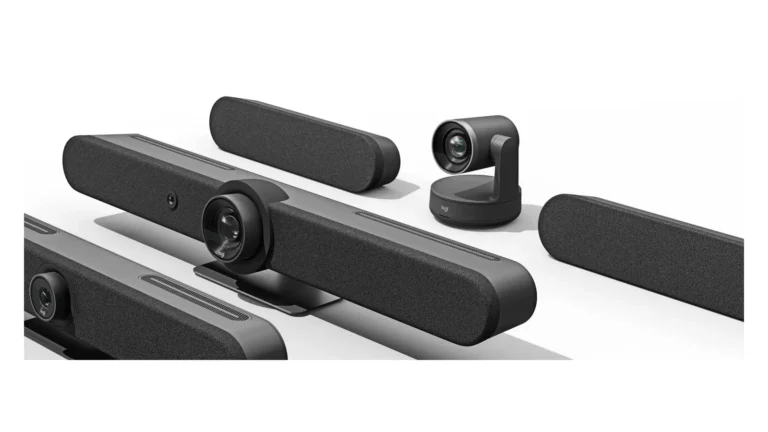
Video Conferencing Setup for Small Business UK (2026)
Plan a reliable small-business video conferencing room in 2026: platform, BYOD, cameras, audio, displays, controllers, networking and deployment checklist.
Read guide
Best Multi-Monitor Office Setup UK (2026)
Research-led UK guide to dual-monitor office setups, covering QHD vs 4K, docks, monitor arms, laptop display limits and current Dell and CalDigit options.
Read guide
USB vs XLR Microphone: Which Is Better? UK (2026)
USB vs XLR microphones explained for streaming, podcasting and recording, including interfaces, phantom power, hybrid mics and upgrade paths.
Read guide
Best Business NAS & Shared Storage UK (2026)
Compare Synology DS925+, UGREEN DXP4800 Plus and QNAP TS-464 for UK small-business storage, backup, shared files and multi-user networking.
Read guide
Best Streaming Setup for Beginners
A research-led beginner streaming setup guide covering webcams, microphones, lighting, OBS, console capture and sensible UK budget tiers.
Read guide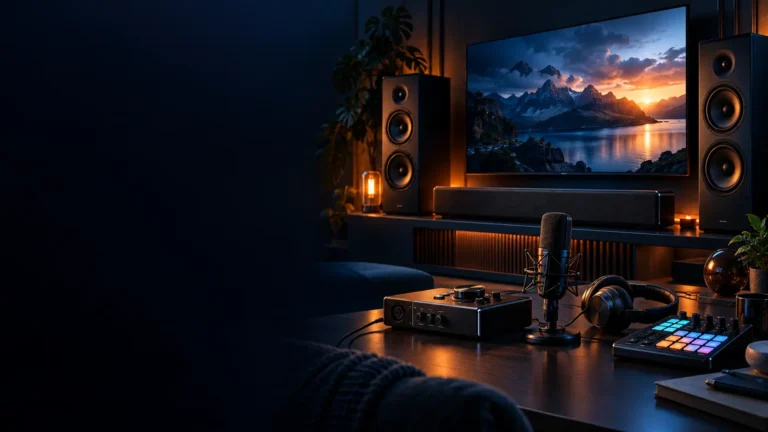
Best Stream Controllers for Creators UK (2026)
Compare the best stream controllers for UK creators, including Stream Deck Neo, Stream Deck, Stream Deck + and Logitech MX Creative Console for streaming,…
Read guideResearch-ledEvidence and decision criteria come before affiliate links.
Clear testing labelsWe identify hands-on experience instead of implying it.
Editorial independenceCommercial relationships do not buy a recommendation.
Build the whole studio: use our Build Your Creator Studio planner to set a budget, organise the essential equipment, track the total and create a purchase plan. For live-streaming workflows, use the Streaming Setup Builder.