
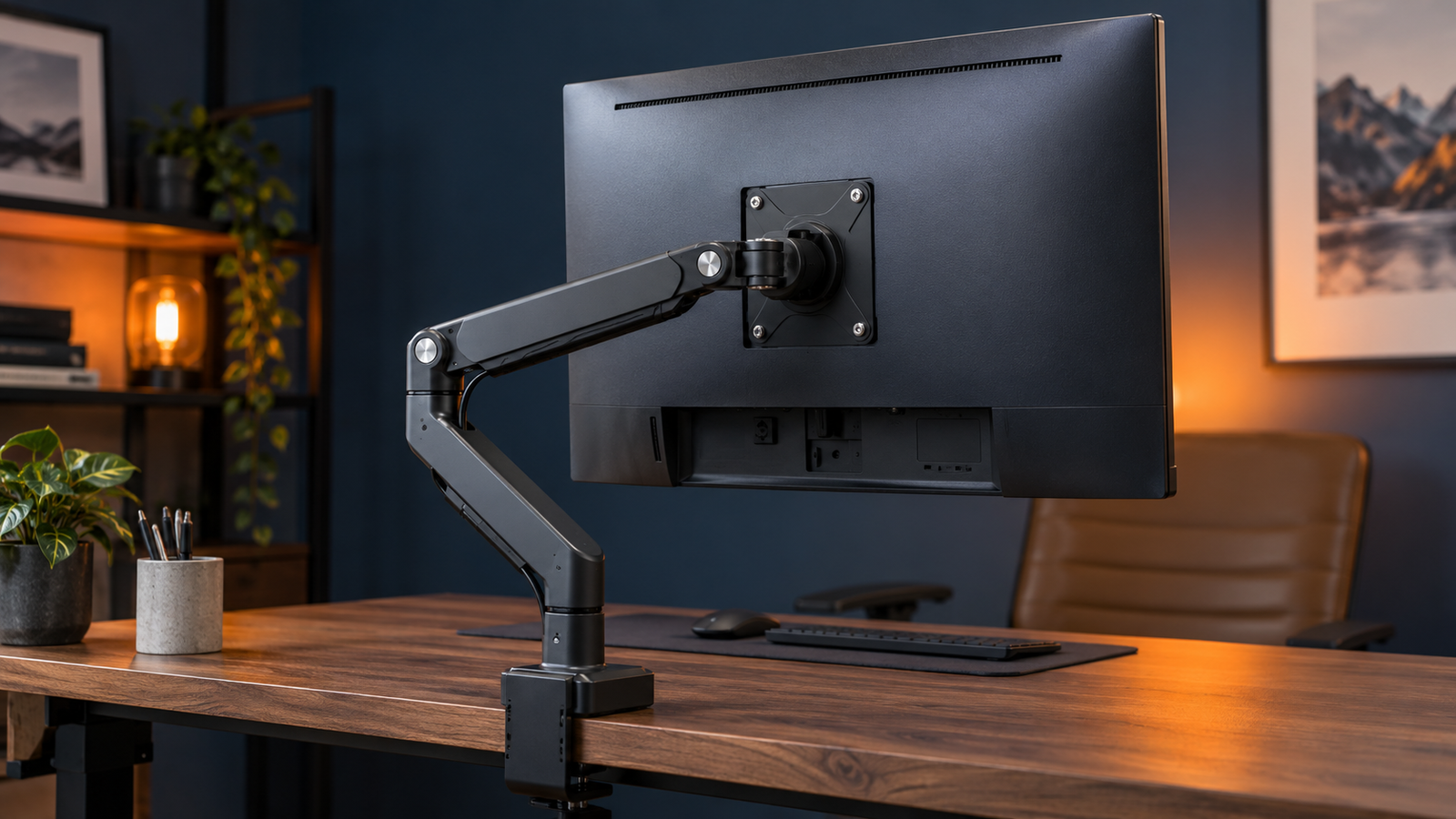
A monitor arm is not automatically compatible with every monitor. The screen needs a suitable mounting interface or a correctly designed adapter, the arm must support the display’s weight and dimensions, and the desk or wall must safely accept the mounting method.
Quick answer
If you are already choosing the arm, see our Best Monitor Arm guide or browse the Monitor Arms & Stands section.
Monitor-arm compatibility at a glance
| Check | Why it matters | What to verify |
|---|---|---|
| VESA pattern | The mounting holes must match the arm or an approved adapter plate | Common monitor patterns include 75 × 75 mm and 100 × 100 mm, but other patterns exist |
| Monitor weight | The arm must safely balance and support the display | Use the monitor weight without the original stand unless the arm maker specifies otherwise |
| Arm weight range | Gas-spring arms can have both minimum and maximum supported weights | Confirm your monitor falls inside the stated range, not just below the maximum |
| Screen size and depth | Large or deep displays create extra leverage and can exceed practical limits | Check the arm maker’s size and depth guidance, especially for curved ultrawides |
| Desk mounting | The clamp or grommet has to fit the desk safely | Desk thickness, edge shape, cable trays, reinforcement and material |
| Movement clearance | A compatible arm still needs space to move | Wall distance, desk depth, neighbouring screens and cable slack |
What does VESA mounting mean?
VESA’s Flat Display Mounting Interface standard exists to standardise the physical mounting interface used by flat displays and mounting equipment. In practical terms, it gives monitor and mount manufacturers a common set of hole patterns and interface rules so compatible products can attach securely.
For many desktop monitors, the patterns buyers see most often are 75 × 75 mm and 100 × 100 mm. Ergotron’s current VESA guide lists those under the FDMI MIS-D family, but larger displays can use wider patterns such as 200 × 100 mm or larger standards.
How do I check whether my monitor is VESA compatible?
Start with the monitor manufacturer’s specifications or manual. Look for wording such as “VESA mount”, “VESA mounting interface” or a pattern written as two measurements, for example 100 × 100 mm.
You can also inspect the rear of the monitor for a square or rectangular group of threaded mounting holes. Do not rely on appearance alone: decorative panels, recessed mounting areas and removable stand assemblies can hide the interface, so the manufacturer documentation is the safer source.
What if my monitor has no VESA holes?
A non-VESA monitor may still be mountable if a reputable adapter is specifically designed for that exact model or chassis. Some adapters replace the original stand connection; others grip the display body. Compatibility needs to be explicit rather than assumed.
An adapter also adds weight, thickness and leverage. Include the adapter when checking the arm’s capacity and make sure it does not obstruct ventilation, ports or controls.
Weight capacity is just as important as the hole pattern
A 100 × 100 mm monitor can still be incompatible with a particular arm if it is too heavy. Ergotron’s current guidance identifies monitor weight and VESA hole pattern as primary compatibility criteria, and its mount finder also considers screen size and depth.
Check the display’s weight without the original desk stand unless the arm manufacturer tells you to use a different figure. Then compare it with the arm’s stated supported range.
Do monitor arms have a minimum weight?
Many spring-balanced arms do. A display that is too light can be difficult or impossible to balance because the spring mechanism is designed for a particular load range. This is why “supports up to 10 kg” is not always enough information: an arm may, for example, be designed for a range beginning several kilograms above zero.
Use the exact minimum and maximum figures published for the arm model rather than assuming a lighter monitor is always safer.
Why screen size alone is not enough
Monitor-arm marketing often uses a maximum screen size, but diagonal size is not the whole compatibility calculation. A deep curved ultrawide can place its centre of gravity farther from the pivot than a thin flat monitor of similar weight, increasing leverage on the arm.
Ergotron’s current Mount Finder explicitly includes screen depth alongside weight, size and VESA pattern. This is particularly important for large curved gaming displays and unusually thick professional monitors.
Curved and ultrawide monitors need extra care
Large curved displays can be within a nominal weight limit yet still require a stronger pivot or a mount specifically approved for that shape and depth. Some arm manufacturers offer heavy-duty pivots or dedicated ultrawide models for this reason.
For a 34-inch, 49-inch or similarly large curved display, use the arm maker’s exact compatibility list or finder where available. Do not choose solely from a generic “up to X inches” headline.
Check the desk before choosing a clamp arm
Even a perfectly matched monitor and arm can be unsuitable for the desk. Clamp mounts need enough flat edge surface and a desk thickness within the arm’s stated range. Grommet mounts need a suitable hole or drilling location.
Be cautious with hollow-core desktops, thin glass, weak particle board, heavily bevelled edges and desks with metal cable-management structures directly beneath the mounting point. If the desk manufacturer restricts monitor-arm use, follow that guidance. A reinforcement plate can spread load on some desks, but it does not turn an unsuitable structure into a guaranteed safe one.
Single, dual and triple arms change the load calculation
For a dual or triple arm, check the permitted weight per display as well as any total system limit. Two identical-looking 27-inch monitors can also behave differently if one is much heavier or has a deeper chassis.
Multiple displays require additional desk width and movement clearance, and the combined leverage on the desk mount can be substantially higher than with one screen.
What screws do VESA mounts use?
The correct screw specification depends on the VESA interface and the monitor. Ergotron’s current VESA reference lists M4 screws for several smaller FDMI patterns and larger screw sizes for some larger interfaces, but the monitor manufacturer’s manual should determine the exact screw diameter and permitted depth for your display.
Do not use screws that are too long. They can bottom out inside the monitor or damage internal components. Use supplied spacers where required for recessed mounting surfaces.
Monitor-arm buying checklist
- Find the exact monitor model number.
- Confirm the VESA mounting pattern or an exact compatible adapter.
- Check the monitor’s weight without its original stand.
- Confirm the arm’s minimum and maximum weight range.
- Check the arm maker’s maximum screen size and any depth restrictions.
- Pay extra attention to curved and ultrawide centre-of-gravity requirements.
- Verify clamp or grommet compatibility with the desk thickness and construction.
- Check movement clearance behind and beside the monitor.
- Allow enough cable length for the arm’s full range of motion.
- Use the screw size and depth specified for the monitor.
Frequently asked questions
Can any VESA monitor use any VESA arm?
No. The VESA pattern must match, but the arm also has to support the monitor’s weight, size and practical centre of gravity. The desk or wall mounting method also needs to be suitable.
Are 75 × 75 and 100 × 100 the same mount?
No. They are different hole spacings, although many monitor-arm plates are drilled to support both patterns. Check the exact arm plate specification.
Can I mount a monitor that has no VESA holes?
Sometimes, using an adapter specifically designed and approved for that monitor. Include the adapter’s weight and depth when checking arm compatibility.
Is a monitor too light for an arm?
It can be. Many gas-spring arms have a minimum supported weight as well as a maximum. A display below the minimum may not balance correctly.
Can I use a monitor arm on an ultrawide?
Yes when the arm is rated for the exact display’s VESA pattern, weight, size and depth. Large curved ultrawides often need heavy-duty arms or pivots, so model-specific compatibility is preferable.
Primary sources
- VESA — Flat Display Mounting Interface standard
- Ergotron — monitor mount compatibility guidance
- Ergotron — VESA pattern and weight reference
- Ergotron — Mount Finder
Final verdict
A monitor arm is compatible only when the whole system matches: mounting pattern, display weight, arm load range, screen dimensions and the desk or wall attachment. Start with the exact monitor model and VESA pattern, then verify weight and desk fit before spending money. That is more reliable than choosing an arm by screen size alone.