Monitor arms and stands for better ergonomics, positioning and desk space.
Quick buying guide
A practical starting point for monitor arms & stands
Typical UK price range: £35–£220+ per armIndicative market guide reviewed August 2026. International pricing, tax, availability and subscriptions vary by region.
Check VESA pattern, monitor weight and desk thickness before anything else. Cheap arms can work for light 24–27-inch displays, but heavy ultrawides and OLEDs benefit from a stronger mechanism and more reliable tilt adjustment.
These are research-led starting points chosen to represent useful budgets and use cases. A product appearing here is not a claim that we have personally tested it; hands-on experience is labelled separately in detailed reviews.
Monitor Arms & Stands shortlist comparison
Product / service
Our shortlist role
Indicative price
Best for
Amazon Basics Single Monitor Stand/Arm
Best budget
£35–£70
Standard single-monitor desks
Ergotron LX
Best all-round
£150–£200
Premium single-monitor ergonomics
Secretlab MAGNUS Monitor Arm
Best matching gaming ecosystem
£180–£220
MAGNUS desk owners and clean gaming setups
Ergotron HX Desk Monitor Arm
Best heavy ultrawide support
About £250–£350; heavy-duty pivot may cost extra
Large, heavy or ultrawide displays that exceed normal arm limits
ARCTIC Z2 Basic AEMNT00040A
Fixed-position dual-monitor mount
Check current UK price, VAT and delivery
Two-screen desks with confirmed panel widths and clamp fit
StarTech ARMSLIM2USB3
Office monitor arm with USB passthrough
Check current UK price, VAT and delivery
Single VESA office screen with USB peripherals nearby
Best budget
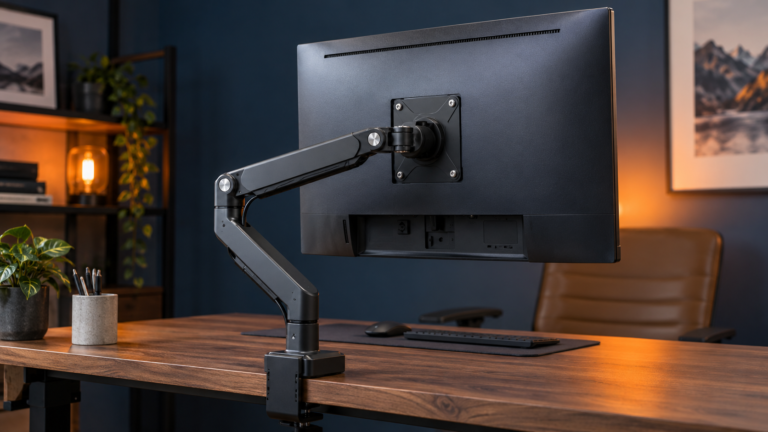
Amazon Basics Single Monitor Stand/Arm
Editorial illustration — not a product photograph
Amazon Basics Single Monitor Stand/Arm
Indicative price: £35–£70
Category-supported evidence · sources checked 17 September 2026
A straightforward value option for reclaiming desk space with a normal-size VESA monitor.
Best for: Standard single-monitor desks
Potential drawback: Model availability and weight limits vary
Research assessment
A straightforward value option for reclaiming desk space with a normal-size VESA monitor. Key compromise: Model availability and weight limits vary.
Limitations and checks
Model availability and weight limits vary.
Verify VESA pattern, monitor weight without the stand, desk material, clamp clearance and adjustment range before ordering.
Sources and evidence notes (2)
This editorial synthesis does not represent a hands-on test by The Tools and Tech. Source links are references, not affiliate links. Research depth: Official product information plus independent category context.
Price and availability can change. Check the retailer for the latest information.
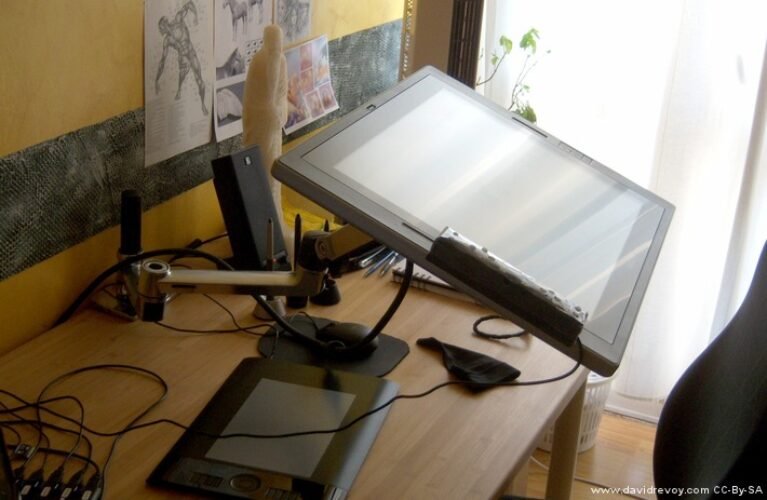
Best all-round
Product image: David Revoy — Ergotron LX photograph · Photo: David Revoy, CC BY 4.0 — https://creativecommons.org/licenses/by/4.0/ . Extra extension and display shown; sold separately. Resized only.
Ergotron LX
Indicative price: £150–£200
Category-supported evidence · sources checked 17 September 2026
A durable, highly adjustable arm with a long-standing reputation for smooth movement and strong build quality.
Best for: Premium single-monitor ergonomics
Potential drawback: Costs far more than basic gas-spring arms
Research assessment
A durable, highly adjustable arm with a long-standing reputation for smooth movement and strong build quality. Key compromise: Costs far more than basic gas-spring arms.
Limitations and checks
Costs far more than basic gas-spring arms.
Verify VESA pattern, monitor weight without the stand, desk material, clamp clearance and adjustment range before ordering.
Sources and evidence notes (2)
This editorial synthesis does not represent a hands-on test by The Tools and Tech. Source links are references, not affiliate links. Research depth: Official product information plus independent category context.
Price and availability can change. Check the retailer for the latest information.
Best matching gaming ecosystem
Secretlab MAGNUS Monitor Arm
Editorial illustration — not a product photograph
Secretlab MAGNUS Monitor Arm
Indicative price: £180–£220
Category-supported evidence · sources checked 17 September 2026
A premium arm designed to integrate neatly with Secretlab desks and cable-routing accessories.
Best for: MAGNUS desk owners and clean gaming setups
Potential drawback: Best value mainly inside the Secretlab ecosystem
Research assessment
A premium arm designed to integrate neatly with Secretlab desks and cable-routing accessories. Key compromise: Best value mainly inside the Secretlab ecosystem.
Limitations and checks
Best value mainly inside the Secretlab ecosystem.
Verify VESA pattern, monitor weight without the stand, desk material, clamp clearance and adjustment range before ordering.
Sources and evidence notes (2)
This editorial synthesis does not represent a hands-on test by The Tools and Tech. Source links are references, not affiliate links. Research depth: Official product information plus independent category context.
Price and availability can change. Check the retailer for the latest information.
Best heavy ultrawide support
Product image: Ergotron official HX monitor arm introduction · Image: Ergotron / official product introduction
Ergotron HX Desk Monitor Arm
Indicative price: About £250–£350; heavy-duty pivot may cost extra
Product-specific evidence · sources checked 17 September 2026
A heavy-duty desk arm for large displays, with the exact monitor weight, VESA pattern, desk clamp and optional pivot checked before purchase.
Best for: Large, heavy or ultrawide displays that exceed normal arm limits
Potential drawback: Expensive, physically substantial and unsuitable for light monitors below its rated range
Research assessment
The HX exists for displays that exceed the useful range of mainstream monitor arms. Its heavy-duty mechanism can support large monitors when the exact weight, VESA pattern and pivot are compatible, and independent reports support its ability to hold ultrawides without sag. It is not automatically better for every screen: light monitors can fall below its adjustment range, very curved 49-inch models may need the heavy-duty pivot, and the clamp transfers substantial leverage into the desk edge.
Reasons to consider
High load capacity and stable positioning for many large or ultrawide displays
Durable construction, broad adjustment and established accessory support
Limitations and checks
Expensive and physically substantial compared with normal single-monitor arms
Exact weight, VESA, pivot and desk-clamp compatibility must be checked before purchase
Sources and evidence notes (3)
This editorial synthesis does not represent a hands-on test by The Tools and Tech. Source links are references, not affiliate links. Research depth: Official product information plus multiple product-specific independent reviews.
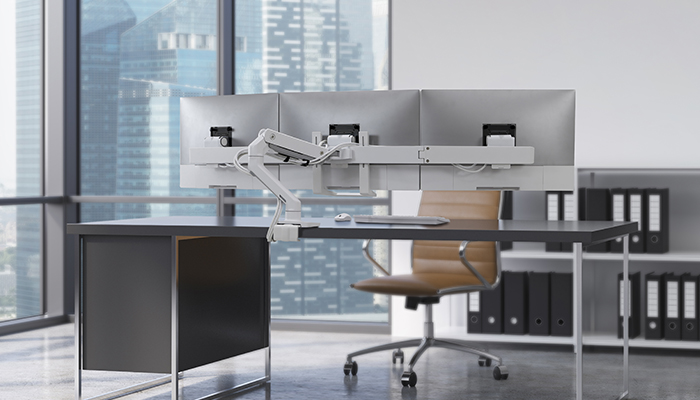
Z2 Basic adds a specific dual-monitor option beneath the existing premium single-screen arms. The shared desk-clamp arrangement is worth comparing for a stable two-screen layout, provided both panels fit side by side and the desktop can carry the mounting load. Check physical width and clamp fit rather than selecting by diagonal alone. It should not be described as a gas-spring arm.
Reasons to consider
Exact-SKU dual-screen placement; VESA 75 × 75 and 100 × 100 support.
Limitations and checks
Official current page gives 685mm maximum monitor width, 28-inch 16:9 and 25-inch ultrawide guidance, and 20–60mm desktops. Older official PDF states 32 inches; retailer pages often say 27 inches and differ on weight/warranty. Use the stricter current size guidance and flag revision differences. Confirm the supplied unit's manual and load limits before a builder compatibility match; do not map 16kg retailer total capacity onto the current page's 15kg-per-arm claim.
Sources and evidence notes (4)
This editorial synthesis does not represent a hands-on test by The Tools and Tech. Source links are references, not affiliate links. Research depth: Official exact-model specifications and direct merchant listing; no independent performance test or hands-on review claimed..
Price and availability can change. Check the retailer for the latest information.
Office monitor arm with USB passthrough
Product image: Back to the Office / Awin product feed · Product photo: Back to the Office via Awin. ARMSLIM2USB3 black monitor arm shown without a display.
StarTech ARMSLIM2USB3
Indicative price: Check current UK price, VAT and delivery
Manufacturer specification evidence · sources checked 9 October 2026
ARMSLIM2USB3 combines a mechanical-spring single-monitor arm with two USB-A passthrough connections.
Best for: Single VESA office screen with USB peripherals nearby
Potential drawback: Up to 8kg; check minimum load and 10–50mm desk; USB ports require host connections
Research assessment
ARMSLIM2USB3 combines a mechanical-spring single-monitor arm with two USB-A passthrough connections. It gives the shortlist an office-oriented alternative to the premium desk ecosystems already covered. The practical buying checks are monitor weight, VESA pattern and desktop mounting clearance; the USB ports are secondary conveniences, not a docking station or laptop charger.
Reasons to consider
Mechanical-spring adjustment; two USB-A passthrough ports.
Limitations and checks
Manufacturer lists up to 8kg, VESA 75 × 75 or 100 × 100 and 10–50mm desktops. Confirm minimum supported load in the current manual before matching very light screens. USB passthrough requires host connections and does not add USB-C video or charging. Do not infer support for every curved 34-inch monitor from diagonal alone.
Sources and evidence notes (4)
This editorial synthesis does not represent a hands-on test by The Tools and Tech. Source links are references, not affiliate links. Research depth: Official exact-model specifications and direct merchant listing; no independent performance test or hands-on review claimed..
Price and availability can change. Check the retailer for the latest information.
Use the retailer or official-site button to check the latest price, availability and specifications before buying. Where we later obtain approved affiliate relationships, qualifying links may earn a commission at no extra cost to the reader.
Buying advice
What matters when choosing monitor arms & stands
✓VESA compatibility
✓Monitor weight range
✓Clamp or grommet fit
✓Adjustment and cable management
Our guides focus on the factors that affect real-world fit and value, not simply the longest specification list.
Common questions
Monitor Arms & Stands FAQ
How much should I spend on monitor arms & stands?
A useful UK market guide is £35–£220+ per arm. The right spend depends on the features you will genuinely use, so compare the middle of the range before paying for premium extras.
What should I look for when buying monitor arms & stands?
Prioritise VESA compatibility, Monitor weight range, Clamp or grommet fit. Check compatibility and return/warranty terms before buying, particularly when a product is part of a wider hardware ecosystem.
Are the products on this page hands-on tested?
Not necessarily. This category page is a research-led shortlist. Detailed guides clearly label any hands-on testing and distinguish it from manufacturer specifications, independent evidence and market research.
What is a good monitor arms & stands option to start comparing?
Amazon Basics Single Monitor Stand/Arm is one of the current research starting points on this page. Compare it with the alternatives above for budget, compatibility, features and drawbacks before deciding.
Compare dual and stacked arms, triple and quad desktop stands, six-screen systems and sim-racing frames, with exact-model VESA, load and installation checks.
Research-led UK guide to dual-monitor office setups, covering QHD vs 4K, docks, monitor arms, laptop display limits and current Dell and CalDigit options.
Compare mounting systems for dual side-by-side or stacked displays, three-screen desks, four-screen grids and six-screen workstations. Freestanding desktop units, floor-standing simulator frames and up-and-over overhead screen add-ons are included. Compare the overhead mounting options.
Dual and stacked arms: Ergotron LX Pro 45-686-292 and 45-690-292.
Triple desk systems: StarTech ARMTRIO clamp/grommet mount and ARMBARTRIO2 freestanding stand.
Quad desktop unit: StarTech ARMBARQUAD.
Six-screen system: Atdec AWMS-6-46275; regional configuration and quotation required.
Simulator floor frame: Next Level Racing Free Standing Triple Monitor Stand; verify the exact generation.
Research-based coverage. Match each screen’s weight, dimensions and VESA pattern, then check the desktop, wall or floor mounting arrangement.
To provide the best experiences, we use technologies like cookies to store and/or access device information. Consenting to these technologies will allow us to process data such as browsing behaviour or unique IDs on this site. Not consenting or withdrawing consent, may adversely affect certain features and functions.
Functional
Always active
The technical storage or access is strictly necessary for the legitimate purpose of enabling the use of a specific service explicitly requested by the subscriber or user, or for the sole purpose of carrying out the transmission of a communication over an electronic communications network.
Preferences
The technical storage or access is necessary for the legitimate purpose of storing preferences that are not requested by the subscriber or user.
Statistics
The technical storage or access that is used exclusively for statistical purposes.The technical storage or access that is used exclusively for anonymous statistical purposes. Without a subpoena, voluntary compliance on the part of your Internet Service Provider, or additional records from a third party, information stored or retrieved for this purpose alone cannot usually be used to identify you.
Marketing
The technical storage or access is required to create user profiles to send advertising, or to track the user on a website or across several websites for similar marketing purposes.