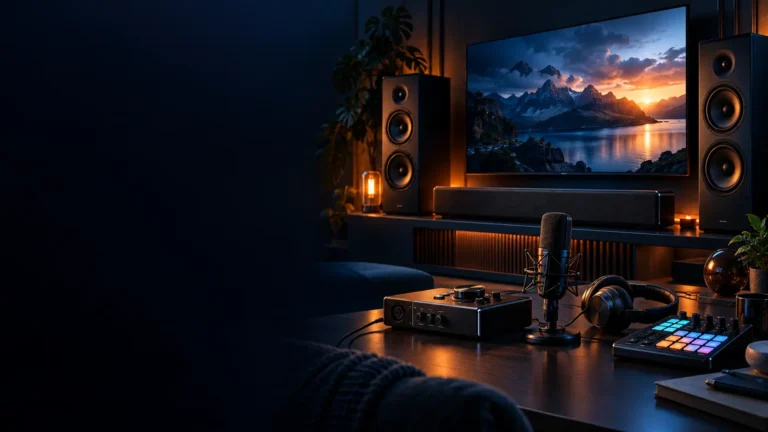
Streaming Equipment

Streaming hardware and setup guides covering microphones, webcams, capture devices, lighting and control gear.

Quick buying guide

A practical starting point for streaming equipment

Typical UK price range: £250–£1,500+ for a complete creator setupIndicative market guide reviewed August 2026. International pricing, tax, availability and subscriptions vary by region.

Improve audio first, then lighting, then camera quality. A clean microphone signal and controlled light often make a stream feel more professional than buying an expensive camera while leaving poor sound and a dark room.

Products worth comparing

Shortlist at a glance

These are research-led starting points chosen to represent useful budgets and use cases. A product appearing here is not a claim that we have personally tested it; hands-on experience is labelled separately in detailed reviews.

Streaming Equipment shortlist comparison
Product / serviceOur shortlist roleIndicative priceBest for
Shure MV6Starter audio£120–£150A simple quality USB microphone
Elgato Facecam MK.2Starter camera£120–£1601080p streaming with creator software controls
Elgato Stream Deck NeoControl upgrade£80–£100Scene, audio and shortcut control
Blackmagic ATEM Mini ProBest multi-camera production upgradeAbout £250–£350; check current UK bundle and stockLive switching between several HDMI cameras or computers

Starter audio

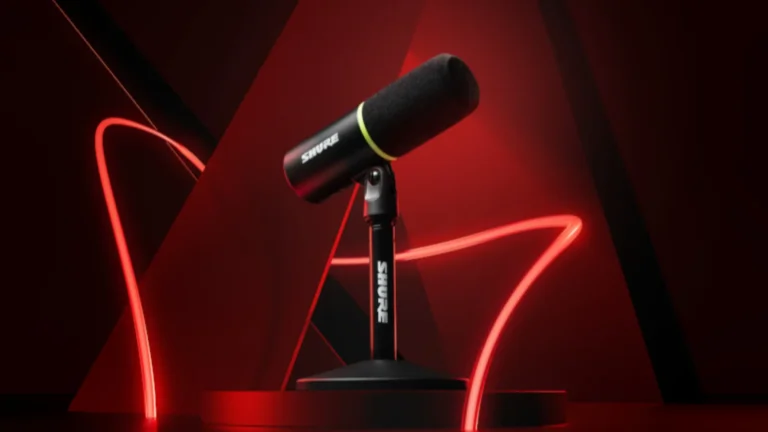
Shure MV6 USB gaming microphone on its desktop stand
Product image: Shure Newsroom — MV6 launch press image · Image: Shure

Shure MV6

Indicative price: £120–£150

Product-specific evidence · sources checked 17 September 2026

A user-friendly USB microphone with processing features that can anchor a beginner streaming setup.

Best for: A simple quality USB microphone

Potential drawback: Desktop placement may still pick up keyboard noise

Research assessment

A user-friendly USB microphone with processing features that can anchor a beginner streaming setup. Key compromise: Desktop placement may still pick up keyboard noise.

Limitations and checks
  • Desktop placement may still pick up keyboard noise.
  • Check operating-system support, ports, mounting and the workflow software you intend to use before buying into an ecosystem.
Sources and evidence notes (2)

This editorial synthesis does not represent a hands-on test by The Tools and Tech. Source links are references, not affiliate links. Research depth: Official product information plus product-specific independent coverage.

  1. Shure official product catalogue (opens in a new tab) (manufacturer or official source)
  2. WIRED Shure MV6 review (opens in a new tab) (independent review or reporting)

Price and availability can change. Check the retailer for the latest information.
Starter camera

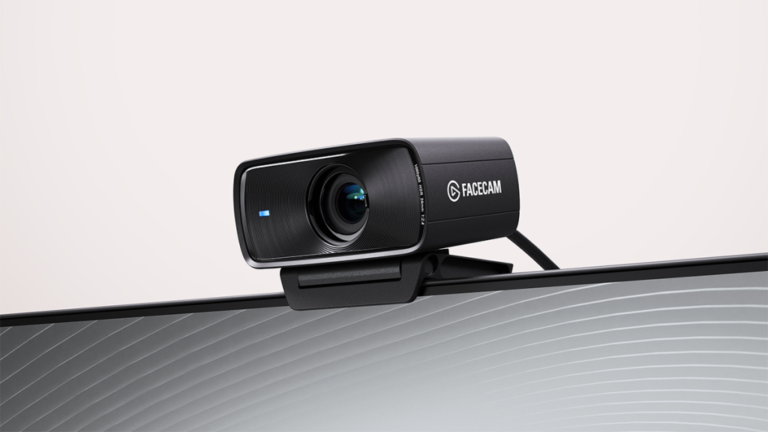
Elgato Facecam MK.2 webcam shown in an official product render
Product image: CORSAIR / Elgato Newsroom — Facecam MK.2 press release · Source: CORSAIR / Elgato Newsroom

Elgato Facecam MK.2

Indicative price: £120–£160

Product-specific evidence · sources checked 17 September 2026

A streaming-focused webcam with software control and a clean path into the Elgato creator ecosystem.

Best for: 1080p streaming with creator software controls

Potential drawback: Not a 4K-first camera

Research assessment

A streaming-focused webcam with software control and a clean path into the Elgato creator ecosystem. Key compromise: Not a 4K-first camera.

Limitations and checks
  • Not a 4K-first camera.
  • Check operating-system support, ports, mounting and the workflow software you intend to use before buying into an ecosystem.
Sources and evidence notes (2)

This editorial synthesis does not represent a hands-on test by The Tools and Tech. Source links are references, not affiliate links. Research depth: Official product information plus product-specific independent coverage.

  1. Elgato official product catalogue (opens in a new tab) (manufacturer or official source)
  2. Tom's Hardware Elgato Facecam MK.2 review (opens in a new tab) (independent review or reporting)

Price and availability can change. Check the retailer for the latest information.

Control upgrade

Elgato Stream Deck Neo with eight LCD keys and Infobar display
Product image: Elgato official product page / Neo press media kit · Elgato / CORSAIR

Elgato Stream Deck Neo

Indicative price: £80–£100

Category-supported evidence · sources checked 17 September 2026

A compact control surface that helps automate repetitive stream actions without taking much desk space.

Best for: Scene, audio and shortcut control

Potential drawback: Fewer keys than larger Stream Deck models

Research assessment

A compact control surface that helps automate repetitive stream actions without taking much desk space. Key compromise: Fewer keys than larger Stream Deck models.

Limitations and checks
  • Fewer keys than larger Stream Deck models.
  • Check operating-system support, ports, mounting and the workflow software you intend to use before buying into an ecosystem.
Sources and evidence notes (2)

This editorial synthesis does not represent a hands-on test by The Tools and Tech. Source links are references, not affiliate links. Research depth: Official product information plus independent category context.

  1. Elgato official product catalogue (opens in a new tab) (manufacturer or official source)
  2. PC Gamer streaming-microphone guide (opens in a new tab) (independent category context)

Price and availability can change. Check the retailer for the latest information.

Best multi-camera production upgrade

Blackmagic ATEM Mini Pro live production switcher
Product image: Blackmagic Design Press Images — ATEM Mini Pro · Image: Blackmagic Design

Blackmagic ATEM Mini Pro

Indicative price: About £250–£350; check current UK bundle and stock

Product-specific evidence · sources checked 17 September 2026

A compact four-input HDMI production switcher that can stream and record without making a single computer handle every production task.

Best for: Live switching between several HDMI cameras or computers

Potential drawback: Adds cabling, audio-routing and camera-compatibility planning

Research assessment

ATEM Mini Pro fills the gap between a one-camera streaming setup and a compact live-production desk. Its four HDMI inputs, hardware controls, direct streaming and USB webcam output can reduce the load on the host computer and make multi-camera switching repeatable. The benefit only appears when the cameras, frame rates, audio sources, network and cabling are planned together; it is unnecessary complexity for a single webcam and does not record isolated feeds like the more expensive ISO models.

Reasons to consider
  • Four-input hardware switching with direct streaming, recording and multiview tools
  • Works as a USB webcam source for common streaming and meeting software
Limitations and checks
  • Requires deliberate HDMI, audio, frame-rate and network setup
  • The Pro model records the programme output rather than every HDMI feed separately
Sources and evidence notes (3)

This editorial synthesis does not represent a hands-on test by The Tools and Tech. Source links are references, not affiliate links. Research depth: Official product information plus multiple product-specific independent reviews.

  1. Blackmagic Design ATEM Mini official information (opens in a new tab) (manufacturer)
  2. TechRadar ATEM Mini Pro review (opens in a new tab) (independent review)
  3. Digital Camera World ATEM Mini Pro review (opens in a new tab) (independent review)

Price and availability can change. Check the retailer for the latest information.
Use the retailer or official-site button to check the latest price, availability and specifications before buying. Where we later obtain approved affiliate relationships, qualifying links may earn a commission at no extra cost to the reader.

Buying advice

What matters when choosing streaming equipment

Audio before visual upgrades
Platform compatibility
Simple signal routing
Upgrade path and value

Our guides focus on the factors that affect real-world fit and value, not simply the longest specification list.

Common questions

Streaming Equipment FAQ

How much should I spend on streaming equipment?

A useful UK market guide is £250–£1,500+ for a complete creator setup. The right spend depends on the features you will genuinely use, so compare the middle of the range before paying for premium extras.

What should I look for when buying streaming equipment?

Prioritise Audio before visual upgrades, Platform compatibility, Simple signal routing. Check compatibility and return/warranty terms before buying, particularly when a product is part of a wider hardware ecosystem.

Are the products on this page hands-on tested?

Not necessarily. This category page is a research-led shortlist. Detailed guides clearly label any hands-on testing and distinguish it from manufacturer specifications, independent evidence and market research.

What is a good streaming equipment option to start comparing?

Shure MV6 is one of the current research starting points on this page. Compare it with the alternatives above for budget, compatibility, features and drawbacks before deciding.

Latest Streaming Equipment Guides

Research-ledEvidence and decision criteria come before affiliate links.
Clear testing labelsWe identify hands-on experience instead of implying it.
Editorial independenceCommercial relationships do not buy a recommendation.

Review methodology · How we make money · Work with us

Build the full setup: use the Streaming Setup Builder, then compare microphones, webcams, capture cards, creator lighting and stream controllers.

The Tools and Tech
Logo