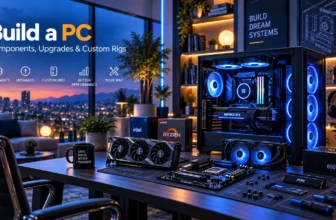


A gaming laptop and desktop PC can both provide an excellent experience, but they solve different constraints. The laptop combines computer, display, keyboard, battery and portable enclosure. The desktop spreads those parts across a larger system that can use stronger cooling and more replaceable components. Comparing only the graphics name or base-unit price misses the reason each format exists.
The right answer depends on where the computer is used, whether it must travel, which peripherals are already owned and how long the buyer expects to upgrade it. This guide does not assume that a mobile and desktop GPU with related names perform identically. Configuration, power and cooling determine real results, and benchmark claims need exact hardware context.
Quick answer
At a glance
| Option | Best for | Why it stands out | Main trade-off |
|---|---|---|---|
| Portability | Gaming laptop | Integrated screen, input and battery | Heavy charger and limited gaming runtime |
| Upgradeability | Desktop PC | Graphics, storage, cooling and other parts can often change | Compatibility and build knowledge required |
| Sustained cooling | Desktop PC | Larger fans and heatsinks have more room | Takes dedicated desk and floor space |
| One-box setup | Gaming laptop | Ready to use without a separate display | Built-in parts are harder to replace |
Performance: compare complete systems, not names
A laptop GPU is designed for a restricted power and thermal envelope. A desktop card from a related product family may have different cores, memory, clocks and power behaviour. Even two laptops with the same mobile GPU name can perform differently because their configured power, cooling, memory and firmware vary. Use exact-model tests with the same game, resolution and settings.
A desktop has more room for sustained cooling and can often maintain higher performance with less acoustic pressure, but a poorly ventilated prebuilt can still disappoint. The laptop has an integrated display whose resolution may be chosen around the mobile GPU. A desktop buyer must select a monitor that the graphics hardware can drive sensibly.
Total cost: include everything actually needed
A laptop price includes a display, keyboard, trackpad, webcam, speakers, battery and licensed operating system in many configurations. A desktop comparison should include whichever of those the buyer does not already own. Conversely, a laptop user may still purchase a mouse, headset, cooling stand, external monitor, dock and larger storage, reducing the one-box advantage.
Use a three-year ownership sheet rather than a launch-day price. Include warranties, likely storage or memory upgrades, electricity only when it materially differs in the actual workload, and resale expectations without treating them as guaranteed. A sale on an older generation can be excellent value if support and component capability remain suitable.
Portability and space
Best entry family to compare
Lenovo LOQ 15 range
Indicative price: Often around £800–£1,500 by configuration
Range-level evidence · sources checked 25 August 2026
A mainstream entry-gaming family worth comparing when value, replaceable storage and familiar support matter more than minimum weight.
Best for: First gaming laptop and student setups
Potential drawback: Display, battery and GPU specifications vary substantially between configurations
Research assessment
A mainstream entry-gaming family worth comparing when value, replaceable storage and familiar support matter more than minimum weight. The cited official information and product-specific independent coverage support using it as a research starting point for first gaming laptop and student setups. The name covers a range or an imprecise listing, so the exact model and regional specification must be identified before publication. Key compromise: Display, battery and GPU specifications vary substantially between configurations.
- Clear shortlist role: Best entry family to compare.
- Best aligned with first gaming laptop and student setups.
- Display, battery and GPU specifications vary substantially between configurations.
- Compare the exact regional SKU: GPU power limit, display, memory layout, thermals and warranty can differ under the same family name.
Sources and evidence notes (2)
This editorial synthesis does not represent a hands-on test by The Tools and Tech. Source links are references, not affiliate links. Research depth: Official product information plus product-specific independent coverage.
- Lenovo LOQ product family (opens in a new tab) (manufacturer or official source)
- Tom's Hardware Lenovo LOQ 15 review (opens in a new tab) (independent review or reporting)
Price and availability can change. Check the retailer for the latest information.
A gaming laptop earns its compromises when it moves. Students travelling between accommodation and home, workers with two locations and users without a permanent desk may be better served by one portable system. Measure total bag weight with the charger and protection. A 16-inch laptop plus a large adapter is transportable, not necessarily pleasant for a daily walking commute.
A small desktop can fit a compact room, but it still needs a display, cables and an input setup. Moving it exposes components and connectors to risk. If the computer never leaves the desk, portability should not be purchased out of habit; the space and cooling of a desktop become more valuable.
Upgradeability, repair and useful life
Desktop systems commonly allow replacement of storage, memory, graphics, fans, power supply and sometimes the processor without discarding the entire machine. Standards and case dimensions still create compatibility limits, and prebuilt systems can use proprietary parts. Check motherboard, power-supply, cooling and case support before assuming an easy future GPU upgrade.
Gaming laptops often permit some storage or memory replacement, while the processor and GPU remain fixed. Batteries, keyboards, displays and fans may be serviceable but require model-specific parts and labour. A repairable laptop with available documentation and local service can be a better long-term choice than a thinner sealed design, even when both perform similarly at purchase.
Noise, heat and ergonomics
Laptop fans are close to the user and must move heat through small vents, so demanding play can be conspicuous. Keyboard surfaces can also warm. A desktop can use larger, slower fans and place the heat source farther away, though a high-power system or aggressive fan profile can still be loud. Independent acoustic tests should state distance and mode.
Neither format is automatically ergonomic. A laptop used for long sessions benefits from a raised screen and external keyboard or controller, while a desktop monitor needs correct height and distance. Budget for the desk and seating environment if long gaming or study sessions are expected.
Battery and power interruptions
A laptop battery allows short moves and can protect an active session during a brief power interruption, but demanding games usually reduce performance and deplete it quickly. Batteries also age and may need replacement. Treat unplugged gaming as an emergency or light-use option unless exact testing shows the desired experience.
A desktop stops when mains power fails unless supported by a suitable uninterruptible power supply. A UPS should be sized for the actual equipment and is intended mainly to save work and shut down safely, not to provide hours of high-performance gaming.
Choose by situation
Choose a gaming laptop when
The system genuinely changes location, there is no permanent setup, or one integrated purchase simplifies ownership. Verify exact configuration, charger weight, display and local repair support.
Choose a desktop when
The computer stays at a desk and sustained performance, cooling, quiet operation, repair and future component changes matter. Confirm that standard parts and a suitable power supply are used.
Consider a split setup when
A modest portable laptop for study or work plus a desktop or console for gaming can be more comfortable than carrying a heavy gaming machine. It costs two devices but separates battery and performance priorities.
Avoid false equivalence
Do not compare only a mobile and desktop GPU name, or a laptop alone with a complete desktop setup. Use measured results and the full cost of equipment the buyer does not already own.
How we researched this guide
This explainer compares format-level engineering and ownership trade-offs. Official gaming-laptop pages illustrate current configuration variation; no benchmark number is transferred between machines. The desktop discussion assumes a standards-based system but notes that proprietary prebuilts can reduce upgradeability.
A final buyer recommendation should include the person’s travel pattern, room, existing display and peripherals, software, games and local prices. Energy, noise and performance claims need controlled testing of exact configurations before they are presented numerically.
Frequently asked questions
Is a gaming desktop always faster than a laptop?
Not every desktop is faster than every laptop. At comparable current tiers, desktops usually have more power and cooling headroom. Exact components, settings and tests decide the result.
Is a gaming laptop cheaper when a monitor is included?
It can be. Compare the laptop with the complete desktop setup the buyer actually needs. Also include any external laptop peripherals required for comfort.
Can a gaming laptop replace a desktop?
Yes for users whose performance needs fit the model and who accept limited upgrades and more concentrated heat and noise. A dock and external monitor can create a good desk setup.
Which lasts longer?
A standards-based desktop is generally easier to repair and upgrade. A well-maintained laptop can last years, but fixed CPU/GPU parts and battery ageing can limit its useful life.
Should a student buy a gaming laptop or desktop?
A laptop suits students who must take the computer to class or between homes. A desktop suits a fixed room and often offers better long-term performance value. Consider a light laptop plus console or desktop split.
Primary sources reviewed
- Lenovo LOQ gaming laptop family (opens in a new tab)
- ASUS ROG Zephyrus G16 (2026) (opens in a new tab)
- Acer Predator Helios Neo 16 AI (opens in a new tab)
- Razer Blade 16 (opens in a new tab)
- NVIDIA GeForce laptop overview (opens in a new tab)
Final verdict
Buy a gaming laptop for real portability and an integrated system; buy a desktop for a fixed setup, sustained cooling, repair and upgrades. Compare complete costs and exact performance rather than related product names. If the computer will spend its life beside one monitor, the desktop usually makes the stronger long-term case. If it must move every week, the laptop’s compromises may be entirely rational.