


Budget gaming laptops are difficult to rank because one family name can cover several processors, graphics chips, displays, memory layouts and regional model numbers. A positive review of one configuration does not automatically describe the discounted version in another country. The most useful recommendation is therefore a family to compare plus a checklist for identifying the configuration that offers real value.
The Lenovo LOQ 15 range is our primary entry-family starting point. It is widely positioned below flagship gaming lines and is sold in enough configurations that buyers can compare price and support locally. That flexibility is also the main risk: a weak display, limited memory arrangement or lower graphics specification can make a large discount less attractive than it appears.
UK price context — 7 October 2026: Lenovo currently lists a LOQ 15 with Ryzen 7, 16GB RAM, 1TB SSD and RTX 5060 Laptop GPU at £1,299 on promotion. Use that only as a comparison point: the same family name covers materially different GPUs, screens, memory layouts and storage.
Quick answer
At a glance
| Option | Best for | Why it stands out | Main trade-off |
|---|---|---|---|
| Lenovo LOQ 15 range | Mainstream entry gaming | Broad configuration and support options | Specifications vary substantially by SKU |
| Discounted older generation | Maximum value with careful research | Clearance can fund a stronger GPU | Battery age, support period and screen may be weaker |
| Open-box or refurbished model | Buyer with strong return protection | Potential higher tier for the same budget | Condition, warranty and missing accessories vary |
| Console plus ordinary laptop | Gaming and study in separate devices | Can offer simpler performance and battery trade-offs | Less portable as one complete system |
Best budget family to compare: Lenovo LOQ 15
Best entry family to compare
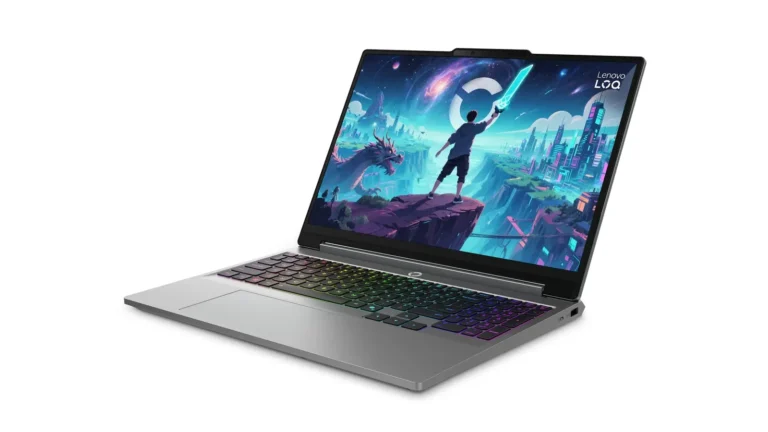
Lenovo LOQ 15 range
Indicative price: Often around £800–£1,500 by configuration
Range-level evidence · sources checked 17 September 2026
A mainstream entry-gaming family worth comparing when value, replaceable storage and familiar support matter more than minimum weight.
Best for: First gaming laptop and student setups
Potential drawback: Display, battery and GPU specifications vary substantially between configurations
Research assessment
A mainstream entry-gaming family worth comparing when value, replaceable storage and familiar support matter more than minimum weight. Because this entry covers a range or an imprecise listing, confirm the exact model and regional specification before buying. Key compromise: Display, battery and GPU specifications vary substantially between configurations.
- Display, battery and GPU specifications vary substantially between configurations.
- Compare the exact regional SKU: GPU power limit, display, memory layout, thermals and warranty can differ under the same family name.
Sources and evidence notes (2)
This editorial synthesis does not represent a hands-on test by The Tools and Tech. Source links are references, not affiliate links. Research depth: Official product information plus product-specific independent coverage.
- Lenovo LOQ product family (opens in a new tab) (manufacturer or official source)
- Tom's Hardware Lenovo LOQ 15 review (opens in a new tab) (independent review or reporting)
Price and availability can change. Check the retailer for the latest information.
Lenovo’s LOQ family is a sensible first comparison for students and first-time PC gamers because it targets the mainstream gaming tier and typically offers conventional ports and internal storage or memory options, depending on the exact model. Current official listings show multiple processor, graphics and display combinations. That makes it possible to look for a balanced sale configuration instead of paying for premium construction.
Do not search only for “LOQ 15” and assume the results are equivalent. Record the exact suffix and machine number. Compare the laptop GPU model and published power behaviour, display resolution, refresh rate and colour claim, installed memory configuration, storage capacity and whether upgrades are accessible without compromising warranty. Confirm the power adapter and keyboard layout for the destination country.
Choose the graphics configuration before the processor badge
In a gaming purchase, the laptop GPU usually determines more of the playable graphics range than a small jump between processors in the same tier. Laptop graphics chips with similar names can also operate at different power levels and cooling limits. Compare the exact manufacturer specification and independent testing of that same configuration; do not transfer desktop graphics expectations to a mobile chip.
A faster processor still matters for high-refresh competitive games, simulation, creation and general longevity, but an expensive CPU cannot compensate for entry graphics in demanding visual settings. Budget buyers should look for the most balanced complete machine, including enough memory and a usable display, rather than the single largest model number in the advert.
Do not accept a poor display without pricing a replacement
Some low-cost configurations save money through the panel. Refresh rate is only one part of display quality; response behaviour, brightness, colour coverage, resolution and variable-refresh support affect everyday use. Manufacturer claims should be confirmed for the exact SKU, and independent measurements are valuable when available. A high refresh label does not prove fast pixel response or good colour.
An external monitor can solve a weak built-in display at a desk, but it adds cost and removes the all-in-one advantage. A student who carries the laptop daily may value panel quality, size and hinge stability more than someone who docks it permanently. Compare the full setup price before calling a discounted laptop cheap.
Memory, storage and repairability
Modern games, browsers, voice chat and background launchers can make a minimal memory configuration feel restrictive. Check whether memory is soldered, socketed or mixed, how many slots are occupied and what the manufacturer supports. Storage capacity matters because large games can consume hundreds of gigabytes across a small library; a second M.2 slot can be more useful than a modest factory upgrade premium.
Opening a laptop involves small connectors, battery precautions and regional warranty terms. Consult the hardware maintenance manual or an authorised service provider. Upgrade potential is valuable only when parts are compatible and the work can be performed safely. Keep recovery media and encryption keys before any storage change.
Thermals, noise and battery expectations
A budget gaming laptop uses active cooling and will normally be audible under sustained load. Thin profiles and high component power compete with comfort. Independent testing of the exact configuration is needed for measured temperatures, noise and frame rates. Use the laptop on a hard surface with vents clear; a soft bed or sofa can obstruct intake.
Battery figures measured during light productivity do not represent gaming runtime. Demanding games usually perform best on the supplied mains adapter, and battery mode may deliberately reduce power. For a shared study-and-gaming device, compare light-use battery tests and charger weight as well as plugged-in gaming results.
Budget gaming laptop checklist
Copy the exact SKU
Save the full model number from the retailer and match it to the manufacturer’s specification page. Similar names can hide different screens, GPUs, operating systems and keyboard layouts.
Find configuration-level tests
Use independent results only when CPU, GPU, power mode, memory and display match closely. Note test settings and whether the laptop was on mains power.
Calculate the complete price
Include a storage upgrade, extra memory, external monitor, headset, suitable bag and warranty only when actually needed. Compare the resulting figure with the next laptop tier and with a desktop or console alternative.
Check returns and support
Dead pixels, fan behaviour and configuration errors are easier to resolve with clear local returns and warranty service. International marketplace imports may have the wrong plug, keyboard or support region.
How we researched this guide
This recommendation uses Lenovo’s current LOQ family pages to establish the available configuration approach and applies configuration-level buying criteria. We did not fabricate benchmark averages or claim that every LOQ variant performs alike. Prices are left as regional comparisons because gaming-laptop discounts change rapidly.
Check current local stock and independent testing of the exact leading SKU before buying. We add hands-on claims, measured battery life, fan noise, display accuracy and frame rates only from documented testing of the exact configuration.
Frequently asked questions
How much should I spend on a budget gaming laptop?
Use local market tiers rather than a universal currency figure. Spend enough for a balanced current GPU, acceptable screen, sufficient memory and useful storage; a deeper discount is not value if one of those is inadequate.
Is Lenovo LOQ good for gaming?
The LOQ family can provide strong entry value, but configurations differ. Evaluate the exact CPU, laptop GPU, power, display, memory, cooling and price rather than the family name alone.
Do I need 16GB of RAM for gaming?
Many current gaming and mixed-use workloads are more comfortable with 16GB than a minimal configuration, but game requirements vary. Check whether memory is upgradeable and how it is installed.
Can I game on battery power?
Yes on many laptops, but performance and runtime are normally reduced. Demanding gaming is generally designed around the supplied mains adapter.
Is a budget gaming desktop better?
A desktop often offers better upgradeability and sustained performance for the money. A laptop combines screen, keyboard and portability. Choose according to where the system will be used.
Primary sources reviewed
- Lenovo LOQ current family (opens in a new tab)
- Lenovo LOQ 15 current model listing (opens in a new tab)
- NVIDIA GeForce laptop platform overview (opens in a new tab)
Final verdict
The Lenovo LOQ 15 family is the strongest budget starting point, not a blanket recommendation for every listing. Buy the exact balanced configuration: capable laptop GPU, acceptable display, sufficient memory, useful storage and local warranty. A weak SKU does not become good because the family reviewed well elsewhere, and a premium processor does not rescue entry graphics or a poor screen.


