Best Motherboards for a PC Build UK (2026)

A motherboard should be chosen for the CPU platform, expansion and connectivity you actually need. This guide compares current AM5 and LGA1851 boards by useful features, storage and networking rather than treating expensive power delivery or cosmetic extras as automatic value.
The recommendations below are research-led. We compared current manufacturer information with independent category or workload testing and deliberately call out compatibility, value and limitations. No product is described as hands-on tested by The Tools and Tech unless that actually happens later.
Quick answer
At a glance
| Option | Best for | Why it stands out | Main trade-off |
|---|---|---|---|
| MSI MAG B850 TOMAHAWK MAX WIFI II | Feature-rich Ryzen 9000/8000/7000 ATX builds | Best mainstream AM5 to compare: A B850 ATX board with Wi-Fi 7, 5GbE and multiple M.2 slots that covers most enthusiast needs without moving to X870E. | May be overkill for a basic office or low-power Ryzen build |
| ASRock X870E Taichi | High-end AM5 builds needing USB4, 5GbE and extensive PCIe/M.2 connectivity | Premium AM5: A flagship X870E board with robust power delivery, PCIe 5.0, USB4, Wi-Fi 7 and 5GbE for expansion-heavy systems. | Costs more than most users need for real-world performance |
| ASUS ProArt X870E-Creator WiFi | Creator workstations needing fast networking and broad I/O | Creator-friendly AM5 alternative: A creator-focused AM5 platform option designed around fast external connectivity, networking and workstation-style expansion. | Premium price is hard to justify for ordinary gaming |
| MSI MAG B860 TOMAHAWK WIFI | Core Ultra Series 2 builds that do not need Z-series overclocking | Best-value Intel feature set: A well-equipped B860 ATX board with Wi-Fi 7, 5GbE, Thunderbolt 4 and PCIe 5.0 support for practical Intel builds. | LGA1851 upgrade path is less attractive late in the platform cycle |
| ASUS PRIME Z890-P WIFI | Intel builders wanting Z890 expansion without flagship pricing | Budget Z890 route: A relatively restrained Z890 ATX board that focuses on the platform basics rather than luxury extras. | Audio, VRM and convenience features are plainer than premium Z890 boards |
| MSI MAG Z890 TOMAHAWK WIFI | High-spec Intel systems needing stronger expansion and networking | Feature-rich Z890: A robust Z890 option for builders who specifically need the chipset’s broader tuning and connectivity options. | Costs more than B860 without automatically increasing application performance |
Best mainstream AM5 to compare: MSI MAG B850 TOMAHAWK MAX WIFI II
Best mainstream AM5 to compare
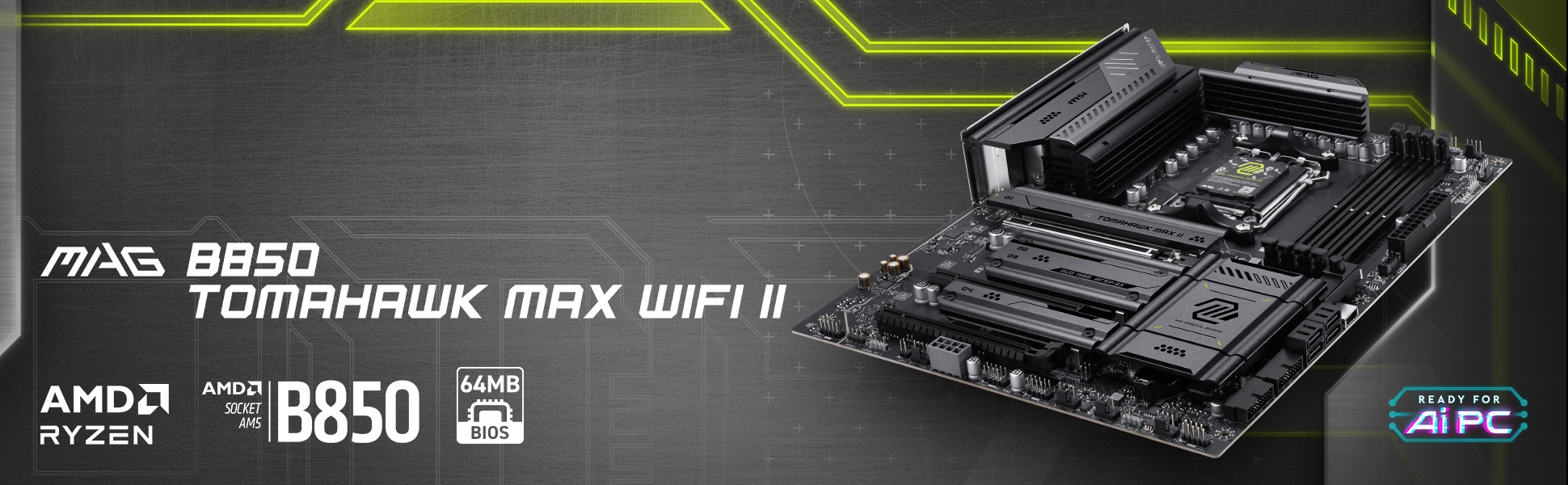
MSI MAG B850 TOMAHAWK MAX WIFI II
Indicative price: ~£220–£290
Category-supported evidence · sources checked 26 August 2026
A B850 ATX board with Wi-Fi 7, 5GbE and multiple M.2 slots that covers most enthusiast needs without moving to X870E.
Best for: Feature-rich Ryzen 9000/8000/7000 ATX builds
Potential drawback: May be overkill for a basic office or low-power Ryzen build
Research assessment
A B850 ATX board with Wi-Fi 7, 5GbE and multiple M.2 slots that covers most enthusiast needs without moving to X870E. Treat the price shown on the category page as an indicative UK range, not a live quote.
- Feature-rich Ryzen 9000/8000/7000 ATX builds
- A B850 ATX board with Wi-Fi 7, 5GbE and multiple M
- May be overkill for a basic office or low-power Ryzen build
- Check exact model, compatibility and current UK availability before buying
Sources and evidence notes (2)
This editorial synthesis does not represent a hands-on test by The Tools and Tech. Source links are references, not affiliate links. Research depth: Official product information plus current independent category context.
- MSI MAG B850 TOMAHAWK MAX WIFI II official product information (opens in a new tab) (manufacturer / official)
- Current independent category/workload context (opens in a new tab) (independent category guidance)
Price and availability can change. Check the retailer for the latest information.
A B850 ATX board with Wi-Fi 7, 5GbE and multiple M.2 slots that covers most enthusiast needs without moving to X870E. The current category price marker is ~£220–£290. That is an indicative UK range rather than a live quote, so compare current stock and exact board/kit/capacity before deciding.
Why it fits: Feature-rich Ryzen 9000/8000/7000 ATX builds. The main check is may be overkill for a basic office or low-power Ryzen build. This guide is research-based; performance, acoustics, fit and reliability should not be described as first-hand experience unless The Tools and Tech later tests the exact item.
Premium AM5: ASRock X870E Taichi
Premium AM5

ASRock X870E Taichi
Indicative price: ~£400–£500
Category-supported evidence · sources checked 26 August 2026
A flagship X870E board with robust power delivery, PCIe 5.0, USB4, Wi-Fi 7 and 5GbE for expansion-heavy systems.
Best for: High-end AM5 builds needing USB4, 5GbE and extensive PCIe/M.2 connectivity
Potential drawback: Costs more than most users need for real-world performance
Research assessment
A flagship X870E board with robust power delivery, PCIe 5.0, USB4, Wi-Fi 7 and 5GbE for expansion-heavy systems. Treat the price shown on the category page as an indicative UK range, not a live quote.
- High-end AM5 builds needing USB4, 5GbE and extensive PCIe/M.2 connectivity
- A flagship X870E board with robust power delivery, PCIe 5
- Costs more than most users need for real-world performance
- Check exact model, compatibility and current UK availability before buying
Sources and evidence notes (2)
This editorial synthesis does not represent a hands-on test by The Tools and Tech. Source links are references, not affiliate links. Research depth: Official product information plus current independent category context.
- ASRock X870E Taichi official product information (opens in a new tab) (manufacturer / official)
- Current independent category/workload context (opens in a new tab) (independent category guidance)
Price and availability can change. Check the retailer for the latest information.
A flagship X870E board with robust power delivery, PCIe 5.0, USB4, Wi-Fi 7 and 5GbE for expansion-heavy systems. The current category price marker is ~£400–£500. That is an indicative UK range rather than a live quote, so compare current stock and exact board/kit/capacity before deciding.
Why it fits: High-end AM5 builds needing USB4, 5GbE and extensive PCIe/M.2 connectivity. The main check is costs more than most users need for real-world performance. This guide is research-based; performance, acoustics, fit and reliability should not be described as first-hand experience unless The Tools and Tech later tests the exact item.
Creator-friendly AM5 alternative: ASUS ProArt X870E-Creator WiFi
Creator-friendly AM5 alternative
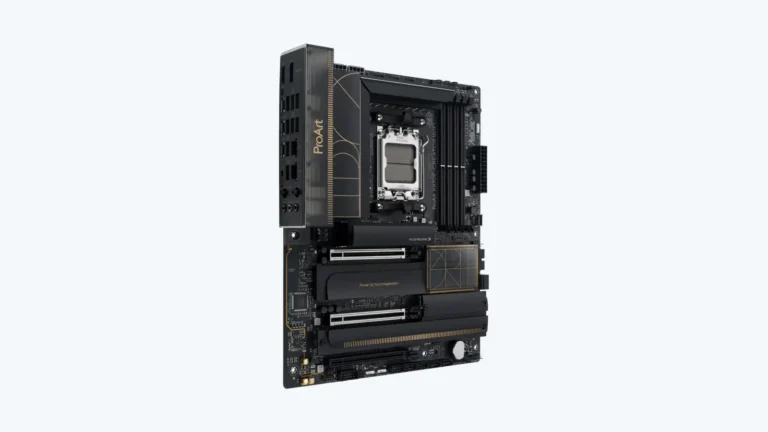
ASUS ProArt X870E-Creator WiFi
Indicative price: ~£430–£550
Category-supported evidence · sources checked 26 August 2026
A creator-focused AM5 platform option designed around fast external connectivity, networking and workstation-style expansion.
Best for: Creator workstations needing fast networking and broad I/O
Potential drawback: Premium price is hard to justify for ordinary gaming
Research assessment
A creator-focused AM5 platform option designed around fast external connectivity, networking and workstation-style expansion. Treat the price shown on the category page as an indicative UK range, not a live quote.
- Creator workstations needing fast networking and broad I/O
- A creator-focused AM5 platform option designed around fast external connectivity, networking and workstation-style expansion
- Premium price is hard to justify for ordinary gaming
- Check exact model, compatibility and current UK availability before buying
Sources and evidence notes (2)
This editorial synthesis does not represent a hands-on test by The Tools and Tech. Source links are references, not affiliate links. Research depth: Official product information plus current independent category context.
- ASUS ProArt X870E-Creator WiFi official product information (opens in a new tab) (manufacturer / official)
- Current independent category/workload context (opens in a new tab) (independent category guidance)
Price and availability can change. Check the retailer for the latest information.
A creator-focused AM5 platform option designed around fast external connectivity, networking and workstation-style expansion. The current category price marker is ~£430–£550. That is an indicative UK range rather than a live quote, so compare current stock and exact board/kit/capacity before deciding.
Why it fits: Creator workstations needing fast networking and broad I/O. The main check is premium price is hard to justify for ordinary gaming. This guide is research-based; performance, acoustics, fit and reliability should not be described as first-hand experience unless The Tools and Tech later tests the exact item.
Best-value Intel feature set: MSI MAG B860 TOMAHAWK WIFI
Best-value Intel feature set

MSI MAG B860 TOMAHAWK WIFI
Indicative price: ~£190–£250
Category-supported evidence · sources checked 26 August 2026
A well-equipped B860 ATX board with Wi-Fi 7, 5GbE, Thunderbolt 4 and PCIe 5.0 support for practical Intel builds.
Best for: Core Ultra Series 2 builds that do not need Z-series overclocking
Potential drawback: LGA1851 upgrade path is less attractive late in the platform cycle
Research assessment
A well-equipped B860 ATX board with Wi-Fi 7, 5GbE, Thunderbolt 4 and PCIe 5.0 support for practical Intel builds. Treat the price shown on the category page as an indicative UK range, not a live quote.
- Core Ultra Series 2 builds that do not need Z-series overclocking
- A well-equipped B860 ATX board with Wi-Fi 7, 5GbE, Thunderbolt 4 and PCIe 5
- LGA1851 upgrade path is less attractive late in the platform cycle
- Check exact model, compatibility and current UK availability before buying
Sources and evidence notes (2)
This editorial synthesis does not represent a hands-on test by The Tools and Tech. Source links are references, not affiliate links. Research depth: Official product information plus current independent category context.
- MSI MAG B860 TOMAHAWK WIFI official product information (opens in a new tab) (manufacturer / official)
- Current independent category/workload context (opens in a new tab) (independent category guidance)
Price and availability can change. Check the retailer for the latest information.
A well-equipped B860 ATX board with Wi-Fi 7, 5GbE, Thunderbolt 4 and PCIe 5.0 support for practical Intel builds. The current category price marker is ~£190–£250. That is an indicative UK range rather than a live quote, so compare current stock and exact board/kit/capacity before deciding.
Why it fits: Core Ultra Series 2 builds that do not need Z-series overclocking. The main check is lGA1851 upgrade path is less attractive late in the platform cycle. This guide is research-based; performance, acoustics, fit and reliability should not be described as first-hand experience unless The Tools and Tech later tests the exact item.
Budget Z890 route: ASUS PRIME Z890-P WIFI
Budget Z890 route
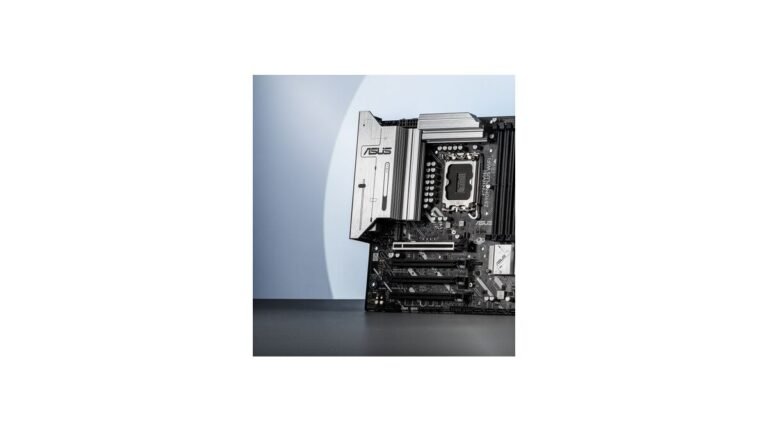
ASUS PRIME Z890-P WIFI
Indicative price: ~£190–£260
Category-supported evidence · sources checked 26 August 2026
A relatively restrained Z890 ATX board that focuses on the platform basics rather than luxury extras.
Best for: Intel builders wanting Z890 expansion without flagship pricing
Potential drawback: Audio, VRM and convenience features are plainer than premium Z890 boards
Research assessment
A relatively restrained Z890 ATX board that focuses on the platform basics rather than luxury extras. Treat the price shown on the category page as an indicative UK range, not a live quote.
- Intel builders wanting Z890 expansion without flagship pricing
- A relatively restrained Z890 ATX board that focuses on the platform basics rather than luxury extras
- Audio, VRM and convenience features are plainer than premium Z890 boards
- Check exact model, compatibility and current UK availability before buying
Sources and evidence notes (2)
This editorial synthesis does not represent a hands-on test by The Tools and Tech. Source links are references, not affiliate links. Research depth: Official product information plus current independent category context.
- ASUS PRIME Z890-P WIFI official product information (opens in a new tab) (manufacturer / official)
- Current independent category/workload context (opens in a new tab) (independent category guidance)
Price and availability can change. Check the retailer for the latest information.
A relatively restrained Z890 ATX board that focuses on the platform basics rather than luxury extras. The current category price marker is ~£190–£260. That is an indicative UK range rather than a live quote, so compare current stock and exact board/kit/capacity before deciding.
Why it fits: Intel builders wanting Z890 expansion without flagship pricing. The main check is audio, VRM and convenience features are plainer than premium Z890 boards. This guide is research-based; performance, acoustics, fit and reliability should not be described as first-hand experience unless The Tools and Tech later tests the exact item.
Feature-rich Z890: MSI MAG Z890 TOMAHAWK WIFI
Feature-rich Z890

MSI MAG Z890 TOMAHAWK WIFI
Indicative price: ~£250–£340
Category-supported evidence · sources checked 26 August 2026
A robust Z890 option for builders who specifically need the chipset’s broader tuning and connectivity options.
Best for: High-spec Intel systems needing stronger expansion and networking
Potential drawback: Costs more than B860 without automatically increasing application performance
Research assessment
A robust Z890 option for builders who specifically need the chipset’s broader tuning and connectivity options. Treat the price shown on the category page as an indicative UK range, not a live quote.
- High-spec Intel systems needing stronger expansion and networking
- A robust Z890 option for builders who specifically need the chipset’s broader tuning and connectivity options
- Costs more than B860 without automatically increasing application performance
- Check exact model, compatibility and current UK availability before buying
Sources and evidence notes (2)
This editorial synthesis does not represent a hands-on test by The Tools and Tech. Source links are references, not affiliate links. Research depth: Official product information plus current independent category context.
- MSI MAG Z890 TOMAHAWK WIFI official product information (opens in a new tab) (manufacturer / official)
- Current independent category/workload context (opens in a new tab) (independent category guidance)
Price and availability can change. Check the retailer for the latest information.
A robust Z890 option for builders who specifically need the chipset’s broader tuning and connectivity options. The current category price marker is ~£250–£340. That is an indicative UK range rather than a live quote, so compare current stock and exact board/kit/capacity before deciding.
Why it fits: High-spec Intel systems needing stronger expansion and networking. The main check is costs more than B860 without automatically increasing application performance. This guide is research-based; performance, acoustics, fit and reliability should not be described as first-hand experience unless The Tools and Tech later tests the exact item.
What to look for
Socket and CPU support
The socket must match the CPU and the BIOS must support the exact processor. Never assume every board revision ships with the firmware you need.
M.2 and PCIe lanes
Multiple M.2 slots and PCIe cards can share lanes. Read the board manual before planning several SSDs, capture cards, network adapters or a second large expansion card.
Networking and external I/O
2.5/5GbE, Wi-Fi 7, USB4 and Thunderbolt can be valuable, but only pay for them if they solve a real connection requirement.
Memory support
Rated XMP/EXPO speeds depend on CPU memory controller, DIMM count and board firmware. Use the QVL as evidence, not as a guarantee of every overclocked profile.
How we researched this guide
We used official motherboard specification pages for ports, sockets, memory and expansion and cross-checked platform positioning against current independent motherboard testing.
Before publishing, verify current board revision, BIOS support and UK price. Motherboards change through firmware and silent hardware revisions more often than static tables imply.
Frequently asked questions
Does an expensive motherboard increase FPS?
Usually not by itself. Once power delivery and platform support are adequate, extra spend normally buys connectivity, expansion, aesthetics or overclocking features rather than direct game performance.
B850 or X870E for Ryzen?
B850 is enough for many builds. X870/X870E makes sense when the extra high-speed I/O, lane allocation or flagship features are genuinely needed.
B860 or Z890 for Intel?
B860 can provide excellent everyday connectivity. Z890 is most useful when the buyer needs the additional chipset/tuning capabilities rather than the badge.
Primary sources reviewed
- MSI MAG B850 TOMAHAWK MAX WIFI II official (opens in a new tab)
- ASRock X870E Taichi official (opens in a new tab)
- MSI MAG B860 TOMAHAWK WIFI official (opens in a new tab)
- Tom’s Hardware Best Motherboards 2026 (opens in a new tab)
Final verdict
A motherboard should enable the system, not consume the system budget. Start with the CPU socket and the exact ports/slots you need, then choose the least expensive board that meets those requirements with reputable power delivery and support.