Best Portable Monitors for Travel & Mobile Work UK (2026)

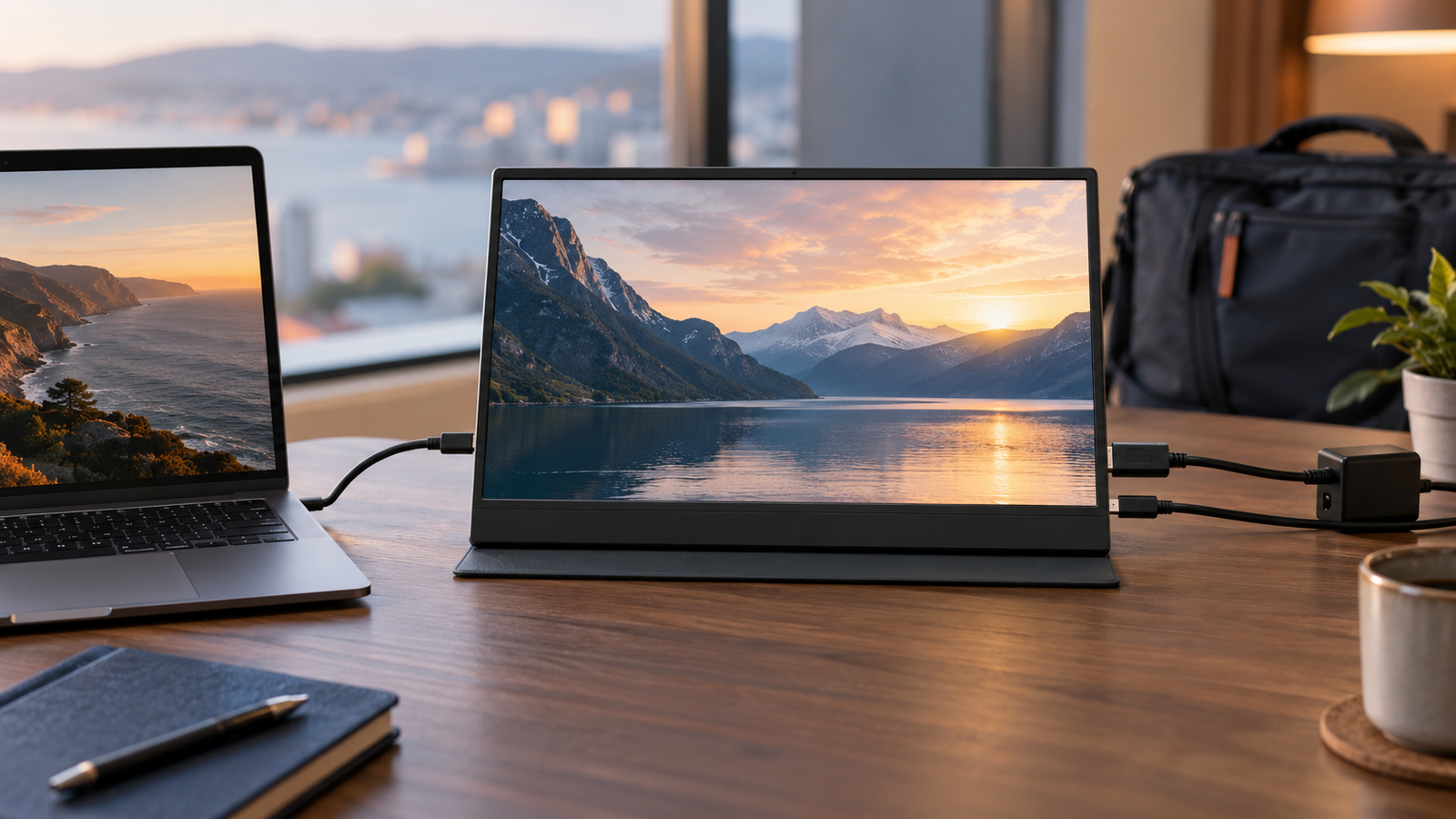
Portable monitors solve several different problems. Some are inexpensive second screens for a laptop; others add a battery, wireless presentation support, touch controls or two panels in one folding chassis. The best model is therefore the one that matches the connection, weight and workspace you will actually carry—not automatically the display with the highest resolution.
Our shortlist covers four distinct roles and is based on current official documentation. We have not presented manufacturer brightness, battery or colour figures as independent test results. Before buying, confirm that the exact laptop, phone, tablet or console can send video over the intended port and can supply enough power, or plan to use the monitor’s separate power input.
Quick answer
Connection compatibility matters as much as panel quality. Our USB-C vs HDMI portable-monitor guide explains DisplayPort Alt Mode, power requirements and the checks to make before buying.
At a glance
| Option | Best for | Why it stands out | Main trade-off |
|---|---|---|---|
| ASUS ZenScreen MB169CK | Affordable wired productivity | 15.6-inch Full HD IPS panel and dual USB-C | No touch or built-in battery focus |
| ViewSonic VG1656N | Wireless work and presentations | 16:10 panel, battery and wireless casting | Wireless behaviour depends on device and environment |
| espresso Display 15 | Premium mobile desk workflow | Slim display with a coordinated magnetic stand system | Costs more than basic USB-C screens |
| ASUS ZenScreen Duo OLED MQ149CD | Portable multi-screen work | Two 14-inch 16:10 OLED panels in one folding device | Heavier and substantially more expensive |
Best value portable monitor: ASUS ZenScreen MB169CK
Best value starting point
ASUS ZenScreen MB169CK
Indicative price: Budget-to-mid-range portable display
Category-supported evidence · sources checked 17 September 2026
A straightforward Full HD portable display with dual USB-C connectivity and a flexible kickstand for laptop-bag use.
Best for: A simple 16-inch USB-C second screen
Potential drawback: Basic productivity focus without touch or a built-in battery
Research assessment
A straightforward Full HD portable display with dual USB-C connectivity and a flexible kickstand for laptop-bag use. Key compromise: Basic productivity focus without touch or a built-in battery.
- Basic productivity focus without touch or a built-in battery.
- Check brightness, colour, stand stability, cable requirements, touch support and whether the laptop can supply video and power together.
Sources and evidence notes (2)
This editorial synthesis does not represent a hands-on test by The Tools and Tech. Source links are references, not affiliate links. Research depth: Official product information plus independent category context.
- ASUS official product catalogue (opens in a new tab) (manufacturer or official source)
- Tom's Hardware portable-monitor guide (opens in a new tab) (independent category context)
Price and availability can change. Check the retailer for the latest information.
ASUS describes the MB169CK as a 15.6-inch Full HD IPS portable monitor with two USB-C ports and a 360-degree kickstand. That is the right level of complexity for readers who mainly want email, documents, chat or reference material beside a laptop. Dual ports can make cable placement easier, and the conventional 1920 x 1080 resolution avoids demanding scaling on common operating systems.
It is not the pick for someone who needs touch, a self-powered display or a high-refresh gaming panel. Its value depends on a laptop that supports DisplayPort video over USB-C or another supported connection in the exact regional model. Check the included cables and the laptop specification; a USB-C socket may support charging or data without video.
Best wireless work option: ViewSonic VG1656N
Best wireless work option
ViewSonic VG1656N
Indicative price: Premium business-portable tier
Product-specific evidence · sources checked 17 September 2026
A 16-inch 16:10 business monitor combining USB-C with wireless display support and its own battery.
Best for: Wireless presenting and mobile work with a built-in battery
Potential drawback: Wireless display behaviour and latency depend on the connected device and environment
Research assessment
A 16-inch 16:10 business monitor combining USB-C with wireless display support and its own battery. Key compromise: Wireless display behaviour and latency depend on the connected device and environment.
- Wireless display behaviour and latency depend on the connected device and environment.
- Check brightness, colour, stand stability, cable requirements, touch support and whether the laptop can supply video and power together.
Sources and evidence notes (2)
This editorial synthesis does not represent a hands-on test by The Tools and Tech. Source links are references, not affiliate links. Research depth: Official product information plus product-specific independent coverage.
- ViewSonic VG1656N official product or service information (opens in a new tab) (manufacturer or official source)
- PCWorld ViewSonic VG1656N review (opens in a new tab) (independent review or reporting)
Price and availability can change. Check the retailer for the latest information.
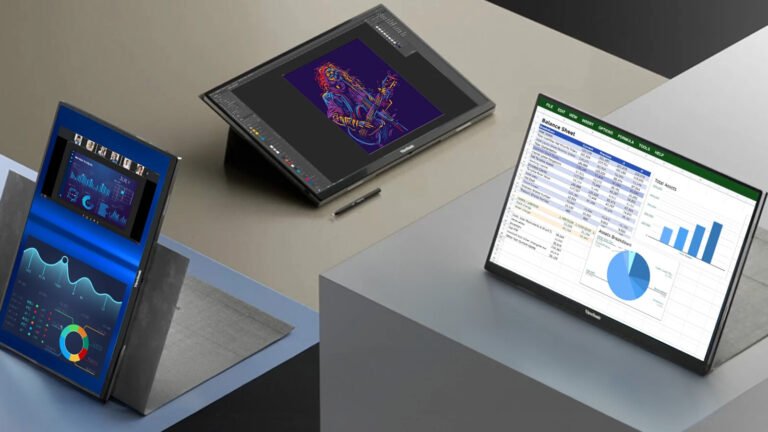
The VG1656N combines a 16-inch 1920 x 1200 display, a built-in battery, dual USB-C connectivity and wireless casting. The 16:10 shape provides more vertical workspace than a conventional 16:9 Full HD panel, which can help with documents and browser-based work. The battery and wireless mode can reduce cable dependence during a short presentation or temporary workstation.
Wireless display is not a universal replacement for a cable. Latency, image quality and connection stability depend on the source device, software and local wireless conditions. ViewSonic publishes an approximate battery-use claim, but real runtime changes with brightness, connection mode and use. Buyers should treat wireless and battery features as flexibility rather than a guarantee of an all-day cable-free setup.
Best premium mobile workflow: espresso Display 15
Best premium productivity design
espresso Display 15
Indicative price: Premium portable-monitor tier
Product-specific evidence · sources checked 17 September 2026
A slim 15-inch portable monitor built around a magnetic stand system and simple USB-C productivity workflow.
Best for: A polished stand system and lightweight second-screen workflow
Potential drawback: Costs more than many basic USB-C displays
Research assessment
A slim 15-inch portable monitor built around a magnetic stand system and simple USB-C productivity workflow. Key compromise: Costs more than many basic USB-C displays.
- Costs more than many basic USB-C displays.
- Check brightness, colour, stand stability, cable requirements, touch support and whether the laptop can supply video and power together.
Sources and evidence notes (2)
This editorial synthesis does not represent a hands-on test by The Tools and Tech. Source links are references, not affiliate links. Research depth: Official product information plus product-specific independent coverage.
- espresso Display 15 official product or service information (opens in a new tab) (manufacturer or official source)
- Tom's Hardware espresso Display 15 review (opens in a new tab) (independent review or reporting)
Price and availability can change. Check the retailer for the latest information.
The espresso Display 15 is aimed at people who want a portable screen to feel like a deliberate mobile workstation rather than a panel propped up by a folding cover. Its appeal lies in the slim design and coordinated magnetic stand ecosystem. That can make frequent setup and packing more pleasant for hybrid workers, consultants and creators who move between locations.
The trade-off is value. Buyers comparing only panel size and resolution can find much cheaper alternatives. Price the complete setup you need, including stand, cables and any touch accessory, and verify device support on espresso’s current compatibility guidance. A premium physical design is worthwhile only if you will use its setup advantages regularly.
Best dual-screen concept: ASUS ZenScreen Duo OLED MQ149CD
Best dual-screen concept

ASUS ZenScreen Duo OLED MQ149CD
Indicative price: High-end specialist portable display
Product-specific evidence · sources checked 17 September 2026
A foldable dual-OLED portable monitor designed to provide two additional 14-inch work surfaces from one unit.
Best for: Mobile multitasking, coding and compact presentations
Potential drawback: Expensive and heavier than a single conventional portable panel
Research assessment
A foldable dual-OLED portable monitor designed to provide two additional 14-inch work surfaces from one unit. Key compromise: Expensive and heavier than a single conventional portable panel.
- Expensive and heavier than a single conventional portable panel.
- Check brightness, colour, stand stability, cable requirements, touch support and whether the laptop can supply video and power together.
Sources and evidence notes (2)
This editorial synthesis does not represent a hands-on test by The Tools and Tech. Source links are references, not affiliate links. Research depth: Official product information plus product-specific independent coverage.
- ASUS ZenScreen Duo OLED MQ149CD product information (opens in a new tab) (manufacturer or official source)
- Tom's Hardware ZenScreen Duo OLED review (opens in a new tab) (independent review or reporting)
Price and availability can change. Check the retailer for the latest information.
ASUS lists two 14-inch 16:10 1920 x 1200 OLED panels, dual USB-C and mini-HDMI connectivity for the MQ149CD. Its purpose is not merely a larger picture; it creates two separate work surfaces for code and documentation, a meeting and notes, or editing controls and a preview. The folding design can also support different orientations when the software and operating system handle multiple displays well.
This is a specialist purchase. Two panels, hinges and a stand add bulk, and OLED does not remove the need for sensible care with persistent static elements. Confirm how your computer exposes the displays through each connection and whether it can drive both in the desired layout. A single lightweight panel remains easier for occasional travel.
What to look for in a portable monitor
Connection compatibility
Look for DisplayPort Alt Mode or Thunderbolt video support on the source device when using one USB-C cable. HDMI can provide a reliable fallback but usually needs separate power. Phones and handheld consoles vary widely, so confirm the exact model.
Carry weight and usable stand
Compare the monitor together with the cover, stand and required charger. A light panel with a weak stand can be less useful than a slightly heavier system that holds stable portrait and landscape angles on a small table.
Brightness, finish and viewing environment
A glossy OLED can look excellent indoors but reflect bright surroundings. Manufacturer brightness figures are useful for comparison only when measured under the same method. Buyers working near windows should prioritise practical visibility and an adjustable stand.
Power and cable layout
One-cable operation depends on the host supplying enough power as well as video. Some laptops reduce battery life noticeably when powering a second display. A monitor with pass-through charging or a separate power port can simplify longer sessions.
How we researched this guide
We selected models that answer different search and purchasing intentions rather than ranking minor variations of the same screen. Official product pages were checked for panel count, resolution, aspect ratio, connections, battery and stand design. The catalogue avoids a fixed live price because taxes, promotions and distribution differ by country.
This is a research-led shortlist. We have not independently measured brightness, colour accuracy, latency, battery duration or weight. Those claims should be added only after controlled hands-on testing. Readers should check current warranty, returns and cable contents in their region before purchasing.
Frequently asked questions
Can any laptop use a USB-C portable monitor?
No. The laptop port generally needs video output such as DisplayPort Alt Mode or Thunderbolt, not only USB data or charging. Check the exact laptop manual.
Does a portable monitor need its own power supply?
Some can receive video and power through one USB-C cable. Others need a second USB connection or charger, especially when the source cannot provide enough power.
Is OLED worth it on a portable monitor?
OLED can provide excellent contrast and response, but it raises cost and benefits from sensible static-image care. For documents and occasional travel, a good IPS panel may offer better value.
Can I take a portable monitor in hand luggage?
Usually, but airline baggage limits and treatment of models with built-in batteries vary. Check the carrier and departure-country rules before travel.
Primary sources reviewed
- ASUS portable monitor range (opens in a new tab)
- ASUS ZenScreen Duo OLED MQ149CD technical specifications (opens in a new tab)
- ViewSonic VG1656N product sheet (opens in a new tab)
- espresso Display 15 product page (opens in a new tab)
Final verdict
Choose the MB169CK when you need a straightforward, affordable wired screen; the VG1656N when battery and wireless presentation flexibility matter; espresso Display 15 when a refined mobile stand system earns its premium; and the MQ149CD only when two additional panels genuinely improve the work. Connection compatibility and total carry setup should decide the winner before panel marketing does.
Acer PD3 PD193QE foldable dual-screen: a specialist portable-workstation option
Model UM.XP3EE.E02 is a foldable dual-screen portable display with an 18.5-inch Full HD IPS screen specification, HDMI and two USB-C connections. Acer states that an external power adapter is required. Its approximately 2.33kg weight makes it more appropriate for a temporary workstation than for a light everyday backpack.
We would consider it for somebody who needs a larger temporary workspace at a client site, not for a commuter who simply wants a thin second screen. Check the laptop’s display-output capability and how the unit will be powered before ordering.
View this exact Acer PD3 model at Acer UK. This link uses our Acer UK Awin deep-link format; qualifying purchases may earn us a commission at no extra cost to you. Confirm current availability and specifications before ordering. We have assessed Acer’s published specifications and have not physically tested its hinge, stability or image quality.