
Start with the people, rooms and routines involved. A shared family PC, a home office and a living-room gaming setup need different privacy, durability and support decisions.
Home Technology
Choose useful technology for home working, study, entertainment, connected living, household security, backup and energy without treating every room or family as the same.
Choose a path
Start with the decision you are making
Home office & studyDisplays, desks, seating, docks and everyday software for focused work and learning.Explore path Gaming & consolesPC, console, handheld and control choices matched to the games, room and household.Explore path Media & soundStreaming, television audio, home cinema and safely ventilated media furniture.Explore path Smart living, cameras & robotsUseful automation considered through compatibility, privacy, network security and safe recovery.Explore path Network, security & backupReliable Wi-Fi, safer accounts, resilient storage and recovery for a connected household.Explore path Energy & resiliencePlug-in solar, backup power and energy-aware technology with current compliance checks.Explore path Maker, XR & learning3D printing, spatial computing and technology learning with evidence and safety limits.Explore path
Build your setup
Start with these areas
BrowseTech GadgetsExplore topicBrowseWork & Productivity EquipmentExplore topicBrowseComplete PC BuildsExplore topicBrowseGaming EquipmentExplore topicBrowseGaming Consoles & HandheldsExplore topicBrowseSmart Home & RoboticsExplore topicBrowseMedia & Audio TechnologyExplore topicBrowseSmart & Wearable TechExplore topicBrowseConnectivity & StorageExplore topicBrowseCybersecurity & PrivacyExplore topicBrowseSmart Energy & PowerExplore topicBrowseMaker & Emerging TechnologyExplore topicBrowseSoftwareExplore topic
A better way to buy
How to approach your home technology
Plan the connected system, not only the headline device. Wi-Fi, accounts, updates, backup, power, subscriptions and interoperability often decide whether home technology remains useful.
Buy for a clear improvement and an affordable ownership cost. Fewer dependable products are usually better than a collection of apps, hubs and accessories that create maintenance work.
Buying for a team?
Explore Business Technology Move from household convenience to business resilience
Business purchases add administration, access control, support, compliance, backup and downtime costs. Use the Business Technology route when more than one person or business-critical data depends on the decision.
Latest Home Technology Guides
Roto VR Explorer: UK seated VR motion chair buying guide
Research-led UK profile of the Roto VR Explorer motorised chair. Check Quest fit, rotation clearance, accessories and the current PC VR connection before buying.
Read guide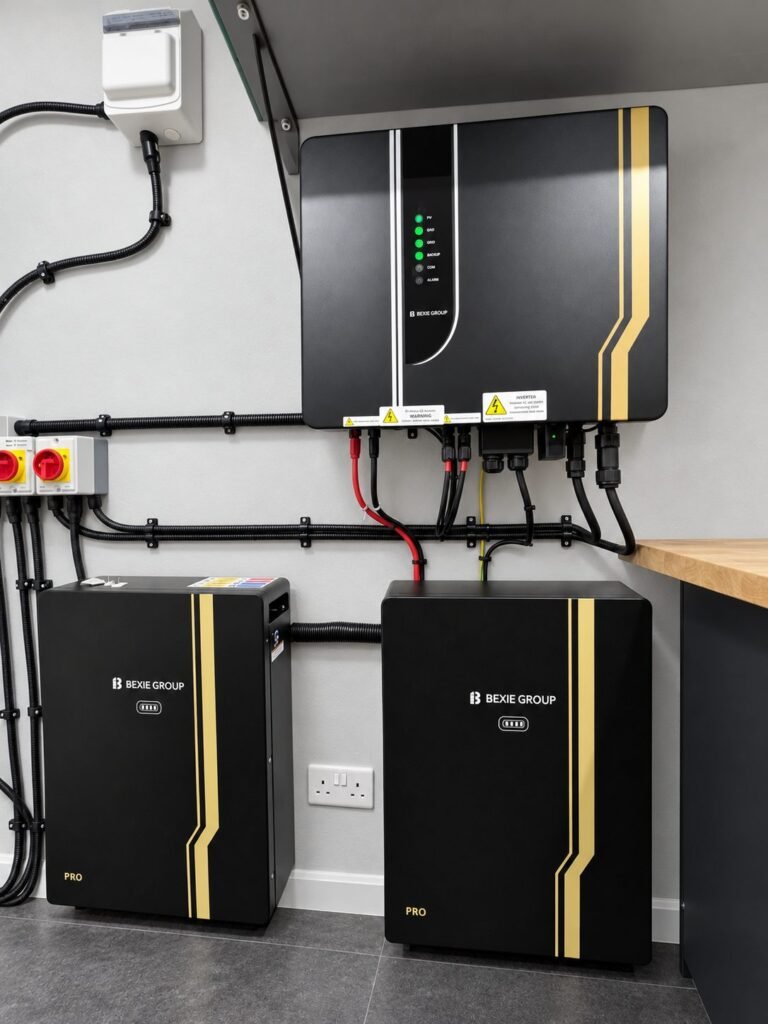
BEXIE GROUP Solar Battery and Hybrid Inverter: UK Installation and Buying Guide
BEXIE GROUP hybrid inverter and PRO battery system: verified range details, edited installation image, app owner impression, warranty checks and UK installer quote route.
Read guideCORSAIR XENEON EDGE: Hands-On First Look and Buying Checks
A limited hands-on first look at the CORSAIR XENEON EDGE 14.5-inch touchscreen, with official specifications, connection checks and clear testing limits.
Read guideAmazon Echo Show 15 (2nd Gen) vs Show 21, 11, 8 & Echo Hub: UK Buying Guide
Which Amazon Echo smart display makes sense for your home? Compare the 2024 Echo Show 15 and 21 with the 2025 Show 8 and…
Read guideKAT Loco S 2025: compact VR walking alternative
A compact three-sensor walk-in-place alternative to full-size VR treadmills, with important Quest adapter and room-safety checks.
Read guideKAT Walk C2 Plus Enhanced: VR treadmill buying guide
KAT Walk C2 Plus Enhanced adds haptics and seated modes to a 360-degree VR platform. Check the model variant, height, Quest adapter and UK…
Read guideKAT Walk C2 Core Enhanced: VR treadmill buying guide
Compare KAT Walk C2 Core Enhanced for PC VR and Quest setups, including the Nexus adapter, shoe sizing, height range and UK delivery checks.
Read guideVirtuix Omni One for Quest: UK buying and compatibility
Omni One for Quest brings harness-supported walking to compatible Quest titles; check the headset, game list, 6 ft 4 in user-height limit and UK…
Read guideVirtuix Omni One Core: PC VR treadmill buying guide
Omni One Core is Virtuix’s PC VR version without a bundled headset. Check SteamVR compatibility, the PC, game list and fit before ordering in…
Read guideResearch-ledEvidence and decision criteria come before affiliate links.
Clear testing labelsWe identify hands-on experience instead of implying it.
Editorial independenceCommercial relationships do not buy a recommendation.
Explore the connected home: see Smart Home Hubs & Sensors, Security Cameras, Home Cinema, Home Robots, Smart Energy & Power and Networking & Wi-Fi. Explore interactive fitness mirrors, connected strength gyms and cardio devices in Home Gym & Fitness Tech.
Collector rooms
Browse the category: Collectible Display Cases covers enclosed cases, tabletop displays and cabinet buying checks for figures, models and memorabilia.
Brickzonehub collector displays & lighting
Compare ten wall frames and display cases for F1, Jaws, Concorde, Pirate Ship and minifigure collections, with exact-set compatibility checks and Standard or LED edition choices.