

Compare touchscreen monitors for work, education, creative tasks and interactive setups by touch technology, display quality, connectivity and ergonomics.
 The Tools and Tech Team
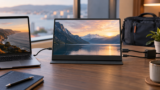
Choose between USB-C and HDMI for a portable monitor, including DP Alt Mode, power requirements, cable checks and laptop or console compatibility.

Touch monitors for desktop productivity, teaching, presentations and portable laptop use.
Choose a portable monitor for your laptop by USB-C video support, power delivery, screen layout, stand design and packed travel weight.
Compare portable monitors for travel and mobile work, including wired, wireless, premium stand-led and dual-screen options with essential compatibility checks.
A limited hands-on first look at the CORSAIR XENEON EDGE 14.5-inch touchscreen, with official specifications, connection checks and clear testing limits.
Research-led buying guidance with practical compatibility checks and UK shopping destinations.

Compare Logitech Rally Bar Mini, Neat Bar 2 and HP Poly Studio X52 for UK small-business meeting rooms, including Teams, Zoom, BYOD and deployment trade-offs.
Research-led sim racing accessory guide covering useful haptics, pedal adjustment, cockpit keyboard access and control surfaces rather than decorative add-ons.
Build an indicative UK home solar system with panels, inverter, battery storage, backup, monitoring and installation planning, plus saved shopping-list and ...

Plan a compatible PC build for gaming, work or creative use with component guidance, build pathways, shopping-list tools and practical upgrade advice.