
Best Ergonomic Mice for Work UK (2026)

Research-led guide — checked 7 October 2026: The Tools and Tech has not claimed hands-on testing of every mouse below. We compared current manufacturer specifications, ergonomics, hand-fit guidance, connectivity, control layout, current UK pricing and suitability for long desk sessions.
Quick answer
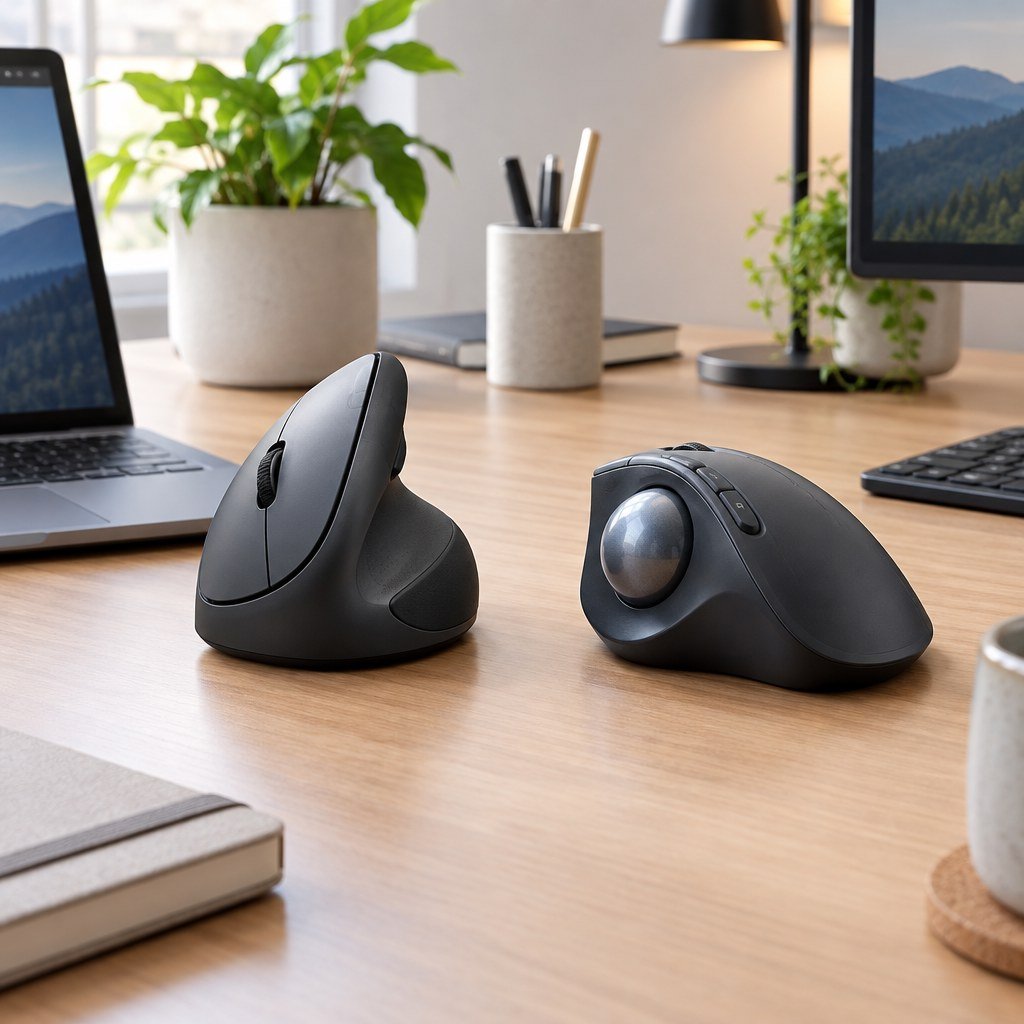
For most people who want to try a vertical mouse without overspending, Logitech Lift is the easiest place to start, particularly for small-to-medium hands and left-handed users. Razer Pro Click V2 Vertical is the premium vertical option for people who want stronger performance features as well as an ergonomic shape. Logitech MX Ergo S is the more advanced trackball direction, while ERGO M575S is the lower-cost trackball choice for small desks and users who want to minimise arm movement.
Current official UK prices checked 7 October 2026: Lift around £39.99 on promotion, Pro Click V2 Vertical £119.99, MX Ergo S £84.99 and ERGO M575S £30.99 on promotion. Prices can change.
At a glance
| Mouse | Best for | Design | Price checked | Main consideration |
|---|---|---|---|---|
| Logitech Lift | Best overall vertical | 57° vertical | £39.99 promo | Best suited to small-to-medium hands |
| Razer Pro Click V2 Vertical | Premium vertical | 71.7° vertical | £119.99 | Right-handed and much more expensive |
| Logitech MX Ergo S | Premium trackball | Thumb trackball, 20° tilt | £84.99 | Requires adapting to thumb-controlled cursor movement |
| Logitech ERGO M575S | Value trackball | Stationary thumb trackball | £30.99 promo | Fewer premium controls than MX Ergo S |
Our current picks
Best vertical mouse for most people: Logitech Lift
Logitech describes Lift as a vertical ergonomic mouse for small-to-medium hands, with a 57-degree handshake-style angle, a soft grip and a dedicated left-handed version. It is a sensible first ergonomic mouse because the shape is clearly differentiated from a normal mouse without being as large as some older vertical designs.
Best premium vertical mouse: Razer Pro Click V2 Vertical
Razer’s current Pro Click V2 Vertical uses a steeper 71.7-degree vertical design with base support, up to six months of quoted battery life, HyperSpeed wireless, Bluetooth and wired USB-C modes. It also uses a high-resolution optical sensor, making it more suitable than many office-only vertical mice for users who move between productivity and higher-precision creative or gaming work.
Best premium trackball: Logitech MX Ergo S
MX Ergo S keeps the pointer under thumb control so the hand and arm do not have to travel across the desk. Logitech specifies an adjustable 20-degree tilt position, quiet clicks and USB-C charging. It is especially relevant to multi-monitor users, compact desks and people who prefer a stationary pointing device.
Best value trackball: Logitech ERGO M575S
ERGO M575S is the simpler and lower-cost trackball option. Logitech positions it around reduced arm movement, quiet clicks and a sculpted shape that fits most hand sizes. Because the mouse itself stays in one place, it can work particularly well on narrow desks or crowded workstations.
Vertical mouse or trackball?
A vertical mouse changes forearm and wrist orientation while still requiring the whole mouse to move across the desk. A trackball keeps the mouse stationary and moves the pointer with the thumb. Neither approach is automatically better for everyone: hand size, desk space, previous discomfort, cursor precision and adaptation time all matter.
What to look for
Hand size and handedness
Ergonomic shapes are much more sensitive to hand fit than conventional symmetrical mice. A highly rated mouse can still feel wrong if the body is too large or the thumb rest falls in the wrong place.
Desk space
Trackballs use almost no lateral desk space. Vertical mice still need enough room to move normally.
Connectivity
Check whether you need Bluetooth, a 2.4GHz receiver, multi-device switching or a wired mode. Business laptops with limited USB-A ports may favour Bluetooth or USB-C-friendly setups.
Software dependence
Custom buttons, gestures and device switching can depend on Logi Options+ or Razer Synapse. Core pointer functions normally work without software, but advanced workflow features may not.
Who should avoid an ergonomic mouse?
If you are buying because of persistent pain, numbness or weakness, do not treat a mouse purchase as medical treatment. An ergonomic device can change posture and movement, but workstation height, chair setup, keyboard position, breaks and professional advice may be more important.
Primary sources reviewed
Final verdict
Start with Logitech Lift if you want a straightforward vertical mouse, choose Razer Pro Click V2 Vertical if you want a more performance-focused premium design, and move toward MX Ergo S or ERGO M575S when reducing arm movement and desk footprint matters more than retaining a conventional mouse motion.
Continue to our Ergonomic Mice section, Home Office Builder or Coding Workspace Builder.
Our workstation-first verdict
Our research suggests treating a different mouse shape as one part of a workstation adjustment, not as a guaranteed fix for discomfort. The UK Health and Safety Executive’s display-screen guidance assesses the whole setup, including furniture, input devices, working conditions and the task. That matters when a buyer is tempted to spend more on a premium vertical mouse while still reaching awkwardly for a keyboard or working with an unsuitable desk height.
For a small desk, we would shortlist a trackball before a large vertical mouse because the stationary base removes the need for broad cursor movements. For somebody who frequently changes desks or shares a computer, the easier learning curve of a conventional moving mouse may be worth more than advanced button software. Left-handed buyers should verify the exact handed version; a right-handed ergonomic shape is not interchangeable.
The Tools and Tech recommendation: try the shape and return policy before investing in extra controls. If pain, tingling or weakness persists, seek an appropriate assessment rather than treating our buying advice as a clinical claim. This is an evidence-led purchasing judgement, not a controlled ergonomic trial.
Independent reference: HSE workstation assessment guidance.
Buy Logitech Lift in the UK — choose the correct hand
For the right-handed graphite Logitech Lift, view the exact product at Currys UK. For the left-handed graphite Logitech Lift, use the separate left-handed listing. These are direct UK retailer product links, not confirmed affiliate-tracked links. Check handedness, current price, stock and returns before checkout.
Logitech MX Master 4: productivity alternative to a vertical mouse
Exact product: Logitech MX Master 4, graphite. This is a conventional sculpted productivity mouse rather than a vertical design, with an 8,000-DPI sensor, MagSpeed scrolling, haptic feedback and configurable Actions Ring shortcuts. Logitech’s advertised time-saving percentages come from its own study; they are not guaranteed results for an individual buyer.
Our assessment: choose the MX Master 4 if programmable controls and navigating large spreadsheets or editing timelines matter more than a vertical hand position. Choose the Logitech Lift if the purpose of the purchase is specifically to try a vertical grip. The MX Master 4 for Mac is a distinct listing, so check OS compatibility and the included accessories before ordering.
View MX Master 4 at Logitech UK. This is a direct manufacturer product page, not a confirmed affiliate-tracked link. Compare live price and returns at checkout.

