
Best Productivity Keyboards for Work & Coding UK (2026)

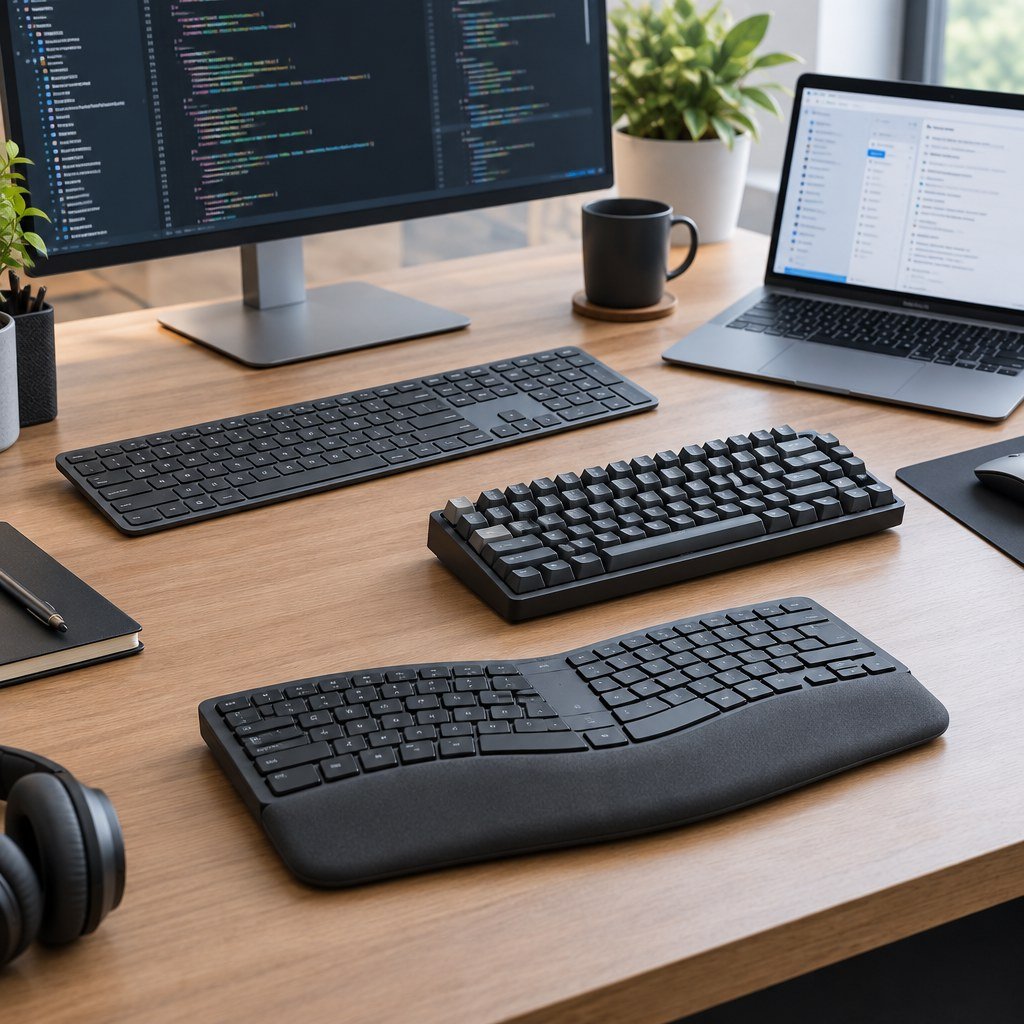
Research-led guide — checked 7 October 2026: The Tools and Tech has not claimed hands-on testing of every keyboard below. We compared current UK manufacturer information, layout, connectivity, multi-device support, ergonomics, software/customisation, current pricing and intended workflow. Keyboard feel is highly personal, so switch preference and wrist position should be treated separately from feature lists.
Quick answer
Logitech MX Keys S is the safest all-round productivity recommendation for most Windows and Mac desk setups because it combines a full-size low-profile layout, smart illumination and programmable workflow keys. Logitech Signature Slim K950 is the simpler lower-cost multi-device choice. Logitech Wave Keys is the ergonomic option for users who prefer a wave-shaped board with a cushioned palm rest, while Logitech MX Mechanical is the best fit here for people who specifically want low-profile mechanical switches. Microsoft Surface Keyboard 2nd Edition is the clean Windows-first alternative with a dedicated Copilot key and conventional full-size layout.
At a glance
Official UK prices checked 7 October 2026. Promotional prices can change.
| Keyboard | Best for | Typing style | Price checked | Key strength | Main trade-off |
|---|---|---|---|---|---|
| Logitech MX Keys S | Best overall productivity | Low-profile scissor | £99.99 | Smart illumination and programmable workflow | Premium price for a non-mechanical keyboard |
| Logitech Signature Slim K950 | Value multi-device work | Low-profile | £59.99 promo | Switch between computer, tablet and phone | No premium backlighting/mechanical feel |
| Logitech Wave Keys | Ergonomic office use | Wave-shaped membrane/scissor-style | £49.99 promo | Cushioned palm rest and natural hand position | Shape takes adjustment and is not for everyone |
| Logitech MX Mechanical | Coding and mechanical-key fans | Low-profile mechanical | £149.99 | Choice of tactile, clicky or linear switches | More expensive and potentially noisier |
| Microsoft Surface Keyboard 2nd Edition | Windows-first desks | Classic low-profile | £129.99 | Full-size layout, Copilot key and Windows shortcuts | Less cross-platform workflow customisation than Logitech MX |
Our top picks
Best overall: Logitech MX Keys S
MX Keys S is Logitech’s current advanced full-size wireless productivity keyboard, built around low-profile typing, smart illumination and programmable keys through Logi Options+. Logitech positions it for fast, fluid precision typing and supports a compact MX Keys Mini alternative for users who do not need a numpad.
It suits office work, spreadsheets, coding and mixed Windows/Mac environments where quiet typing and a conventional layout matter more than mechanical-switch feel.
Best value multi-device option: Logitech Signature Slim K950
Signature Slim K950 is designed to move between a computer, tablet and phone, with customisable keys and shortcuts. It is a good choice when the keyboard needs to serve a work laptop and personal devices without paying for the MX range’s premium illumination and materials.
The main limitation is that it is intentionally simpler. Users who spend all day typing and care strongly about key feel, backlighting or deeper automation may still prefer MX Keys S or a mechanical board.
Best ergonomic option: Logitech Wave Keys
Wave Keys uses a compact wave-shaped layout with a three-layer cushioned palm rest. Logitech says the design was developed and tested through its Ergo Lab and is intended to encourage a more natural hand, wrist and forearm position.
Ergonomic keyboards are not universally comfortable, so the shape should be treated as a preference rather than a medical solution. It is most relevant for users who already know they prefer a curved/wave layout over a flat traditional board.
Best mechanical productivity keyboard: Logitech MX Mechanical
UK buying option: Check Logitech MX Mechanical at Back to the Office. Affiliate product-feed link; we may earn a commission on qualifying purchases at no extra cost to you. Confirm the exact variant, current price, stock and delivery before ordering.
MX Mechanical combines low-profile mechanical switches with smart illumination and multi-device Easy-Switch support. Current UK versions are offered with Tactile Quiet, Clicky or Linear switch options, and Logitech supports switching between up to three devices across Windows, macOS, ChromeOS, Linux and iPadOS.
For coders and writers who prefer mechanical feedback, it gives a more work-focused alternative to gaming keyboards. The important choice is switch type: clicky switches can be disruptive in shared offices or calls, while tactile or linear options are generally easier to live with around other people.
Best Windows-first alternative: Microsoft Surface Keyboard 2nd Edition
Microsoft’s current Surface Keyboard 2nd Edition is a full-size Bluetooth keyboard with a number pad, dedicated Windows shortcuts and a Copilot key. Microsoft lists up to 12 months of battery life from two AAA batteries and Bluetooth Low Energy compatibility.
It is a clean choice for a Windows 11 desk, especially for users already in the Surface ecosystem. It lacks the deeper multi-device workflow and automation emphasis of Logitech’s MX products, so it is better viewed as a polished conventional keyboard than a cross-platform control centre.
What matters for productivity
Layout
A full-size board adds a number pad and dedicated navigation keys, which can be valuable for spreadsheets and finance work. Tenkeyless and compact boards free more mouse space and can reduce shoulder reach.
Multi-device switching
If you regularly move between a work laptop, desktop and tablet, dedicated device switching can save more time than an extra macro key. Check whether switching works over Bluetooth, a proprietary receiver or both.
Mechanical vs low-profile
Mechanical switches provide distinct travel and feedback choices. Low-profile scissor-style boards are often quieter and familiar to laptop users. Neither is automatically more productive; comfort, accuracy and noise matter more than category labels.
Ergonomics
Keyboard height, wrist angle, desk height and mouse position all affect comfort. A keyboard marketed as ergonomic cannot compensate for a poor overall workstation setup.
Software and shortcuts
Custom keys, application profiles and automation can be valuable for repetitive work. If employer security policy prevents installing configuration software, make sure the keyboard still provides the functions you need without it.
Frequently asked questions
Is a mechanical keyboard better for coding?
Only if you prefer the feel. Mechanical switches can improve satisfaction and feedback, but they do not inherently make code faster or more accurate.
Do I need a number pad?
For frequent spreadsheet, accounting or numeric entry, usually yes. For writing, coding and general office work, a compact board can provide more comfortable mouse space.
Should a home-office keyboard be wireless?
Wireless is convenient and reduces cable clutter, but wired keyboards remove charging and interference concerns. A keyboard supporting both can be useful for mixed workflows.
How we researched this guide
We reviewed current UK manufacturer pages from Logitech and Microsoft for availability, layout, connectivity and workflow features. We have not converted marketing claims about comfort or productivity into measured performance claims.
Final verdict
MX Keys S is the best general productivity fit, Signature Slim K950 is the simpler value choice, Wave Keys is the ergonomic option, MX Mechanical is the mechanical-keyboard choice for work and coding, and Surface Keyboard 2nd Edition is the strongest Windows-first conventional alternative.
Add your keyboard to the Home Office or Coding Workspace planner so input devices are considered alongside monitor, chair, desk, dock and computer budget.


